Facet Follies April 2021

Call our office!
Peoria, IL 61615
Monday – Friday

Facet Follies is a monthly tech cartoon by Mike Wright.
Want more Follies in your inbox? Sign up for our newsletter below.

This month’s tech tip is from Annette Ford, Vice President at Facet Technologies. Annette has shared a few shortcuts for web browsers that will save you time. You’ll never go back to using your mouse again!
These tips are for Windows 10 users, but if you use an Apple computer, fear not! You can find an extensive list of helpful shortcuts for your device here.
On the web, if you are using Chrome, Firefox, or Edge browsers:
Accidentally close the wrong tab in your browser?
Ctrl + Shift + T will open up your last closed browser tab.
Need to go to a new site or start a search?
Ctrl + L will jump your cursor to the address bar. The address bar can be used for web searches as well as navigating to a specific site.
Need to quickly jump between tabs?
Ctrl + Tab will cycle through the open tabs in your browser window.
Need to zoom in on a webpage?
Ctrl + “+/-” will zoom you in and out on a webpage. Reset to normal zoom using Ctrl + 0.
Need to quickly open or close a tab?
Ctrl + T opens a new tab, and Ctrl + W will close your current tab.
Need to refresh?
Ctrl + R reloads your current page.
This last trick is maybe the most important one! If you are having trouble with a webpage, whether it’s not loading properly, a photo isn’t displaying correctly, or it’s otherwise not functioning, the first step to take is deleting your cache. This allows your browser to “start fresh” on the page without added cookies and “junk” leftover from previous sessions. It fixes a lot of internet-related issues!
Ctrl + Shift + Delete opens your “clear browsing data” window. From there, you can delete your cache (where sites store data like images and other small files to speed up loading times), and, if you choose, cookies (this logs you out of most websites).
Happy browsing!
This was included in the March 2021 Facet Newsletter. Want to get the newsletter? Sign up below.
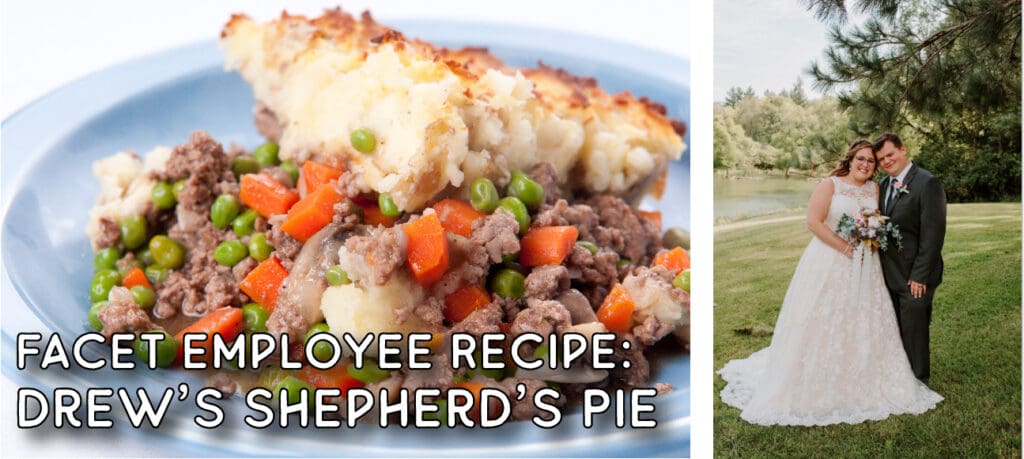
This month’s recipe is from Drew Williams, a new addition to the Facet team working in web and software development. We are excited to have him aboard!
Drew has shared a recipe for an hearty and tasty shepherd’s pie. Easy to make, this recipe is definitely one you’ll want to save.
Shepherd’s Pie
(Makes a 9×9 pan)
Ingredients:
1 cup chopped onions
1lb ground beef
Italian seasoning to taste
½ tsp salt and pepper
1 tbsp Worcestershire sauce
2 tsp minced garlic
2 tbsp flour
2 tbsp tomato paste
1 cup beef broth
1 cup mixed peas and carrots
½ cup of corn
8 servings of instant mashed potatoes
Parmesan cheese
Instructions:
Preheat oven to 400 degrees. Brown the hamburger. Add the onions, Italian seasoning, salt, pepper, Worcestershire, and garlic. Let simmer for 1 ½ minutes. Add the broth, tomato paste, and flour and mix well. Let sit for 2 minutes stirring occasionally. Mix in the peas, carrots, and corn. Add the contents the the 9×9 pan. Pour the mashed potatoes over top. Sprinkle parmesan cheese over the potatoes. Place in the over for 20 to 30 minutes. Let cool for 10 minutes.
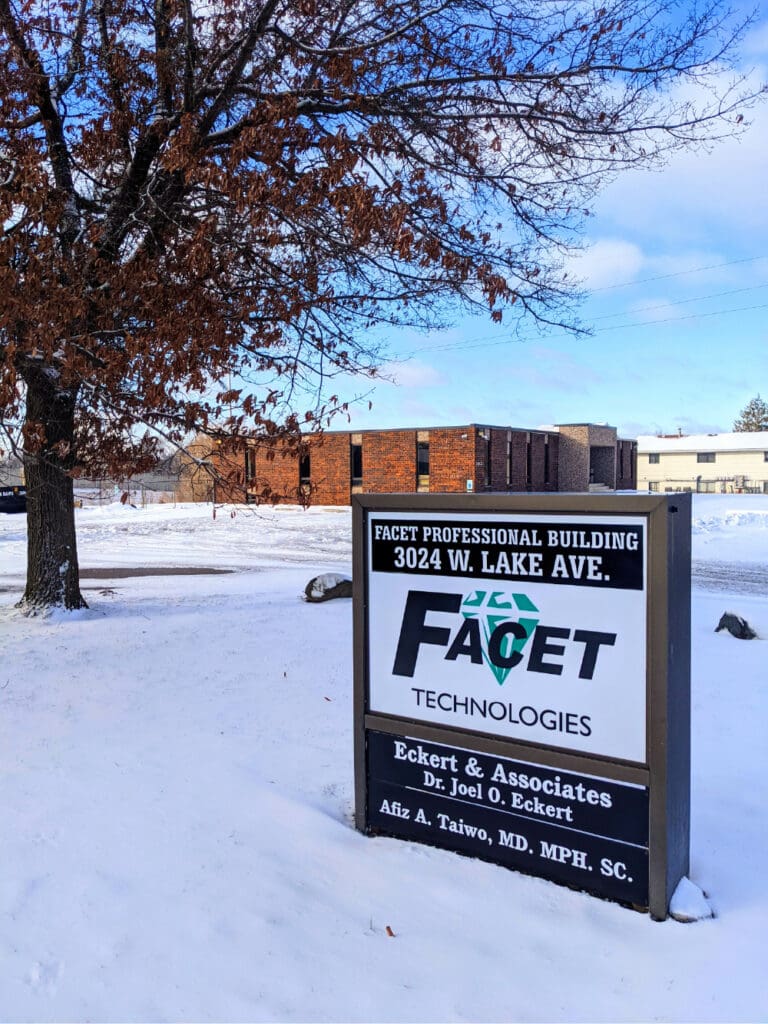
Facet is moving! Our new headquarters at 3024 W. Lake Ave. in Peoria is set to be fully renovated and open for business by April 1, 2021. We are excited to welcome our clients and members of the community to our newly renovated office and workspace!
Below, we have answered some frequently asked questions concerning the move, our current customers, and the expansion:
Where are you moving? We are moving to a new corporate headquarters at 3024 W. Lake Ave., behind Westlake Shopping Center (home of Michaels, Ross, and Guitar Center, etc.) across from Northwoods Mall, right off of the I-74 Sterling Ave. exit. The new building is easy to access and has a ramp in the back.
When are you moving? The new location will be open by April 1, 2021. We are committed to uninterrupted service throughout the move!
Why are you moving? As our managed IT, software, and other B2B services have grown like crazy, our needs for a physical space have changed. The new building is several times the size of our current spaces and will have plenty of room for desks and workstations to be arranged comfortably, a large repair bench area, conference rooms, meeting areas and more. We’ll have plenty of space to work collaboratively in a central location. We are renovating it to fit our needs and continued expansion.
Will you continue to offer service for personal/residential computers? Absolutely! We will offer the same services we currently do.
Will you continue to service the Pekin area? Yes. We opened Facet in Pekin in 2001 (having previously been located in Glasford, IL) and consider ourselves part of the community. In the same way we remained active in the Glasford area, we will remain active in Pekin charities and service organizations and continue to give back to the Pekin community as we have for over 20 years. We will still service the same area we do right now, including Pekin, Tremont, and surrounding areas, and plan to resume on-site house calls for our entire service area (including Pekin) as soon as COVID-19 shelter orders are lifted and it is safe to do so.
If I purchase a computer or other equipment from you, will the warranty be honored after the move? Yes. Because we are still the same exact company, all warranties will be honored at the new location for equipment and service. We will still have all of your information safely on file!
For any questions, call us at (309) 353-4727, email pr@facettech.com, or fill out the contact form below.

We are excited to announce our new corporate headquarters, opening April 2021!
Thanks to all of our loyal customers, Facet has been growing and adding new team members, and it’s time that we needed more space to better serve you.
Our search for a new home for Facet was successful and we found a great building in the perfect location–centrally located so we can easily dispatch technicians to our clients, and spacious enough to allow us to work in collaboration comfortably.
Our new state-of-the-art headquarters will be located at 3024 W. Lake Ave. in Peoria, right off of the I-74 Sterling Ave. exit behind Westlake Shopping Center. It has a large parking lot and a ramp for easy access. Maggie and Boomer, our shop pups, are excited for the large fenced-in yard attached to the building complete with a picnic area for outside lunches when the weather gets warmer.
We are performing an extensive remodel of the building and will share indoor photos soon.
We have plans for a digital grand opening and ribbon cutting ceremony in April. We can’t wait to welcome all of our customers to see our new space once we can safely gather again.
Stay tuned for more updates during the move and transition to our new office!
This month’s tech tip is from IT Bench Technician Vincent Bethel. Vince shares how to clean your computer equipment to help keep you and others safe, especially on shared equipment.
We often talk about how to keep your computer “clean” and safe from digital viruses, but we don’t often talk about physically cleaning your computers and other equipment. It is an equally important task. Even before COVID, keeping your PC clean helped protect it from dust buildup and other issues that can cause the machine to overheat or components to fail. If you would like to learn how to sanitize a computer properly without damaging sensitive and delicate components, read on!
With COVID still around it’s important to know how to properly sanitize your computer equipment. Follow these steps to insure your equipment is properly disinfected:
1. Power off equipment and disconnect power cords and peripherals
2. Spray disinfectant on cloth or paper towel, don’t spray directly on the computer
3. Carefully and gently wipe in a uniform manner. For screens, wipe in one direction with overlapping strokes from top to bottom.
4. Wait a few minutes for the computer to dry.
5. Wash your hands.
Need to clean your keyboard, mouse or other accessories? Follow the same instructions above. If you need to get into nooks and crannies of your keyboard, dampen a cotton swab with a little isopropyl (rubbing) alcohol and use that to clean in the cracks. Be sure that your accessories are unplugged and powered off before cleaning, though! Not only is it an important step for making sure they remain in good working order, this step also prevents you from opening all sorts of random things on your PC during cleaning!
Need a virus cleanup or other more intensive “cleaning” for your PC or Mac? Call Facet today, or stop in one of our locations to find reliable, local help for tech problems.
Want more tech tips? Sign up for our monthly newsletter for information, great ideas, and even some fun!

Ingredients:
3 to 4 large chicken breasts
Tabasco sauce
1 bottle ranch dressing
1 8oz package Philidelphia cream cheese
Shredded cheddar cheese
Instructions:
– Boil 3 to 4 large chicken breasts.
– Cut and shred.
– Put into a 9 x 13 pan and sprinkle Tabasco sauce over chicken.
– Take a large bottle of ranch dressing and one 8 ounce package of Philadelphia cream cheese and heat on stove-top until mixed completely.
– Pour ranch/cream cheese mixture on top of chicken and sprinkle shredded cheddar cheese on top.
– Bake at 350 F until cheese is melted.