Healthcare IT is not the same as general business IT. Medical practices, clinics, dental offices, behavioral health groups, and specialty care facilities in Central Illinois face a specific set of demands that most IT providers are not equipped to handle. Between HIPAA compliance, electronic health records, medical device connectivity, and the reality that a network outage can mean patients don’t get care, healthcare organizations need an IT partner who understands how clinical workflows depend on technology, not just how to reset a password.
At a glance: Healthcare data breaches cost an average of $9.8 million per incident in the United States, the highest of any industry for 14 consecutive years. The proposed HIPAA Security Rule update, expected to be finalized by mid-2026, would make encryption, multi-factor authentication, and annual penetration testing mandatory rather than optional. Medical practices in Central Illinois with 20 to 250 employees are the most common targets for ransomware because they hold high-value patient data and typically have smaller security budgets than hospital systems. A managed IT provider with healthcare experience should be able to support HIPAA compliance, protect EHR systems, and respond to issues without disrupting patient care. Facet Technologies has served healthcare organizations across Central Illinois for over 30 years, with specific experience in HIPAA compliance, secure cloud infrastructure, and medical office IT support.
Why Is Healthcare IT Different From Regular Business IT?
The short answer: the stakes are higher, the rules are stricter, and the tolerance for disruption is close to zero.
When a retail company’s email goes down for an hour, it’s an inconvenience. When a medical practice loses access to its EHR system for an hour, patients may not receive the right medications, lab results may not reach providers in time, and the practice may fall behind on appointments for the rest of the day. In some cases, delayed access to medical records creates genuine patient safety risks.
Electronic health records, or EHR systems, are the backbone of modern medical practice operations. An EHR system is the digital record of a patient’s medical history, diagnoses, medications, treatment plans, and lab results, accessed by providers and staff throughout the day. These systems require consistent network performance, reliable backups, and security protections that go well beyond what a standard office network needs.
On top of that, healthcare organizations are subject to the Health Insurance Portability and Accountability Act, known as HIPAA. HIPAA is a federal law that sets standards for protecting sensitive patient health information, called electronic protected health information (ePHI). Noncompliance can result in fines ranging from $100 per violation to over $2 million per category per year, depending on the level of negligence, according to the U.S. Department of Health and Human Services.
Your IT partner needs to understand all of this, not just the technology, but how it connects to patient care, compliance, and the daily rhythm of a clinical environment.
What Makes Healthcare a Top Target for Cyber Attacks?
Healthcare organizations are targeted more frequently and more aggressively than businesses in almost any other industry. There are three reasons.
First, medical records are worth more on the black market than credit card numbers. A stolen credit card can be canceled and reissued. A medical record contains a person’s Social Security number, insurance information, medication history, and personal demographics, none of which can be changed. That makes each record more useful to criminals and more damaging to the patient.
Second, healthcare organizations often run on older systems. Legacy medical devices, outdated EHR platforms, and aging network infrastructure create gaps that attackers know how to find. Many practices have equipment that cannot be easily updated or replaced because it’s tied to a specific clinical function.
Third, the consequences of an outage are so severe that healthcare organizations have historically been more likely to pay ransoms to restore access to patient data. Attackers know this.
The numbers reflect it. According to the 2025 IBM Cost of a Data Breach Report, the average cost of a healthcare data breach in the United States reached $9.8 million, the highest of any industry for the fourteenth consecutive year. Healthcare breaches also take longer to identify and contain, averaging 279 days compared to 241 days across all industries. That means an attacker who gets into a healthcare network has, on average, more than nine months before being detected.
For medical practices in Central Illinois, the risk is not theoretical. Practices with 20 to 250 employees are particularly exposed because they hold the same high-value patient data as larger hospital systems but typically have smaller IT budgets and fewer dedicated security resources.
What Is Changing With HIPAA in 2026?
The biggest update to the HIPAA Security Rule since 2013 is expected to be finalized by mid-2026. Healthcare organizations across Central Illinois need to understand what’s coming, because the compliance bar is about to get much higher.
The proposed rule, published by the HHS Office for Civil Rights in January 2025, eliminates the long-standing distinction between “required” and “addressable” safeguards. Under the current rule, certain security measures like encryption and multi-factor authentication are technically optional if an organization documents why they chose not to implement them. The updated rule would make those protections mandatory, with limited exceptions.
Here’s what the proposed changes include:
Mandatory encryption of all ePHI at rest and in transit
Multi-factor authentication required for all system access, not just remote connections
Annual penetration testing and biannual vulnerability scans
72-hour incident response and restoration requirements for core systems
Written verification from business associates confirming they’ve implemented required safeguards (a signed business associate agreement alone would no longer be sufficient)
Comprehensive asset inventories tracking all systems, devices, and software with access to ePHI
Network segmentation to limit lateral movement during a breach
Once finalized, organizations will have approximately 180 days to comply. That means practices that are still treating security controls as optional or checkbox exercises will need to make real changes before the end of 2026 or early 2027.
The takeaway for Central Illinois healthcare organizations: if your IT provider hasn’t started talking to you about these changes, that’s a red flag.
What Should a Healthcare IT Provider Actually Do for Your Practice?
Not every managed IT provider is equipped to serve healthcare. Here’s what to look for:
HIPAA compliance support. Your IT partner should understand HIPAA requirements, help you implement the technical safeguards, and assist with documentation for risk assessments and audits. This means more than just saying “we’re HIPAA compliant.” It means actively managing the controls that keep your practice compliant: encryption, access management, audit logging, backup testing, and employee training.
EHR system support. Your provider should have experience supporting the EHR platforms used in your practice. They need to understand how EHR performance depends on network speed, server health, and proper configuration, and they need to be able to troubleshoot issues without disrupting clinical workflows.
Security that matches the threat level. Healthcare organizations need endpoint detection and response on every device, managed firewall protection, email security with phishing filtering, dark web monitoring for compromised credentials, and 24/7 security monitoring. A basic antivirus subscription is not sufficient for a healthcare environment.
Backup and disaster recovery built for healthcare. Your backup strategy needs to account for the fact that losing access to patient data, even temporarily, creates patient safety and compliance risks. That means tested backups with verified recovery times, not just a backup that runs every night and has never been tested.
A team that respects clinical workflows. IT work in a medical practice has to be scheduled around patient care. Your provider should understand that rebooting a server at 10 AM on a Tuesday is not acceptable when patients are in exam rooms. Maintenance windows, update schedules, and project work all need to account for the clinical calendar.
How Does Facet Technologies Support Healthcare Organizations?
Facet Technologies has served healthcare organizations across Central Illinois for over 30 years. Our team has specific experience with medical practices, dental offices, behavioral health groups, and specialty care facilities ranging from single-provider offices to multi-location practice groups.
Our approach to healthcare IT starts with understanding that your technology exists to support patient care, and everything we do is designed around that priority.
We provide HIPAA compliance support that includes technical safeguard implementation, risk assessment assistance, and ongoing compliance monitoring. We work with third-party auditing partners when your practice needs independent validation, because we believe the organization providing your IT should not also serve as your auditor.
Our cybersecurity protections include endpoint detection and response, managed firewall with hardware replacement on a three-year cycle, email filtering, dark web monitoring, multi-factor authentication, and phishing simulation training for your staff. For practices that need 24/7 security monitoring, our managed detection and response service provides a security operations center with threats resolved in minutes, not hours.
Every client gets an in-house helpdesk team in Peoria that answers calls live during business hours and provides on-call technician access 24/7/365. Our average response time is under 15 minutes. When your front desk can’t pull up a patient chart, that speed matters.
We also provide strategic IT advisory for healthcare organizations that need help planning for growth, managing compliance across multiple locations, or preparing for the upcoming HIPAA Security Rule changes.
Frequently Asked Questions
Does Facet Technologies specialize in healthcare IT?
Healthcare is one of our strongest verticals. We serve medical practices, dental offices, behavioral health groups, and specialty care facilities across Central Illinois. Our team has specific experience with HIPAA compliance, EHR system support, and the security requirements unique to healthcare environments.
Can Facet help with HIPAA compliance?
Yes. We implement the technical safeguards required by HIPAA, assist with risk assessments, and provide ongoing monitoring to help your practice maintain compliance. For practices that need independent compliance validation, we work with third-party auditing partners to ensure the organization providing your IT is not also serving as your auditor.
What EHR systems does Facet support?
We support a range of EHR platforms used by Central Illinois healthcare organizations. Because EHR performance depends on network infrastructure, server health, and proper configuration, our team focuses on keeping the environment your EHR runs on fast, stable, and secure.
How does Facet protect patient data from ransomware?
Our security stack includes endpoint detection and response, managed firewall protection, email security, dark web monitoring, multi-factor authentication, and employee phishing simulations. For practices that need around-the-clock monitoring, our managed detection and response service provides a security operations center with rapid threat containment.
What happens if our EHR system goes down?
Our helpdesk responds in under 15 minutes on average. For after-hours emergencies, an on-call technician is available 24/7/365. We also maintain tested backup and disaster recovery systems designed to restore access to patient data as quickly as possible.
Is Facet preparing clients for the 2026 HIPAA Security Rule changes?
Yes. We are already working with healthcare clients to assess their current security posture against the proposed requirements, including mandatory encryption, multi-factor authentication, annual penetration testing, and 72-hour incident response timelines. Practices that start preparing now will be in a much stronger position when the rule is finalized.
What size healthcare organizations does Facet work with?
We serve healthcare organizations with 10 to 500 employees, from single-provider practices to multi-location groups. The practices that get the most value from our model typically have 20 to 250 employees with HIPAA compliance requirements and one to five locations.
How do I get started?
Call us at (309) 689-3900, email info@facettech.com, or schedule a conversation online. We’ll start with a straightforward conversation about your practice, your compliance needs, and what you’re looking for in an IT partner.
Our next AI Fluent Leaders webinar is coming up on Wednesday, April 29. We’re diving into the big culture and team questions around AI, and sharing how our team uses AI to reduce their busywork and grow stronger. Register here!
Who’s Got the Keys?
Think about everyone who can log into your business systems right now… getting nervous yet?
Most companies have some version of this happening:
A web designer from a few years ago who still has admin on the site
A bookkeeper who left in 2023, but’s still in QuickBooks
Last summer’s intern, still an admin on the company Facebook page
An HVAC vendor with a portal login that touches your network
An ex-employee whose personal phone is still getting the MFA codes from websites
People move on, projects end, and sometimes the access stays. The problem is that attackers aren’t generally “hacking” small businesses anymore. They buy leaked passwords from old data breaches and try them. When one works, they’re in, and it looks like a normal login.
Here’s a small thing you can do this week: open up QuickBooks, your CRM, or your website admin portal, and pull up the user list. Remove anyone who doesn’t need access.
A few minutes, four times a year, stops this problem in its tracks (it’s also a great reason to have an offboarding checklist, which prevents some of these!).
Need guidance with removing access to software, or have another tech question? Call us at (309) 689-3900 to request a consultation.
AI Fluent Leaders: Session 4
AI-Ready Teams: Preparing Your Workforce for What’s Next
The next session of AI Fluent Leaders coming up on Wednesday, April 29 is about the people side of AI. How do you build a team that’s comfortable using these tools? How do you make AI part of how work gets done, not a side experiment a few folks are running on their own?
Join Brian and Jason for a session on how Facet has built an AI-forward culture, the tools we use day-to-day, and what we’ve learned about getting the whole team on board.
Much to be said about credential theft driving cyber incidents.
Stolen passwords surpass phishing: Ransomware groups are now prioritizing credential theft over active hacking as their way in. SecurityWeek.
BEC still costing millions: The FBI’s 2025 IC3 report logged over $3 billion in business email compromise losses last year, and compromised accounts (not just spoofed ones) are a growing piece of that.
Why Are Agriculture Businesses a Growing Target for Cyberattacks?
Agriculture is now one of the fastest-growing targets for cybercriminals. Ransomware attacks on food and agriculture companies more than doubled in early 2025, with 84 incidents reported in the first quarter alone, according to the Food and Ag-ISAC. For Central Illinois ag businesses, from grain operations and food processors to equipment dealers and seed companies, the threat is no longer hypothetical. Here is what is driving these attacks and what you can do to protect your operation.
At a glance: Ransomware attacks on food and agriculture businesses doubled in the first quarter of 2025 compared to the same period in 2024. CISA classifies food and agriculture as one of the 16 sectors of U.S. critical infrastructure. The Food and Ag-ISAC recorded 265 ransomware incidents targeting the sector in 2025, up from 212 in 2024. Most attacks enter through phishing emails, unpatched software, and unsecured remote access, all of which are preventable. A single ransomware event can shut down processing lines, delay shipments, and cost hundreds of thousands of dollars in lost production.
Why Is Agriculture Suddenly a Target for Cyberattacks?
Agriculture was not always on the radar for cybercriminals. But the sector has gone through a rapid technology shift over the past decade. Automated irrigation, GPS-guided equipment, IoT sensors, cloud-based farm management platforms, ERP systems in processing plants, and connected supply chain tools have all expanded the number of entry points attackers can use.
At the same time, many ag operations invest less in cybersecurity than comparably sized businesses in other industries. That gap between technology adoption and security readiness is exactly what ransomware groups look for. The FBI has identified four major threat categories facing U.S. agriculture: ransomware attacks, foreign malware, data and intellectual property theft, and bioterrorism.
A ransomware group is a criminal organization that deploys malicious software to lock a company’s files and systems, then demands payment to restore access. These groups increasingly target industries where every hour of lost production creates pressure to pay quickly.
How Bad Is the Problem Right Now?
The numbers are stark. According to a 2025 Check Point Research report, agriculture experienced a 101% year-over-year increase in cyberattacks globally, the largest jump of any industry. In the United States, attacks on the sector rose 38%.
The Food and Ag-ISAC’s 2025 ransomware report tracked 265 attacks on food and agriculture companies over the year. That is up from 212 in 2024 and 167 in 2023. In total, ransomware now accounts for 53% of all known cyber threats facing the industry.
These are not just attacks on massive corporations. Iowa State University’s Center for Cybersecurity Innovation has noted that small and mid-size agricultural operations are being hit regularly. As one researcher put it, a $5,000 theft from a family farm does not make national news, but it still devastates the business.
What Makes Ag Operations Especially Vulnerable?
Several factors make agricultural businesses more exposed than the average office-based company.
Legacy equipment and mixed technology. Many ag businesses run a combination of modern cloud platforms alongside older systems that were never designed with security in mind. A processing plant might have PLC-controlled equipment from the early 2000s sharing a network with a brand-new ERP system. That mix creates gaps.
Flat networks with no segmentation. In a flat network, everything from the front office computers to the plant floor controls to the security cameras sits on the same network. If an attacker gets into one system, they can move laterally to everything else. Network segmentation is the practice of dividing a network into separate zones so that a breach in one area cannot spread to another.
Remote vendor access. Equipment vendors, software providers, and service technicians often have remote access to systems inside your operation. Without proper controls, those connections become open doors.
Seasonal urgency. During planting, harvest, and peak processing seasons, ag businesses cannot afford to be offline. Attackers know this. They time their demands to moments when the pressure to pay and get back to work is highest.
Limited IT staffing. Many ag companies in Central Illinois do not have a dedicated IT team. The person managing technology might also be managing operations, which means security monitoring, patching, and backup testing often fall behind.
What Does a Cyberattack Actually Look Like for an Ag Business?
It does not always start with a dramatic ransom note. Many attacks begin with a phishing email that looks like a routine invoice, a shipping notification, or a message from a vendor. An employee clicks a link, enters credentials on a fake login page, and the attacker is inside the network.
From there, the attacker may sit quietly for days or weeks, mapping the network and identifying the most damaging systems to lock down. When the ransomware deploys, it can encrypt everything from accounting files and customer records to the software that runs processing lines and inventory management.
JBS Foods, the world’s largest meat processor, was forced to shut down all U.S. beef plants after a ransomware attack in 2021. The company paid $11 million to restore operations. Americold Logistics, one of the largest cold storage companies in the country, was hit twice, once in 2020 and again in 2023, with attacks that disrupted phone systems, email, inventory management, and order fulfillment.
These are large companies with dedicated security teams. For a 50-person food processor or a regional grain operation, the impact of a similar attack would be proportionally devastating.
What Can Central Illinois Ag Businesses Do Right Now?
You do not need a massive budget or a full-time security staff to make meaningful improvements. Start with the items that close the most common attack pathways.
Turn on multi-factor authentication (MFA) everywhere. MFA is a login method that requires a second verification step, like a code sent to your phone, in addition to your password. It stops the vast majority of credential-based attacks. Every email account, remote access tool, and cloud application your business uses should have MFA turned on.
Test your backups. Having backups is not enough. You need to verify that you can actually restore from them and know how long that process takes. If your recovery time is measured in weeks instead of hours, that is a gap you need to close now. Facet Technologies offers backup and instant recovery services that are built around getting businesses back online fast.
Segment your network. Separate your office systems from your plant floor, your guest Wi-Fi from your production network, and your vendor access from your internal systems. This limits how far an attacker can move if they get in.
Review who has remote access. Make a list of every vendor, technician, and employee who can connect to your systems remotely. Remove access for anyone who no longer needs it. Require MFA for everyone who does.
Patch your systems. Ransomware groups routinely target known software vulnerabilities that already have available fixes. Keeping operating systems, firewalls, and applications up to date closes those doors.
How Does Facet Technologies Help Agriculture Businesses?
Facet Technologies has provided IT and cybersecurity services to Central Illinois businesses for over 35 years, including clients in agriculture, food processing, and manufacturing. We understand the specific challenges ag operations face: mixed legacy environments, multi-site connectivity, seasonal production demands, and the need for technology that works reliably without a full-time IT department on staff.
Our approach starts with a cybersecurity risk assessment that maps your current exposure, from network architecture and backup readiness to vendor access and endpoint protection. From there, we build a plan based on what actually matters for your operation, not a one-size-fits-all checklist.
Facet’s managed detection and response (MDR) service provides 24/7 monitoring through an external security operations center, with threats addressed in minutes. Combined with endpoint detection and response, email security, dark web monitoring, and employee training, we build layered protection that covers the ways attackers actually get in.
We also work with ag businesses that already have internal IT staff through our co-managed IT program, adding security architecture, cloud migration support, and strategic planning without replacing the people who already know your operation.
Is the Government Doing Anything About Agriculture Cybersecurity?
Yes, and the federal response is accelerating. CISA classifies food and agriculture as one of 16 critical infrastructure sectors and has published a sector-specific cybersecurity checklist with free resources.
The Farm and Food Cybersecurity Act, reintroduced in Congress, would direct USDA to invest in cybersecurity research and crisis simulation exercises specific to agriculture. Additional legislation would establish regional cybersecurity research centers at universities with dedicated funding for ag-focused security training and workforce development.
The American Farm Bureau Federation has also partnered with the Food and Ag-ISAC to strengthen cyber awareness across the sector. These are positive steps, but they are primarily research and awareness programs. The actual work of securing your business still falls on you and the partners you choose to work with.
Frequently Asked Questions
Why are cybercriminals targeting agriculture businesses?
Agriculture has adopted technology rapidly, from connected equipment to cloud-based management platforms, but cybersecurity investment has not kept pace. Attackers target industries where the gap between technology use and security readiness is wide, and where the pressure to restore operations quickly increases the chance of a ransom payment.
What is the most common type of cyberattack on farms and food processors?
Ransomware is the most common threat, accounting for 53% of all known cyber incidents in the food and agriculture sector according to the Food and Ag-ISAC. Phishing emails are the most frequent entry point, followed by exploitation of unpatched software vulnerabilities.
Are small ag businesses really at risk, or just large corporations?
Small and mid-size operations are targeted regularly. Ransomware groups often use automated scanning to find vulnerable systems regardless of company size. A 50-person food processor or family-owned grain operation with weak security is just as likely to be hit as a national brand.
What is the first thing an ag business should do to improve cybersecurity?
Turn on multi-factor authentication across all email accounts, remote access tools, and cloud applications. This single step blocks the majority of credential-based attacks and costs nothing to implement on most platforms.
How much does a cyberattack cost an agriculture business?
Costs vary widely depending on the size of the operation and the severity of the attack. For mid-size businesses, a ransomware event can cost anywhere from tens of thousands to over a million dollars when you factor in lost production time, recovery expenses, legal costs, and reputational damage.
Does Facet Technologies work with agriculture companies in Central Illinois?
Yes. Facet Technologies has served ag businesses, food processors, and manufacturers across Central Illinois for over 35 years. Our team provides managed IT, cybersecurity, backup and recovery, and strategic IT planning designed for businesses with 10 to 500 employees. Learn more at facettech.com/it-for-ag.
What is the Food and Ag-ISAC?
The Food and Agriculture Information Sharing and Analysis Center, or Food and Ag-ISAC, is a nonprofit organization that collects and shares cybersecurity threat intelligence specific to the food and agriculture sector. It partners with federal agencies, universities, and private companies to help the industry stay ahead of emerging threats.
How often should an ag business review its cybersecurity?
At minimum, once per year with a full risk assessment, and again any time you add new technology, change vendors, or experience a security event. Facet Technologies includes quarterly strategic planning reviews as part of its managed services agreements to keep security current with your operation.
If you are running an ag business in Central Illinois and want to understand where your operation stands, we are happy to walk through it with you. No pressure, just a clear picture of your current risk and the practical steps to address it. Call us at (309) 689-3900 or reach out at facettech.com/contact-us.
Our next AI Fluent Leaders webinar is coming up next Wednesday, March 25. We’re going live with Copilot: real prompts, real demos, real tricks you can use the same day. More details at the bottom of this newsletter. Register here!
We first wrote about ClickFix in August. Since then, ClickFix has become responsible for 47% of initial access incidents in 2025 according to Microsoft, and a large ransomware group called LeakNet adopted it just this week. This newsletter includes updated details on the growing threat.
What’s a ClickFix Attack?
Ransomware doesn’t necessarily arrive in your inbox disguised as a fake invoice or urgent payment request.
This threat lurks on legitimate websites that have been secretly compromised, in emails with fake “Captcha” pages, or through online ads that look like the real thing. It keeps evolving, with a new variant discovered this month that actually bypassed endpoint detection programs.
How a ClickFix Scheme Strikes
The Setup: Criminals hack legitimate websites or create “lookalike” sites and plant invisible code.
The Hook: You visit a trusted site. A popup appears: usually a fake Cloudflare CAPTCHA, a “browser critical error,” or a “security update required” message. Behind the scenes, malicious code is silently copied to your clipboard.
The Trap: The fake message instructs you to press Windows key + R, press Ctrl + V, and press Enter. These three keystrokes execute hidden malicious code, instantly infecting your system. Because you ran the command, many security tools don’t flag it as suspicious.
Real-World Examples of ClickFix Pop-Up Messages
”Verify You Are Human” CAPTCHA checks on compromised websites
“Browser Critical Error” messages on familiar websites
“Update Required Immediately” popups with manual instructions
“Fix Network Connection” prompts asking you to copy/paste commands
“Security Alert” windows requesting keyboard shortcuts instead of normal downloads
Six Guidelines to Prevent ClickFix Attacks
Never follow keyboard instructions from popups. No legitimate website will ever ask you to open the Windows Run dialog
Close suspicious windows immediately
Update browsers through official channels only
When in doubt, restart your browser
Report suspicious sites to your IT provider
Put preventative measures in place including MFA, firewalls, and email filtering according to CISA’s guidelines (our team can manage this process for you)
ClickFix has grown from an emerging threat to one of the most effective attack methods in use today because it turns the user into the delivery mechanism. Your best protection is skepticism. No real security update, CAPTCHA, or error fix requires you to open the Run dialog and paste a command.
Need guidance with training employees or exploring advanced security options? Call us at (309) 689-3900 to request a consultation.
AI Fluent Leaders: Session 3
Practical AI You Already Own: Microsoft Copilot in the Real World
If you’ve been using ChatGPT, Gemini, or any other AI tool at work, you already know AI is useful. Now imagine that same kind of help, except it can read your emails, recap your meetings, and pull from your actual company files. That’s what Microsoft Copilot does, and your organization might already have access to it (don’t worry, we’ll show you how to make the switch seamless).
We’re going live to show you the prompts and tricks that make Copilot worth using every day: “type this, get this” demos you can try the minute you get back to your desk. You’ll walk away with a free cheat sheet of ready-to-use prompts.
Cyber insurance carriers now require documented proof of specific security controls before they will issue or renew a policy. For Central Illinois businesses, meeting these requirements means having multi-factor authentication, endpoint detection and response, tested backups, email security, and an incident response plan in place, and being able to prove it. The days of checking boxes on a questionnaire and moving on are over. Here is what carriers are asking for in 2026, what happens if you fall short, and how to get your business into a position where insurance works for you instead of against you.
At a glance: Cyber insurance renewals in 2026 require documented proof of security controls, not just yes/no answers on a questionnaire. The eight controls carriers most commonly require are MFA, EDR, email security, tested backups, an incident response plan, employee training, privileged access management, and patch management. According to Marsh McLennan’s 2025 Cyber Insurance Market Report, 99% of cyber insurance applications now include specific questions about MFA implementation. Small business cyber insurance premiums typically range from $1,000 to $7,500 annually for $1 million in coverage, depending on industry and security posture. Facet Technologies helps Central Illinois businesses meet cyber insurance requirements through managed security services that include the controls carriers demand.
Why Have Cyber Insurance Requirements Gotten Stricter?
The short answer is money. Carriers lost billions on preventable claims over the past several years, and they responded by raising their standards.
Ransomware claim costs alone are projected to reach $265 billion annually by 2031. The average cost of a data breach hit $4.88 million globally in 2024, according to IBM’s Cost of a Data Breach Report. Carriers looked at the claims data and found a pattern: the vast majority of successful attacks exploited gaps that should have been addressed, missing MFA, untested backups, outdated antivirus, and employees who had never received security training.
So insurers did what any business would do when it keeps paying for the same preventable problem. They started requiring their customers to fix it. Policies that were once treated like routine paperwork have become structured assessments of cybersecurity maturity. Renewals are more rigorous, questionnaires are longer, and carriers increasingly want documentation, not just answers.
What Security Controls Do Cyber Insurance Carriers Require in 2026?
While every carrier’s questionnaire is slightly different, the industry has converged on a core set of controls that are now expected across the board. Missing any of these can result in higher premiums, reduced coverage, or denial.
Multi-factor authentication (MFA). MFA is a login method that requires a second form of verification beyond a password. Carriers expect MFA enforced on email, VPN connections, remote access, cloud platforms, and all administrative accounts. Having MFA “available” is not enough. It must be enforced and documented. According to Marsh McLennan’s 2025 report, 99% of applications now include specific MFA questions, and Coalition’s 2024 data shows 82% of denied claims involved organizations without MFA.
Endpoint detection and response (EDR). Traditional antivirus is no longer sufficient. Carriers require EDR, which monitors devices for suspicious behavior and can respond to threats automatically. They will ask who monitors alerts, how quickly your team responds, and whether you can document your response process. Facet Technologies deploys autonomous endpoint protection across all managed client devices.
Email security. Phishing remains the top attack vector for insurance claims. Carriers expect dedicated email filtering that scans for spoofed senders, malicious links, weaponized attachments, and business email compromise attempts. A basic spam filter does not meet this requirement.
Tested, isolated backups. Carriers have learned that untested backups fail when they are needed most. They now ask whether your backups are tested regularly, whether backup copies are stored offline or isolated from your production network, and how quickly you can recover critical systems. Backup isolation prevents ransomware from encrypting your recovery data along with everything else.
Incident response plan. Insurers want a written plan that defines roles, escalation procedures, communication protocols, and recovery steps. They want evidence that the plan has been reviewed and tested, not just that a document exists somewhere on a shared drive.
Employee security training. Regular training and phishing simulations are now standard requirements. Carriers want to see a documented program with measurable results, such as phishing simulation click rates tracked over time.
Privileged access management. Shared administrative accounts are a red flag for underwriters. Carriers want individual credentials for every privileged user, with the ability to track and audit access. Automatic password rotation for administrative accounts adds another layer of documentation.
Patch management. Vulnerability exploits account for over 30% of ransomware attacks, according to the Sophos State of Ransomware 2025 report. Carriers expect documented evidence that operating systems and applications are patched on a regular schedule.
What Happens If You Cannot Meet These Requirements?
The consequences are real and immediate. Carriers are not bluffing.
If you cannot demonstrate the required controls, your insurer may increase your premiums significantly, sometimes 30% to 50% over the previous year. They may exclude ransomware coverage entirely, which removes the single most common and most expensive type of claim. In some cases, they will deny renewal altogether, leaving your business uninsured until you can demonstrate compliance.
There is also the claim denial risk. If you experience a breach and your insurer finds that your actual security posture did not match what you represented on your application, they can deny the claim. A January 2026 case involved a mid-size accounting firm whose ransomware claim was denied because the controls they reported on their application were not actually in place when the attack occurred. The firm faced over $300,000 in recovery costs with no insurance payout.
Honest reporting matters. Carriers would rather see a business that is transparent about its current gaps and actively working to close them than one that overstates its readiness and gets caught in a claim investigation.
How Can Your IT Provider Help You Meet Cyber Insurance Requirements?
This is where the relationship between your IT provider and your insurance coverage becomes direct. The controls carriers require are the same protections a good managed IT provider should already have in place for you.
If your IT provider is not proactively discussing your cyber insurance requirements, that is a gap worth addressing. Your provider should be able to help you in several concrete ways:
Review your carrier’s questionnaire with you and provide accurate answers based on your actual environment
Produce documentation that proves your controls are in place (MFA enforcement logs, backup test records, EDR deployment reports, training completion records)
Identify gaps between your current security posture and what your carrier requires
Build a remediation timeline for any controls that are missing
Participate in conversations with your insurance broker when technical details need clarification
Facet Technologies works with clients across Central Illinois to prepare for cyber insurance renewals. Because the security controls carriers require, MFA, EDR, email filtering, tested backups, employee training, and managed detection and response, are already included in our managed services agreements, most of our clients are in a strong position before renewal conversations begin.
For businesses that are not yet fully meeting carrier requirements, we conduct a cybersecurity risk assessment to identify exactly where the gaps are and build a prioritized plan to close them.
How Does Cyber Insurance Fit Into a Broader Cybersecurity Strategy?
Cyber insurance is not a replacement for cybersecurity. It is one layer in a broader risk management strategy. The businesses that get the most value from their coverage treat the insurance requirements as a baseline, not a ceiling.
Think of it this way: meeting the carrier’s requirements gets you insured. Going beyond them, with 24/7 SOC monitoring, regular penetration testing, compliance consulting, and structured quarterly reviews, reduces the likelihood that you will ever need to file a claim.
The best outcome is not a successful insurance claim. It is never needing one.
For Central Illinois businesses navigating HIPAA, PCI DSS, CMMC, or other compliance frameworks, there is significant overlap between compliance requirements and insurance requirements. Meeting one often satisfies much of the other. A managed IT partner who understands both can help you avoid duplicating effort and spending.
Frequently Asked Questions
What are the minimum cyber insurance requirements in 2026?
Most carriers require multi-factor authentication on all accounts, endpoint detection and response on every device, email security beyond basic spam filtering, tested and isolated backups, an incident response plan, employee security training, privileged access management, and regular patch management. Missing any of these can result in higher premiums or denial of coverage.
How much does cyber insurance cost for a small business?
Small business cyber insurance premiums typically range from $1,000 to $7,500 annually for $1 million in coverage. The actual cost depends on your industry, revenue, data volume, and the security controls you have in place. Businesses with documented security programs often qualify for lower premiums.
Can my cyber insurance claim be denied if my security is not what I reported?
Yes. If you experience a breach and the carrier determines that your actual security posture did not match your application responses, they can deny the claim entirely. Accurate reporting and documented evidence of your controls are the best protection against claim denial.
What is the difference between EDR and traditional antivirus for insurance purposes?
Traditional antivirus relies on known virus signatures to block threats. Endpoint detection and response monitors for suspicious behavior patterns and can isolate infected devices automatically. Carriers require EDR because it catches threats that signature-based tools miss, which is why traditional antivirus alone no longer satisfies most cyber insurance questionnaires.
Do I need 24/7 monitoring to qualify for cyber insurance?
Not all carriers require 24/7 SOC monitoring for standard policies. It depends on your company size, industry, and coverage level. Businesses in regulated industries (healthcare, finance, defense contracting) or those seeking higher coverage limits will increasingly see 24/7 monitoring as a requirement. It is also one of the most effective ways to reduce premiums.
How far in advance should I prepare for my cyber insurance renewal?
Start at least 60 to 90 days before your renewal date. This gives you time to audit your current security controls, address any gaps, gather documentation, and work with your IT provider to produce the evidence your carrier will request.
Does Facet Technologies help businesses prepare for cyber insurance renewals?
Yes. Facet Technologies helps Central Illinois businesses assess their security posture against carrier requirements, document existing controls, close gaps, and prepare for renewal questionnaires. Because our managed services agreements include the controls carriers require, most of our clients are renewal-ready year-round.
What should I look for in an IT provider to help with cyber insurance compliance?
Look for a provider who includes MFA, EDR, email security, tested backups, employee training, and incident response support as part of their managed services. They should be willing to produce documentation for your carrier and review your insurance questionnaire with you. If your IT provider cannot answer your carrier’s technical questions, that is a red flag.
Ready to Review Your Cyber Insurance Readiness?
Whether your renewal is next month or next year, knowing where you stand today saves surprises later. We will walk through your carrier’s requirements, identify what is in place and what is not, and give you a clear path forward.
For a 50-person company, cybersecurity means a layered set of protections that cover your endpoints, your email, your network perimeter, your data backups, and your people. It does not mean buying one tool and hoping for the best. The right setup balances real protection against real threats without overbuilding for risks that don’t apply to your size or industry. Here is what that looks like in practice, what most companies at this size are missing, and where the money is well spent versus wasted.
At a glance: A 50-person company needs at minimum endpoint protection, a managed firewall, email filtering, multi-factor authentication, data backups, and employee security training. 46% of all cyber breaches impact businesses with fewer than 1,000 employees, according to the 2024 Verizon Data Breach Investigations Report. 95% of cybersecurity breaches trace back to human error, making employee training one of the highest-return investments a company can make. The average cost of a data breach reached $4.88 million globally in 2024, according to IBM’s Cost of a Data Breach Report. Facet Technologies builds cybersecurity programs for Central Illinois businesses starting with a risk assessment and layering protections based on actual exposure, not a one-size-fits-all checklist.
What Are the Biggest Cybersecurity Threats to a Company With 50 Employees?
The threats facing a 50-person company are the same ones hitting much larger organizations. The difference is that smaller companies tend to have fewer layers of defense, which means each threat is more likely to succeed.
Phishing. An employee clicks a convincing email, enters credentials on a spoofed login page, and an attacker now has access to your systems. At a 50-person company, one compromised account can reach every shared drive, customer database, and financial system the business operates. Phishing is the most common entry point for cyberattacks on small businesses.
Ransomware. According to the Sophos State of Ransomware 2025 report, 82% of ransomware attacks in recent years targeted companies with fewer than 1,000 employees. Attackers know that smaller organizations are less likely to have segmented backups and incident response plans in place.
Business email compromise (BEC). BEC is a type of attack where criminals impersonate a trusted contact, often a CEO, vendor, or attorney, to trick an employee into wiring money or sharing sensitive data. The FBI’s Internet Crime Complaint Center consistently ranks BEC among the most financially damaging cybercrimes for businesses of all sizes.
Credential theft and stolen devices. If your team uses weak passwords or reuses them across accounts, a single breach at an unrelated service can give attackers a way into your network. Lost laptops and phones without proper device management add another layer of risk.
What Cybersecurity Protections Should a 50-Person Company Have?
There is a baseline set of protections that every company at this size should have in place. Think of it as the foundation: skip any of these and you are leaving a gap that attackers will find.
Endpoint protection. Every device that connects to your network needs protection that goes beyond traditional antivirus. Endpoint detection and response, or EDR, is a security tool that monitors devices continuously and can isolate threats automatically. EDR catches threats that signature-based antivirus misses because it watches for suspicious behavior patterns, not just known virus files. Facet Technologies deploys autonomous endpoint protection that stops threats at a speed and accuracy that manual response cannot match.
Managed firewall. A firewall is the barrier between your internal network and the internet. A managed firewall means your IT partner handles the configuration, updates, and monitoring so it stays current with emerging threats. At Facet, our firewall program operates as hardware-as-a-service: we own and maintain the equipment, replace it on a regular cycle, and you never face a surprise capital expense for a failing appliance.
Email security. Since phishing accounts for the majority of successful attacks, your email filtering needs to be more than a basic spam folder. Modern email security scans for spoofed sender addresses, malicious links, weaponized attachments, and impersonation attempts. It integrates directly with your email platform so suspicious messages are caught before they reach your team’s inboxes.
Multi-factor authentication (MFA). MFA is a login method that requires two or more forms of verification before granting access, such as a password plus a code from your phone. It is one of the simplest and most effective protections available. If an attacker steals a password, MFA stops them from using it.
Data backup and recovery. Backups are your safety net when everything else fails. The question is not whether you have backups, but how quickly you can recover from them and whether they are isolated from your production network. Backup isolation is a method of keeping backup copies separated from your main systems so ransomware cannot encrypt them along with everything else. Facet provides instant recovery backups with isolation specifically designed to keep your data recoverable after a ransomware attack.
Employee security training. According to the World Economic Forum, 95% of cybersecurity breaches are attributed to human error. Your people are your first line of defense and your biggest vulnerability at the same time. Regular phishing simulations and security awareness training turn that risk into a strength. Facet runs ongoing phishing simulation programs that test your team with realistic scenarios and track improvement over time.
When Does a 50-Person Company Need 24/7 Security Monitoring?
If your business handles sensitive data, faces compliance requirements, or cannot afford extended downtime, 24/7 monitoring is not optional. It is the difference between catching an intrusion at 2 a.m. and discovering it Monday morning after the damage is done.
A Security Operations Center, or SOC, is a team of cybersecurity analysts who monitor your network around the clock for suspicious activity. When something triggers an alert, they investigate and respond immediately rather than waiting for your internal team to notice.
For a 50-person company, building an in-house SOC is not realistic. The staffing, tooling, and expertise required would cost more than most companies this size spend on IT altogether. That is where a managed SOC comes in: your IT partner connects your environment to an external SOC that watches your systems 24/7/365.
Facet Technologies partners with an external SOC that provides managed detection and response with an average threat resolution time of nine minutes. For many of our clients in healthcare, manufacturing, and financial services, this is the layer that satisfies both their cyber insurance requirements and their own need to sleep at night.
Not every 50-person company needs this immediately. If you are a professional services firm with minimal sensitive data and low compliance exposure, the baseline protections above may be sufficient for now. But if you handle patient records, payment card data, federal contracts, or proprietary manufacturing processes, 24/7 monitoring should be part of your plan.
What Cybersecurity Mistakes Do Companies This Size Make Most Often?
After 30 years of working with Central Illinois businesses, the most common mistakes fall into a few predictable categories.
Treating cybersecurity as a one-time purchase. Buying a firewall and antivirus three years ago and assuming you are covered is like getting a physical in 2021 and skipping checkups since then. Threats change. Software needs updates. Licenses expire. Cybersecurity is an ongoing practice, not a product you install once.
Ignoring employee training. Proton AG’s 2026 SMB Cybersecurity Report found that while 92% of small and midsize businesses have implemented some form of cybersecurity protection, breaches continue to occur due to preventable issues like password sharing, inconsistent policy enforcement, and varying levels of employee awareness. Tools alone are not enough if the people using them do not understand the risks.
No tested recovery plan. Many companies have backups. Far fewer have tested whether those backups actually work under pressure. If you have never run a recovery drill, you do not know if your backup will save you when it counts.
Assuming you are too small to target. Attackers are not manually choosing their victims from a list. Most attacks are automated and indiscriminate: they scan for vulnerabilities across thousands of networks at once. A 50-person company with weak credentials and no email filtering is a target whether the attacker knows your name or not. The 2024 Verizon Data Breach Investigations Report found that 46% of all breaches impact businesses with fewer than 1,000 employees.
Skipping dark web monitoring. If your employees’ credentials from a past breach are available on the dark web, attackers can use them to access your systems today. Dark web monitoring checks for compromised credentials associated with your domain and alerts you before those credentials are used against you.
How Much Should a 50-Person Company Spend on Cybersecurity?
There is no universal dollar figure because the right investment depends on your industry, your compliance obligations, and your tolerance for risk. A 50-person healthcare clinic with HIPAA requirements will need to invest more than a 50-person marketing agency.
That said, here is a practical way to think about it. The baseline protections listed above, endpoint protection, managed firewall, email security, MFA, backups, and employee training, should all be included in a managed IT services agreement. When you work with an MSP like Facet Technologies, these protections are part of your monthly investment rather than a separate line item.
Where costs increase is when you add layers: 24/7 SOC monitoring, compliance consulting, advanced dark web monitoring, or dedicated vulnerability assessments. These are not costs every company needs on day one, but they are the protections that move you from “baseline secure” to “audit-ready and insurable.”
The real question is not how much you should spend. It is what would a breach cost. If the answer involves lost customer trust, regulatory fines, or days of downtime that stop your revenue, the investment in prevention looks very different.
How Does Facet Technologies Build Cybersecurity Programs for Companies This Size?
We start with a cybersecurity risk assessment that looks at your actual environment: what you have, what is exposed, and where the gaps are. We do not sell every client the same package because a 50-person manufacturer in East Peoria has different risks than a 50-person accounting firm in downtown Peoria.
From there, we build a security program in layers. Every managed services client gets the baseline: endpoint protection, managed firewall, email filtering, MFA, backups with ransomware isolation, and employee training through phishing simulations. For clients who need more, we add 24/7 SOC monitoring, compliance support for HIPAA, PCI DSS, CMMC, or other frameworks, and regular penetration testing through our third-party audit partners.
Our entire team works from our office on West Lake Avenue in Peoria. When something goes wrong, you are talking to someone who knows your network, your industry, and your business. We conduct quarterly reviews with every client to evaluate the security posture, review any incidents, and plan for what is coming next.
The goal is not to sell you everything at once. It is to build a security program that grows with your business and keeps you ahead of the threats that matter most to your size and industry.
What cybersecurity does a 50-person company need at minimum?
At minimum, a 50-person company needs endpoint detection and response on every device, a managed firewall, email security with anti-phishing filtering, multi-factor authentication on all accounts, tested data backups with ransomware isolation, and regular employee security awareness training including phishing simulations.
How much does cybersecurity cost for a small business in Central Illinois?
Cybersecurity costs vary based on industry, compliance requirements, and the level of protection needed. For most companies in the 20 to 100 employee range, baseline cybersecurity protections are included in a managed IT services agreement. Additional layers like 24/7 SOC monitoring and compliance consulting are priced based on scope. Facet Technologies provides transparent pricing with no hidden fees.
Does a 50-person company really need 24/7 security monitoring?
It depends on your risk profile. Companies handling sensitive data, meeting compliance requirements (HIPAA, PCI, CMMC), or unable to tolerate extended downtime should strongly consider 24/7 SOC monitoring. Companies with lower data sensitivity may start with the baseline protections and add monitoring as they grow.
What is the most common cyberattack on small businesses?
Phishing remains the most common attack vector for small businesses. Attackers send emails designed to trick employees into clicking malicious links, entering credentials on fake login pages, or downloading infected files. Regular phishing simulations and email security filtering are the two most effective defenses.
What is endpoint detection and response (EDR)?
Endpoint detection and response is a security technology that continuously monitors devices like laptops, desktops, and servers for suspicious activity. Unlike traditional antivirus that relies on known virus signatures, EDR watches for behavioral patterns that indicate an attack in progress and can isolate the threat automatically.
How often should employees get cybersecurity training?
Effective programs run continuously, not once a year. Monthly phishing simulations combined with short training modules keep security awareness fresh. Facet Technologies runs ongoing simulation campaigns for our clients and tracks improvement over time so you can see the return on your training investment.
Does Facet Technologies provide cybersecurity for businesses outside of Peoria?
Yes. Facet Technologies serves businesses across Central Illinois, including Peoria, Bloomington, Springfield, Champaign, and surrounding communities. Our monitoring and support tools work regardless of location, and our in-house team in Peoria manages everything centrally.
What should I do if I think my company has been breached?
Contact your IT provider immediately. Do not attempt to investigate on your own or shut down systems without guidance, as this can destroy evidence needed for recovery and forensics. If you are a Facet Technologies client, call our helpdesk and we will initiate our incident response process. If you are not currently working with an IT partner, call us at (309) 689-3900 for guidance.
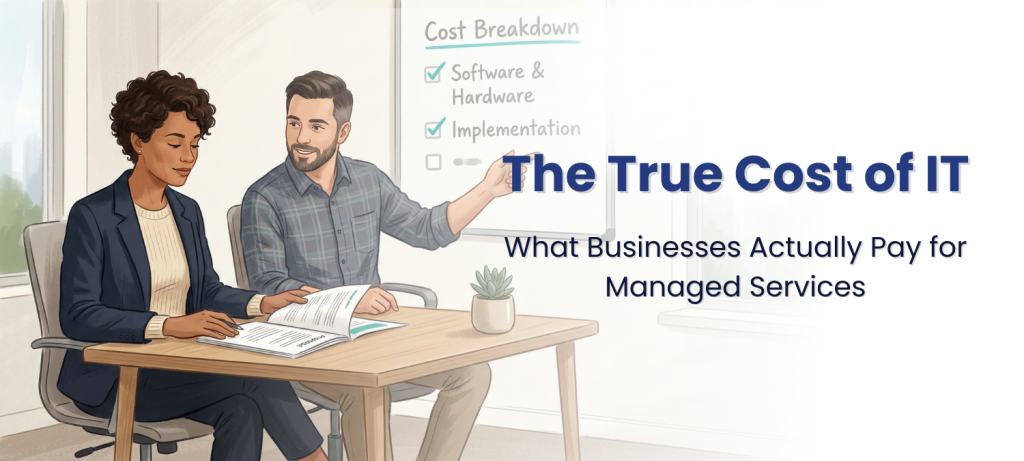
For most Central Illinois businesses with 25 to 150 employees, managed IT services cost 40 to 60 percent less than hiring an equivalent in-house team, while providing broader coverage, stronger cybersecurity, and 24/7 support. The average IT manager salary in the Peoria area is roughly $108,000 to $129,000 before benefits, while a managed services agreement for a 50-person company typically runs $60,000 to $120,000 per year and covers an entire team of specialists. The right answer depends on your company’s size, compliance needs, and how much risk you’re comfortable carrying with a single point of failure.
At a glance: An IT manager in Peoria, IL earns $108,000 to $129,000 per year before benefits, and the true employer cost is 25 to 30 percent higher once you add insurance, retirement, and taxes. Managed IT services in the Peoria market typically cost $100 to $200 per workstation per month, covering helpdesk, monitoring, cybersecurity, and strategic planning. A single in-house IT hire cannot provide 24/7 coverage, deep cybersecurity expertise, and compliance knowledge simultaneously. Co-managed IT is a hybrid model where your existing IT staff keeps day-to-day control while an MSP adds security monitoring, compliance support, and after-hours coverage. Facet Technologies offers managed, co-managed, and project-based IT services from their in-house team in Peoria, serving businesses across Central Illinois for over 30 years.
What Does an In-House IT Person Actually Cost?
The sticker price on a salary is only part of the story. An IT manager in the Peoria area earns between $108,000 and $129,000 per year, according to 2025-2026 data from ZipRecruiter and Salary.com. A general IT technician or help desk specialist in the area earns between $47,000 and $78,000, depending on experience and certifications.
But salary is only about 70 percent of the total cost. According to the U.S. Bureau of Labor Statistics, private industry employers spend an additional 30 percent on top of wages for benefits including health insurance, retirement contributions, paid leave, and legally required costs like Social Security and workers’ compensation. In the Midwest specifically, benefits average $12.89 per hour on top of wages.
Here’s what the real numbers look like for a Peoria-area business:
One IT Technician (entry to mid-level): Salary: $55,000 to $65,000 Benefits (30%): $16,500 to $19,500 Equipment, training, certifications: $5,000 to $8,000 per year Total annual cost: $76,500 to $92,500
One IT Manager (experienced): Salary: $108,000 to $129,000 Benefits (30%): $32,400 to $38,700 Equipment, training, certifications: $6,000 to $10,000 per year Total annual cost: $146,400 to $177,700
And those numbers assume you find the right person, they stay, and they don’t take PTO during a crisis. The national IT turnover rate remains a persistent challenge for small and mid-size businesses competing against larger employers for talent.
What Do You Get with Managed IT That You Don’t Get with One IT Hire?
A managed service provider, or MSP, is a company that serves as your outsourced IT department on a flat monthly fee. The distinction between a single employee and an MSP comes down to depth and coverage.
One person, no matter how talented, has limits. They get sick. They take vacation. They sleep. They have expertise gaps. Most IT generalists are not also cybersecurity specialists, compliance consultants, cloud architects, and help desk managers all at once.
A managed services agreement with an MSP like Facet Technologies gives you access to an entire team: help desk technicians, network engineers, cybersecurity analysts, compliance specialists, and a strategic advisor who functions like a part-time Chief Information Officer. A vCIO is a strategic technology advisor provided by your MSP who helps plan your IT budget, recommends upgrades, and aligns technology with your business goals.
Here’s where the gap shows up most clearly:
24/7 coverage. Your IT employee works roughly 2,000 hours per year. The other 6,760 hours, your network is unmonitored, unless you’re paying overtime or carrying an on-call arrangement. An MSP provides around-the-clock monitoring as part of the agreement.
Cybersecurity depth. A single IT hire rarely has deep expertise in endpoint protection, firewall management, Security Operations Center monitoring, phishing prevention, dark web monitoring, and incident response. An MSP bundles these protections into a managed security stack.
Compliance knowledge. If your business handles patient data (HIPAA), payment card information (PCI DSS), or government contracts (CMMC), you need someone who understands those frameworks inside and out. Compliance consulting is a specialty, and one your IT generalist likely hasn’t spent years studying.
No single point of failure. If your sole IT person leaves, gets injured, or burns out, your business has zero IT support until you recruit, hire, and train a replacement. That process takes months.
How Does Managed IT Pricing Work?
Managed IT services are generally priced per workstation or per user. In a market like Peoria, that typically falls between $100 and $200 per workstation per month. The range depends on what’s included in the agreement and how mature your security needs are.
A well-structured managed services contract should include: help desk support for daily issues, 24/7 network monitoring, endpoint protection on every device, managed firewall, multi-factor authentication, patch management, backup monitoring, and regular strategic reviews.
Here’s what that looks like at different company sizes:
25-person company: Monthly cost at $100-$200/workstation: $2,500 to $5,000 Annual cost: $30,000 to $60,000
50-person company: Monthly cost at $100-$200/workstation: $5,000 to $10,000 Annual cost: $60,000 to $120,000
150-person company: Monthly cost at $100-$200/workstation: $15,000 to $30,000 Annual cost: $180,000 to $360,000
Compare those figures to the in-house costs above. A 50-person company paying $60,000 to $120,000 per year for managed IT is getting a full team of specialists, 24/7 monitoring, and cybersecurity protections for less than the cost of one experienced IT manager.
Projects like server migrations, network upgrades, or new office setups are typically quoted separately. A transparent MSP will identify these projects during onboarding and give you a roadmap with estimated costs so there are no surprises.
When Does Co-Managed IT Make More Sense Than Either Option?
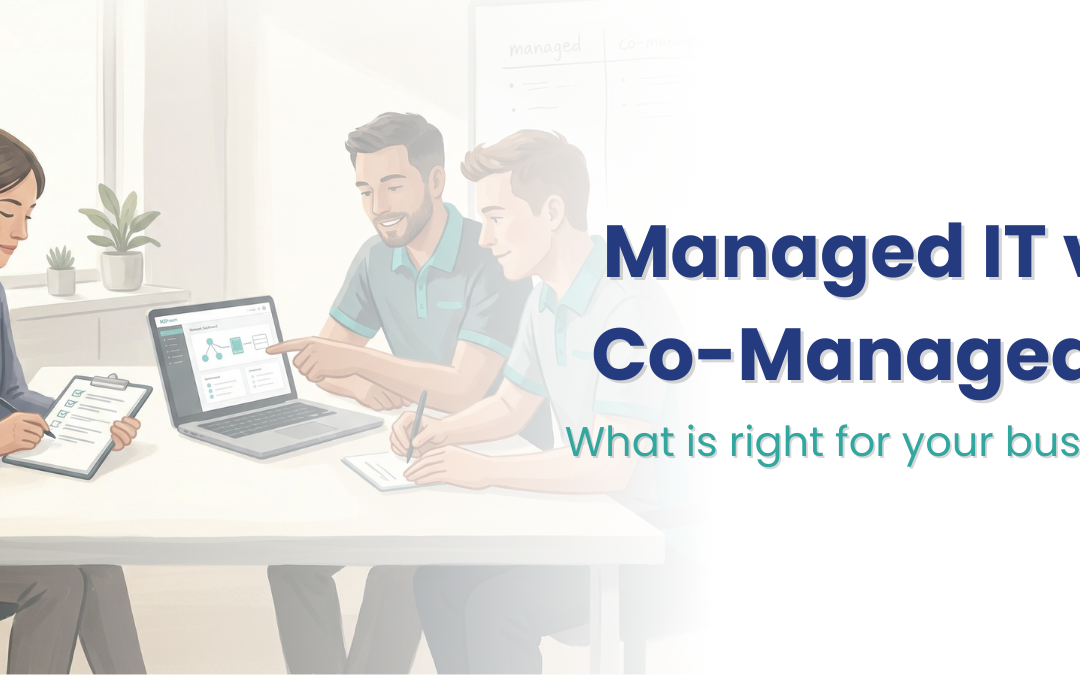
Co-managed IT is a hybrid model where your existing IT staff handles the day-to-day work they know best while an MSP adds specialized capabilities your team doesn’t have time or training to cover.
This model works well when your company already has one or more IT employees who are good at what they do, but stretched thin. They know your line-of-business applications, they have relationships with your team, and they understand your workflow. Replacing them with an MSP would mean losing that institutional knowledge.
Co-managed IT keeps your people in place and adds support where the gaps are widest. For most growing businesses, those gaps are cybersecurity, compliance, and after-hours coverage.
With a co-managed arrangement through Facet Technologies, your internal IT person stays in control of daily operations, user support, and application management. Facet’s team handles 24/7 Security Operations Center monitoring, managed firewall, endpoint protection, compliance tracking, backup monitoring, and strategic planning through regular reviews.
The co-managed model is especially common among manufacturers and healthcare organizations in Central Illinois. These businesses often have one or two IT staff who manage production systems or electronic health records but need outside expertise for the security and compliance layers those industries demand.
How Do You Decide Which Model Is Right for Your Business?
The answer depends on a few factors that are specific to your organization.
Choose fully managed IT if: Your company has fewer than 50 employees and no dedicated IT staff. You want one partner who handles everything from password resets to strategic planning. You need cybersecurity, compliance support, and after-hours monitoring without building a department.
Choose co-managed IT if: You already have one or more IT employees you want to keep. Your internal team is strong on daily support but stretched on security and compliance. You want to add 24/7 monitoring, SOC coverage, and specialized expertise without replacing your existing staff.
Consider staying fully in-house if: You have the budget for three or more IT employees covering helpdesk, cybersecurity, and compliance separately. Your business can absorb the risk of turnover, PTO gaps, and single-skill coverage. You’re prepared to invest in ongoing training, tools, and certifications for each role.
For most Central Illinois businesses in the 20 to 250 employee range, the math favors managed or co-managed services. The cost is lower, the coverage is broader, and the risk of a single point of failure goes away.
What Should You Look for When Comparing Options?
Whether you’re considering managed IT, co-managed IT, or hiring in-house, here are the questions that matter most:
Coverage hours. Does this option give you 24/7/365 protection, or just business hours? Cyber attacks don’t wait for Monday morning.
Cybersecurity depth. Is endpoint protection, firewall management, email security, and dark web monitoring included? Or are those extra line items?
Compliance support. If you’re in healthcare, manufacturing, financial services, or government contracting, does your IT provider understand your regulatory requirements?
Response time. When something breaks, how fast do you get help? An in-house hire is one person with one set of hands. An MSP should have a team ready to respond.
Strategic planning. Is someone helping you budget for IT expenses over the next 12 to 24 months? Or are you just reacting to problems as they appear?
Transparency. Are costs clear and predictable? Break/fix IT is a reactive model where you pay only when something breaks, and the bills are unpredictable. A good managed services agreement gives you a flat monthly cost with no surprise invoices.
How Facet Technologies Handles All Three Models
Facet Technologies has been providing IT services to Central Illinois businesses for over 30 years, and we work with clients in all three models: fully managed, co-managed, and project-based support.
For fully managed clients, we serve as your complete IT department. Our in-house help desk in Peoria answers calls live during business hours, with on-call technicians available 24/7/365. We handle everything from password resets and printer issues to firewall management, endpoint protection, backup monitoring, and compliance consulting for HIPAA, PCI DSS, CMMC, and cyber insurance requirements.
For co-managed clients, we work alongside your existing IT team. Your people keep doing what they do well. We fill in the gaps with 24/7 SOC monitoring, managed firewall, employee phishing training, compliance tracking, and strategic planning through quarterly reviews.
In both cases, we start with an on-site assessment to understand your environment, your concerns, and your goals before quoting anything. We believe a provider who won’t come to your office before sending a price sheet is a provider who’s going to find surprises after you’ve signed a contract.
Our Proven Process begins with qualifying whether we’re a good fit for each other, then moves through a thorough assessment, a customized security and support strategy, transparent pricing, and structured onboarding. After that, we provide ongoing support with quarterly reviews to plan ahead, not react.
Frequently Asked Questions
Is managed IT cheaper than hiring an IT person?
For most businesses with 25 to 150 employees, yes. A managed services agreement typically costs $30,000 to $120,000 per year depending on company size, while a single experienced IT manager costs $146,000 or more including benefits. Managed IT also provides a full team, 24/7 coverage, and cybersecurity protections that one hire cannot match.
What does managed IT include that a single IT hire doesn’t?
A managed services agreement from Facet Technologies includes help desk support from a full team, 24/7 network and security monitoring, managed firewall, endpoint protection, multi-factor authentication, backup monitoring, employee security training, and strategic technology planning. One person cannot deliver all of these simultaneously.
What happens if my IT person quits and I’m not using an MSP?
You lose all institutional knowledge about your network, and your business has no IT support until you hire and train a replacement. That process often takes two to four months. During that time, security monitoring stops, issues pile up, and risk increases.
Ready to compare your options? Call us at (309) 689-3900 or schedule a conversation with our team. We’ll walk through your current setup and help you figure out whether managed, co-managed, or in-house IT is the right fit for your business.
Facet Technologies | 3024 W. Lake Ave., Peoria, IL 61615 | facettech.com
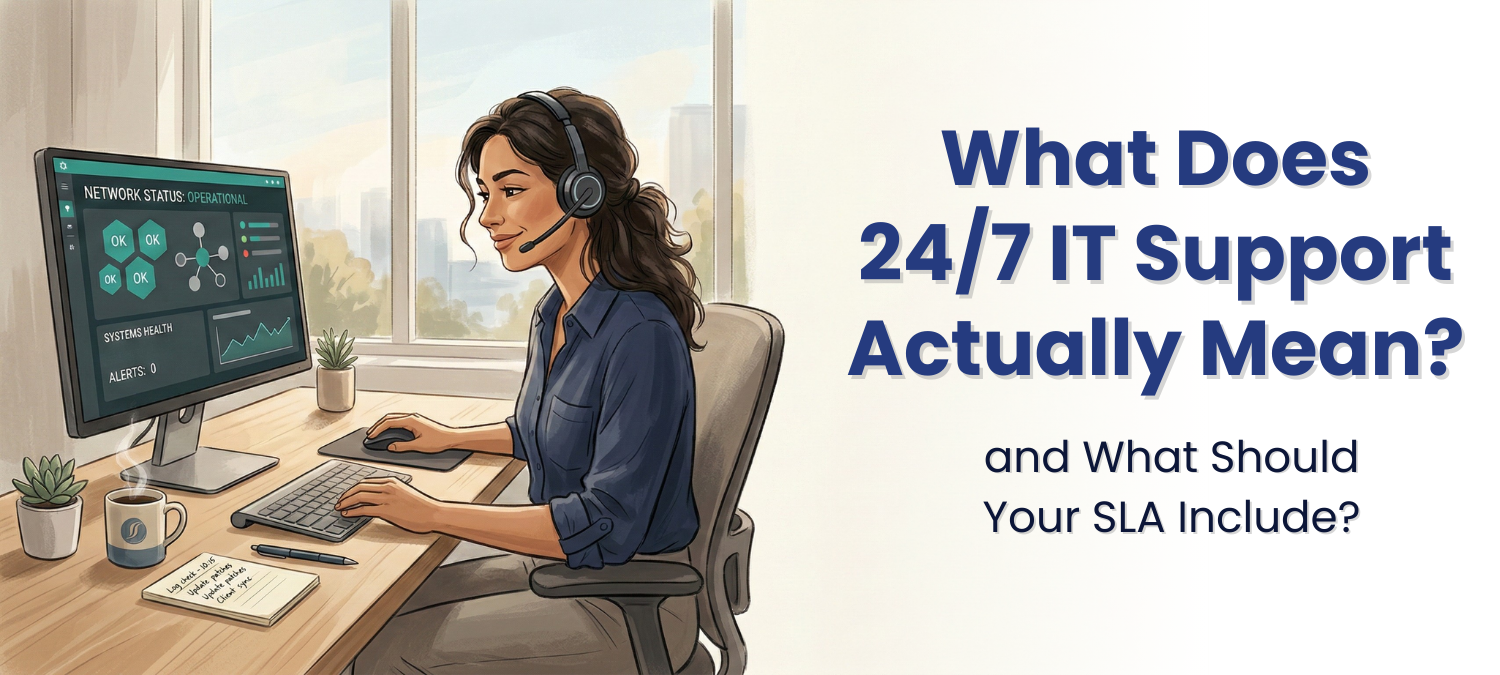
Around-the-clock IT support means a real person is available to respond to your technology emergencies at any hour, any day of the year. But “24/7 support” is one of the most overused and under-defined promises in the managed IT industry. Some providers mean a live technician answers the phone at 2 a.m. Others mean you can leave a voicemail that gets returned the next business day. The difference matters, and it starts with understanding what your service level agreement actually guarantees.
At a glance: A service level agreement (SLA) defines the response times, resolution windows, and support availability your IT provider commits to in writing. Facet Technologies answers calls live during business hours with an in-house Peoria-based team and provides on-call technician access 24/7/365. IT downtime costs small businesses between $137 and $427 per minute, making response time a direct financial concern. Not all “24/7 support” claims are equal: some providers outsource after-hours calls or route them to voicemail. A good SLA separates response time (when someone acknowledges your issue) from resolution time (when the problem is actually fixed).
Why Does IT Response Time Matter So Much?
Every minute your systems are down, your team can’t work. Orders don’t process. Emails don’t send. Customer calls go unanswered. The financial impact adds up faster than most business owners expect.
According to the ITIC 2024 Hourly Cost of Downtime Report, over 84% of firms cite security incidents as their number one cause of downtime, followed by human error. And the costs are real: for small businesses, the overall cost of downtime typically falls somewhere between $137 and $427 per minute. A three-hour outage for a 50-person company could cost $25,000 to $77,000 before anyone even starts calculating the reputational damage.
Response time is the gap between when you report a problem and when a qualified technician starts working on it. In that gap, your team sits idle, your customers wait, and your revenue stalls. That’s why the response time your IT provider commits to in writing isn’t just a technicality. It’s a financial guardrail.
What Is a Service Level Agreement, and Why Should I Care?
A service level agreement, or SLA, is the section of your managed services contract that defines exactly what your IT provider promises to deliver. It spells out how quickly they’ll respond to issues, how they categorize the severity of problems, what “resolved” actually means, and what happens when they miss those targets.
An SLA is not a marketing brochure. It’s a binding commitment. If your IT provider doesn’t have a clear SLA, or if the terms are vague, you have no way to hold them accountable when things go wrong.
A strong SLA typically covers five areas: response time (how fast they acknowledge the issue), resolution time (how fast they fix it), availability (what hours are covered), escalation procedures (who gets involved when the first technician can’t solve it), and reporting (how you track whether they’re meeting their commitments).
What’s the Difference Between Response Time and Resolution Time?
These two terms get confused constantly, and some providers blur them on purpose.
Response time is the clock that starts when you report an issue and stops when a technician acknowledges it and begins working. Resolution time is the clock from acknowledgment to the problem being fully fixed. Both matter, but they measure different things.
A common industry benchmark is a one-hour response time for acknowledging issues and four hours for resolving high-priority problems. But these numbers vary widely depending on the provider and the severity tier. A password reset and a server crash shouldn’t have the same timeline.
When reviewing an SLA, look for tiered response commitments. Your IT provider should categorize issues by severity: a complete system outage (your whole team is down) should have a faster response commitment than a single user who can’t connect to a printer. If every issue gets the same vague “we’ll get to it” promise, that’s a red flag.
What Should I Look for in an IT Provider’s Support Model?
The structure behind the support matters as much as the SLA numbers on paper. Here’s what separates a reliable support operation from a name-only “24/7” promise.
In-house vs. outsourced helpdesk. When you call for help, who actually answers? Some providers route calls to third-party call centers, sometimes overseas, where technicians don’t know your network, your software, or your business. An in-house helpdesk staffed by technicians who are already familiar with your environment means faster triage and fewer repeat explanations.
Live answer vs. voicemail. “24/7 support” should not mean a voicemail box that gets checked in the morning. It should mean a real person picks up the phone when your server goes down at 11 p.m. on a Saturday.
Escalation paths. What happens when the first technician can’t solve the problem? A good support model has clear escalation tiers: from helpdesk to senior engineer to network architect, with defined timeframes at each step.
Documentation and follow-through. After the fire is out, does your provider document what happened, what caused it, and how to prevent it next time? Reactive support without post-incident review is just expensive firefighting.
How Does Facet Technologies Handle 24/7 IT Support?
Facet Technologies built our support model around one principle: when you call, a real person answers who knows your network.
During business hours (8 a.m. to 5 p.m., Monday through Friday), our in-house helpdesk team in Peoria answers calls live. These aren’t generic dispatchers reading scripts. They’re trained technicians who have documentation on your specific environment, your systems, and your preferences. They can begin troubleshooting immediately or route the issue to the right engineer without making you re-explain the problem three times.
After hours, on weekends, and on holidays, an on-call technician is available 24/7/365 for emergencies and outages. This is a Facet team member, not a contract answering service.
Our approach also includes proactive monitoring through our multi-layered 24/7/365 monitoring stack. Many issues get detected and addressed before you even notice something is wrong. That’s the difference between an IT partner who waits for your call and one who’s watching your network around the clock.
For clients using our Advanced Security Suite, our external Security Operations Center (SOC) adds another layer: live cybersecurity monitoring with threats resolved within nine minutes on average.
What Are Common Red Flags in an IT Provider’s SLA?
Not every SLA is built to protect you. Some are written to protect the provider. Here’s what to watch for.
Vague language. Phrases like “best effort response” or “reasonable timeframe” give your provider an escape hatch. If the SLA doesn’t include specific numbers (hours, not “promptly”), it’s not really a commitment.
No severity tiers. If every issue gets the same response window, your critical system outage is waiting in line behind someone’s monitor brightness question. Tiered response is standard practice for a reason.
Exclusions buried in fine print. Some SLAs exclude after-hours support, on-site visits, or certain types of issues from their response guarantees. Read the exceptions as carefully as the promises.
No penalties for missed targets. An SLA without consequences for non-compliance is a suggestion, not an agreement. Ask what happens when they miss their own benchmarks.
No reporting or visibility. If you can’t see metrics on response times, ticket resolution, and SLA compliance, you’re trusting without verifying. Good providers make this data available, not because you demanded it, but because transparency is how partnerships work.
How Do I Compare IT Support Across Providers in Central Illinois?
If you’re evaluating managed IT providers in the Peoria area, support quality should be near the top of your checklist. Here’s a framework for comparison.
Ask each provider: Where is your helpdesk located? Is it in-house? How many technicians staff it? What are your response time commitments by severity level? What does after-hours support look like? Can I see a sample SLA before I sign?
Then go a step further. Ask for references from businesses similar to yours in size and industry. A provider who serves healthcare practices in Central Illinois will understand HIPAA-related urgency differently than one who primarily works with retail. Industry context matters.
Organizations that benchmark their IT operations against industry standards are up to 2.5 times more likely to deliver projects on time and on budget. The same principle applies when you’re evaluating your IT provider’s support. If they can’t show you their benchmarks, they probably aren’t tracking them.
Facet Technologies has been serving businesses across Central Illinois for over 30 years, working with manufacturing, healthcare, agriculture, professional services, and government organizations. Our SLA commitments are specific, our helpdesk is in-house in Peoria, and our quarterly reviews ensure your support experience improves over time, not just stays the same.
What Questions Should I Ask About Support Before Signing a Managed Services Contract?
Before you sign with any IT provider, these questions will tell you whether their support model is built for your business or built for their convenience.
How quickly will you respond to a critical issue vs. a routine request? Who answers the phone at 2 a.m.? Is your helpdesk team in-house or outsourced? What does your escalation process look like when the first technician can’t solve my problem? How do you track and report on SLA compliance? What happens when you miss a response target? Do you conduct post-incident reviews? Can you provide references from businesses in my industry?
These aren’t trick questions. Any provider worth partnering with should answer them confidently, with specifics, not generalities. Facet’s commitment has always been transparency. We want you to know exactly what to expect, before you sign, because that’s how trust gets built. Our 11 Questions guide walks through additional considerations for evaluating managed IT providers, including security, hardware, and project planning.
What does 24/7 IT support mean for a small business?
It means a qualified technician is available to respond to emergencies at any hour, including nights, weekends, and holidays. For Facet Technologies clients, this means an on-call technician available 24/7/365 and live-answer helpdesk during business hours, all staffed by our in-house Peoria team.
What is a service level agreement in managed IT?
A service level agreement, or SLA, is a written commitment from your IT provider that defines response times, resolution windows, support availability, and escalation procedures. It’s the section of your contract that makes “we’ll take care of it” specific and measurable.
How fast should my IT provider respond to a critical issue?
Industry benchmarks for critical issues typically call for acknowledgment within one hour and resolution within four hours. At Facet, we promise immediate triage for our managed services clients that ensures you receive a fast response.
What’s the difference between an in-house and outsourced IT helpdesk?
An in-house helpdesk is staffed by technicians who work directly for your IT provider, typically in the same office, with documentation on your specific network. An outsourced helpdesk routes your calls to a third-party call center where technicians may not know your systems or your business.
How much does IT downtime actually cost?
For small businesses, downtime costs typically range from $137 to $427 per minute, depending on the size and nature of the business. A single three-hour outage can cost tens of thousands of dollars in lost productivity and revenue before factoring in reputational damage.
Does Facet Technologies offer after-hours IT support in Central Illinois?
Yes. Facet provides on-call technician access 24/7/365 for emergencies and outages, plus live-answer helpdesk support during business hours, Monday through Friday. Our entire support team works from our office on West Lake Avenue in Peoria.
How can I tell if my IT provider is meeting their SLA commitments?
Ask for regular reporting on response times, resolution times, and SLA compliance rates. A trustworthy provider will share this data openly. Facet includes quarterly reviews with every managed services client to discuss performance, upcoming needs, and strategic IT planning.
What should I do if my current IT provider has slow response times?
Start by reviewing your current SLA to understand what was promised. If they’re consistently missing targets or if no specific targets were ever defined, it may be time to evaluate other providers. Facet Technologies offers a free consultation to discuss your current IT setup and what better support could look like.
Ready to Talk About IT Support That Shows Up When It Matters?
If your current IT provider’s idea of “support” is a voicemail box and a prayer, let’s have a conversation. We’ll walk through what your business actually needs, what your current SLA does and doesn’t cover, and what a partnership with Facet looks like in practice.
Facet Technologies has provided IT services to Central Illinois businesses for over 30 years. Based in Peoria, we serve healthcare, manufacturing, agriculture, professional services, and government organizations across the region.
A Guide to Managed Services Pricing for Peoria and Central Illinois
Managed IT services in the Peoria and Central Illinois market typically cost between $100 and $200 per user per month. Nationally, that range stretches from $110 to $400 depending on what’s included, your industry, and how complex your network is. The wide range exists because IT pricing isn’t standardized, and that’s where many business owners get caught off guard.
We’re going to break down exactly what drives those numbers, what should be included at every price point, and how to tell whether a quote is actually a good deal or a bill waiting to happen.
Unlike hiring an accountant or a plumber, there’s no industry-standard rate card for managed IT. Two providers can quote you $150 per user per month, and one of them includes half the services the other does.
The price you’re quoted depends on several things: how many employees you have, the number of devices per person, your industry’s compliance requirements, the condition of your current network, and whether you need 24/7 support or just business-hours coverage. A 40-person professional services firm with a clean network and standard compliance needs will pay very differently from a 40-person medical practice that needs HIPAA-compliant systems, encrypted communications, and regular audit support.
But here’s the part most providers won’t explain upfront: the biggest factor in your monthly cost isn’t your headcount. It’s what’s actually included in the agreement and what’s been left out.
The Four Pricing Models You’ll See
When you start talking to IT providers, you’ll encounter a few different pricing structures. Each one has trade-offs.
Break/fix is the oldest model. You call when something breaks, and you pay by the hour. Hourly rates for IT support in Central Illinois typically fall between $150 and $250 per hour, with emergency or after-hours work running $250 to $350. The appeal is obvious: you only pay when you need help. The problem is equally obvious: you’re paying the most when things are going the worst. There’s no monitoring, no prevention, and no one watching your systems between calls. For a 30-person company, a single ransomware incident under a break/fix arrangement can easily cost $25,000 to $75,000 in emergency response, lost productivity, and recovery. And that’s assuming you have working backups. Many don’t.
Per-device pricing charges a flat monthly rate for each device: workstations, servers, network equipment. Workstations might run $50 to $100 each, servers $200 to $400. This model is straightforward but can get expensive fast as you add devices, and it doesn’t always account for the people using them.
Per-user pricing is the most common model among managed service providers today. You pay a flat monthly fee per employee, and that fee covers their workstation, email, security tools, and helpdesk access. In the Peoria market, expect $100 to $200 per user for a comprehensive plan. Nationally, that range goes higher depending on the provider’s service depth.
All-inclusive or flat-rate pricing bundles everything into one predictable monthly number: helpdesk, monitoring, security, projects, on-site visits. This is less common because it requires the provider to absorb more risk, but it creates the most predictable budgeting for you.
At Facet, we use a per-user model that includes a wide range of protections and services in the base price. We’d rather you know what you’re paying upfront than discover surprise line items six months in.
What Should Be Included at Every Price Point
Regardless of the pricing model, any managed IT agreement worth signing should include these services as part of the base price, not as add-ons:
An in-house helpdesk. When your team has an issue, they should be able to call and reach a real person who knows your network. Outsourced helpdesks, especially overseas ones, often mean long wait times and technicians who are reading from scripts rather than solving your specific problem. Our helpdesk team works from our office in Peoria. They know our clients’ systems, and they’re trained to solve problems, not just log tickets.
24/7 monitoring and emergency support. Your network doesn’t stop being vulnerable after 5:00 PM. If something goes wrong at 2:00 AM on a Saturday, you need someone who can respond. We offer a live-answer call center during business hours and on-call technicians around the clock, every day of the year.
Multi-factor authentication (MFA). MFA is the single most effective way to prevent unauthorized access to your accounts. It stops brute-force attacks, session hijacking, and privilege escalation. If your IT provider charges extra for MFA, that’s a red flag. It should be standard.
Endpoint protection on every device. This isn’t just antivirus anymore. Modern endpoint protection uses AI to scan for suspicious patterns in real time, rather than relying on a list of known threats. Ask your provider what technology they’re using. If the answer is “antivirus,” that’s outdated.
A managed firewall. Firewalls are a first line of defense, and they need regular updates, configuration changes, and eventual replacement. We include firewall management through a hardware-as-a-service model, which means you never come out of pocket for a new firewall or firewall-related projects. We maintain it, update it, and replace it every three years with the latest equipment.
Email security. Email is still the number one way attackers get into business networks. Your agreement should include smart filtering that catches phishing attempts, ransomware links, and spoofed messages, not just a basic spam filter.
If any of these are missing from a quote, you’re comparing apples to oranges when you line it up against a more comprehensive provider.
The Hidden Costs That Turn a “Good Deal” Into an Expensive Mistake
Here’s where pricing gets tricky. A lower monthly rate often means the provider has carved out services that will show up as separate charges later.
Project fees. Some providers don’t include server migrations, network upgrades, or cloud transitions in their monthly pricing. These projects can run $5,000 to $25,000 or more. If your provider doesn’t do a thorough assessment of your network before quoting you, expect to discover these “surprises” during onboarding.
After-hours charges. Many providers quote business-hours-only support, then charge premium rates (sometimes $250 to $350 per hour) for anything outside that window. If your business runs evenings, weekends, or has employees in different time zones, this adds up fast.
On-site visit fees. Trip charges of $100 to $200 per visit are standard at many IT firms. If you need on-site support twice a month, that’s $2,400 to $4,800 per year on top of your monthly rate.
License markups. Some providers mark up Microsoft 365, antivirus, and other software licenses by 10 to 20 percent without disclosing it. Always ask whether you’re paying retail, discounted, or marked-up pricing on licenses.
Hardware costs. If your provider doesn’t include hardware lifecycle management, particularly firewalls and switches, you could face a $5,000 to $15,000 bill when equipment reaches end-of-life.
Compliance consulting. If your business needs to meet HIPAA, PCI, CMMC, or other regulatory standards, find out whether compliance support is included or billed separately. For regulated industries, this can represent a significant additional expense.
One reason cheap IT support ends up expensive is downtime. When your systems go down, everything stops: sales, communication, production, customer service.
For a small business with 25 to 50 employees, research estimates downtime costs between $137 and $427 per minute. A three-hour outage at the low end costs nearly $25,000. At the high end, that’s over $75,000 in lost productivity, missed revenue, and recovery expenses. And that’s just one incident.
A company bringing in $10 million a year generates roughly $4,800 in revenue per hour. Add in employee wages lost to idle time, emergency IT costs, and potential customer fallout, and a single day of downtime can cost six figures.
The math almost always favors prevention. Proactive monitoring, tested backups, and a team that knows your systems will cost you a predictable amount each month. Reactive support costs you whatever the emergency demands, at the worst possible time.
What a Real-World Example Looks Like
Here’s a realistic scenario for a Central Illinois business:
A 40-person professional services firm with standard workstations, a mix of on-site and remote employees, and no specialized compliance requirements might expect to pay between $4,000 and $8,000 per month for comprehensive managed IT. That includes helpdesk support, 24/7 monitoring, endpoint protection, managed firewall, MFA, email security, and backup services.
A 40-person medical practice with HIPAA compliance requirements, encrypted email, and regular audit documentation needs would fall higher in that range, or above it, depending on the complexity of their environment.
A 75-person manufacturer running specialized production software and needing both IT and operational technology support would likely need a custom quote that accounts for their specific uptime requirements and software licensing.
The point isn’t the exact dollar figure. It’s that the price should reflect what’s actually included and what your business actually needs. A transparent provider will explain what drives your specific cost and won’t shy away from the conversation.
How Facet Approaches Pricing
We’ve been doing this for over 30 years, and we’ve seen what happens when businesses choose providers based only on the monthly number. Hidden fees surface. Security gaps get missed. Surprise projects show up after onboarding.
Our approach is different:
We start with a thorough on-site assessment before we quote anything. We want to understand your network, your software, your team’s needs, and your plans for growth before we put a number on paper. This means our quotes reflect reality, not assumptions.
We include security protections in every agreement. MFA, endpoint protection, managed firewalls, email security, and backup services aren’t add-ons. They’re part of what we do.
We build IT roadmaps and review them quarterly. Instead of discovering a server replacement or network upgrade as a surprise, we plan these projects in advance so you can budget for them. No shock invoices. No last-minute emergencies that could have been prevented.
We keep our helpdesk and technical team in-house, right here in Peoria. When you call, you talk to someone who knows your systems. When you need on-site support, we’re 20 minutes away, not two time zones.
And we’re honest about what things cost. If a project falls outside the scope of your agreement, we’ll tell you before we start, not after we send the invoice.
Questions to Ask Before You Sign
If you’re comparing IT providers right now, here are the questions that reveal the most:
“Is your helpdesk in-house or outsourced?” This tells you who’s actually answering when your team calls.
“Does the quote include a managed firewall, or will I need to buy my own?” Firewall replacement is expensive. Make sure you know who owns that cost.
“What happens if I need support after hours?” Find out if you’re covered or if you’ll be paying emergency rates.
“Will you do an on-site assessment before quoting me?” If they won’t come see your network, expect surprises later.
“What’s your process for planning and budgeting IT projects?” A good provider gives you a roadmap. A reactive one hands you invoices.
Does Facet Technologies offer co-managed IT services?
What’s the difference between break/fix and managed IT services?
Break/fix means you pay hourly when something goes wrong. Managed IT is a flat monthly fee that covers ongoing support, monitoring, and security. Break/fix is reactive: you pay the most during a crisis. Managed services are proactive: problems are caught and addressed before they become expensive emergencies.
What should be included in a managed IT services agreement?
At minimum: an in-house helpdesk, 24/7 network monitoring, endpoint protection, multi-factor authentication, managed firewall, email security, and data backup. If any of these are listed as add-ons or excluded, you’re likely looking at a base price that will grow once you factor in what’s missing.
How do I compare IT provider quotes fairly?
Look beyond the monthly number. Ask what’s included, what’s billed separately, and what happens when you need after-hours support or on-site visits. Download our free guide, 11 Questions You Must Ask, for a framework that puts proposals on equal footing.
How much does IT downtime cost a small business?
Research puts the cost between $137 and $427 per minute for small businesses. A three-hour outage can cost $25,000 to $77,000 when you account for lost revenue, employee downtime, and recovery costs. Proactive managed IT reduces the frequency and severity of outages significantly.
Does Facet Technologies offer co-managed IT services?
Yes. If you have an internal IT team that needs additional expertise, security tools, or 24/7 monitoring support, our co-managed services give your team a partner without replacing them.
Ready for Honest IT Pricing?
We’d rather have a straightforward conversation about what your business actually needs than send you a generic price sheet. Schedule a consultation, and we’ll assess your environment, walk through your options, and give you a clear picture of what to expect, whether you work with us or not.
Facet Technologies has provided IT services to Central Illinois businesses for over 30 years. Based in Peoria, we serve healthcare, manufacturing, financial services, agriculture, and government organizations, among other industries across the region.
Facet Technologies 3024 W. Lake Ave., Peoria, IL 61615 facettech.com
Managed IT means an outside provider handles all of your technology — helpdesk, security, monitoring, planning, and vendor management. Co-managed IT means that provider works alongside your existing internal IT person or team, filling gaps in coverage, expertise, or capacity without replacing them. The right choice depends on whether you already have IT staff, how stretched they are, and what your business needs to stay secure and productive over the next few years.
At a glance: Managed IT replaces the need for internal IT staff — the MSP handles everything from helpdesk to cybersecurity to strategic planning. Co-managed IT brings specialized expertise — cloud migrations, security architecture, network redesigns — alongside your existing IT team. Both models use flat-rate monthly pricing — no hourly billing, no per-ticket charges. Pricing varies based on the scope of services, security requirements, and compliance needs of your business. The right choice depends on whether you already have a dedicated IT employee and what level of expertise your environment demands.
What Is Fully Managed IT?
Fully managed IT is the model most people picture when they hear “outsourced IT.” A managed service provider, or MSP, is a company that serves as your outsourced IT department on a flat monthly fee. They handle everything: helpdesk calls, network monitoring, cybersecurity, backups, software licensing, hardware procurement, vendor coordination, and long-term technology planning.
You don’t need to hire an internal IT person. Instead, you get a team of technicians, engineers, and a virtual CIO (vCIO) who helps plan your IT budget and strategy for a flat monthly fee. A vCIO is a strategic technology advisor provided by your MSP who functions like a part-time Chief Information Officer, helping your leadership team make informed decisions about IT spending, security investments, and long-term planning.
This model works well for businesses with 20 to 150 employees that don’t have an IT person on staff, or whose “IT guy” is really the office manager or bookkeeper wearing a second hat. If nobody on your team is dedicated to technology, fully managed IT gives you the whole picture without hiring.
At Facet Technologies, our managed services clients get access to our in-house helpdesk in Peoria (live answer 8 AM to 5 PM, Monday through Friday), 24/7/365 emergency support, and quarterly strategic reviews where we plan projects, discuss the budget, and make sure your technology supports where your business is headed.
What Is Co-Managed IT?
Co-managed IT is a partnership model where a managed service provider works alongside your existing internal IT staff rather than replacing them. Most often, businesses bring in a co-managed partner because their environment has grown more complex than one person or a small team can handle alone — not because the internal team isn’t capable, but because the work now demands specialized expertise that’s difficult and expensive to hire for.
That expertise might include designing and executing a cloud migration, architecting a security overhaul, planning a full network refresh, navigating compliance frameworks like HIPAA or CMMC, or providing strategic IT direction at the leadership level. Your internal IT person keeps doing what they do well — managing daily operations, supporting users, maintaining line-of-business applications — while the MSP brings the deeper technical bench and long-range planning that complex environments require.
Co-managed IT also includes ongoing services like 24/7 network monitoring, cybersecurity management, and after-hours helpdesk coverage. But the reason most businesses seek it out isn’t routine support — it’s because they’ve hit a ceiling. Systems that were set up years ago are breaking down more often. Growth has outpaced the infrastructure. Security requirements from insurers or regulators have gotten more demanding. A strong internal IT person recognizes when it’s time to bring in reinforcements, and a good co-managed partner makes them look better, not redundant.
According to a 2026 ScalePad survey of 1,100+ MSPs, 42% of top-performing managed service providers now offer vCIO (virtual Chief Information Officer) services — and co-managed relationships are where that advisory role adds the most value. Your internal IT person handles day-to-day operations; the MSP brings the strategic planning, security expertise, and vendor relationships that are hard to build and maintain with a small team.
The ISC2 2024 Cybersecurity Workforce Study found a global shortfall of nearly 4.8 million cybersecurity professionals. That gap means even talented internal IT staff are unlikely to have deep specialization in every area a modern business needs — security architecture, compliance documentation, cloud infrastructure, and network engineering are each full-time disciplines on their own.
How Do I Know Which Model My Business Needs?
Start with three questions:
Do you have a dedicated IT employee right now? If the answer is no — if IT responsibilities fall on an office manager, a part-time contractor, or “whoever is good with computers” — fully managed IT is likely the better fit. You need a complete IT department, not a supplement to one.
Is your IT person constantly fighting fires instead of working on projects? If your internal IT staff spends most of their time troubleshooting recurring issues, resetting passwords, and responding to user complaints, there may be underlying infrastructure problems that need higher-level attention. Co-managed IT brings the engineering expertise to fix root causes — unstable networks, outdated server configurations, security gaps — so your IT person can get back to the work that moves your business forward.
Has your environment outgrown your team’s specialization? Cloud migrations, network redesigns, compliance implementations, and security architecture projects require deep, specific expertise. If your business is growing, your systems are aging, or your industry’s requirements have gotten more complex, a co-managed partner brings that next level of technical capability without forcing you to hire three more specialists.
What Does Each Model Cost?
In the Peoria market, fully managed IT services typically run between $100 and $200 per workstation per month. That range exists because pricing depends on the security and compliance requirements of your business, not just headcount. A 30-person professional services firm with straightforward needs will land differently than a 100-person manufacturer that needs to meet CMMC requirements, run 24/7 monitoring, and maintain compliance documentation across multiple sites.
Co-managed IT pricing is even more variable because the scope changes from client to client. Some businesses need Facet for cybersecurity management and strategic planning only, while their internal team covers everything else. Others want us deeply involved in a network redesign or cloud migration, then step back to a lighter ongoing arrangement once the project is complete. The monthly cost depends entirely on which services you need, how complex your environment is, and what level of security and compliance your industry demands. Co-managed IT pricing, in general, runs lighter than fully managed because the MSP provides a limited scope of services. However, larger companies often have greater cybersecurity requirements that cause an increase in price. Most co-managed services arrangements will run from $75-$150 per user, but since co-managed needs vary so widely, almost every agreement will be different.
Both models should be quoted as flat-rate, predictable monthly fees. If a provider is charging you hourly or billing by the ticket, that’s a break/fix arrangement — not managed services. Break/fix IT is a reactive model where you pay only when something breaks, which sounds economical but creates an incentive for problems to recur and makes IT costs unpredictable.
What Does the MSP Handle vs. What Does My IT Person Handle?
In a co-managed relationship, responsibilities are split based on where each party brings the most expertise. There’s no one-size-fits-all division, but here’s a common setup:
Your internal IT team typically handles: day-to-day user support, new employee onboarding and offboarding, line-of-business application management, hardware setup and deployment, and internal project coordination. They know your people, your workflows, and your business — that institutional knowledge is hard to replace.
The MSP typically handles: IT strategy and direction (vCIO advisory), cybersecurity architecture and management (endpoint protection, firewall management, email filtering, MFA), 24/7 network monitoring and alerting, cloud migration planning and execution, network redesigns and infrastructure refreshes, compliance tracking and audit documentation, backup management and disaster recovery, and vendor coordination for software licenses, internet, and phone systems.
The split is flexible and evolves over time. Some co-managed clients bring Facet in specifically for a large project — a network overhaul or a compliance push — and then settle into a lighter ongoing arrangement focused on monitoring and security. Others want Facet deeply embedded in their IT strategy from day one, attending leadership meetings, advising on technology investments, and planning the roadmap alongside their internal team.
The common thread is that Facet brings the specialized engineering and strategic depth that a one- or two-person IT team can’t reasonably maintain on their own — not because they aren’t good at their jobs, but because the work has expanded beyond what any small team can cover.
Can We Start With One Model and Switch Later?
Yes — and this is more common than most businesses realize.
Many Facet clients start with fully managed IT because they don’t have internal IT staff. As their business grows and they hire an IT person, they transition to a co-managed arrangement where Facet provides the monitoring, security, and strategic planning while the new hire handles day-to-day support.
The reverse happens too. A company might start co-managed, and when their IT person leaves or retires, they shift to fully managed rather than trying to replace a hard-to-find IT employee.
A good MSP builds the relationship to flex in either direction without starting over from scratch. Because Facet already knows your network, your systems, and your business, shifting between models is a conversation — not a migration.
What Happens When My IT Person Is Out Sick or Leaves?
This is one of the strongest arguments for co-managed IT. When your only IT person takes vacation, calls in sick, or quits, who covers their responsibilities?
With a co-managed partner, the answer is already solved. Facet’s helpdesk and monitoring run continuously, so your team isn’t left without support. If your IT person leaves the company entirely, we can immediately step up to fully managed coverage while you decide whether to hire a replacement or stay with us long-term.
Without a co-managed partner, a single IT employee leaving can create weeks or months of disruption. Institutional knowledge walks out the door, and whoever you hire next has to learn your environment from scratch — assuming you can find a qualified candidate in a market where cybersecurity and IT talent is in short supply.
How Does Facet Technologies Handle Co-Managed IT Differently?
A few things matter here:
We bring in-house engineering expertise, not just monitoring tools. Facet’s team includes engineers and technicians who handle cloud migrations, network redesigns, security architecture, and compliance implementations. When your business needs a complex project executed, not just talked about, our team does the work. That’s the level of capability most one- or two-person IT teams can’t maintain internally, and it’s the primary reason companies bring us in.
We don’t compete with your IT person. We make them more effective. Some MSPs treat co-managed arrangements as a foot in the door to eventually replace your internal staff. That’s not our approach. A good internal IT person with a strong co-managed partner behind them is more effective than either one alone. We want your IT person to succeed, because when they succeed, your business runs better and the partnership works. Many of our long-term partnerships are co-managed arrangements.
We’re local and in-house. Every helpdesk call is answered by a trained team member in our Peoria office. If your IT person needs to escalate something or collaborate on a project, they’re working with real people who know your network — not a remote NOC reading from a script.
We bring 30+ years of experience across Central Illinois industries. Facet Technologies has supported manufacturing facilities, healthcare practices, agricultural businesses, professional services firms, and government offices throughout the region. That industry knowledge means we understand the compliance requirements, operational realities, and the specific software environments your internal IT person is dealing with.
Quarterly strategic reviews keep everyone aligned. We sit down with your leadership and your IT person every quarter to review the technology plan, discuss upcoming projects, and plan the budget. This keeps priorities clear and avoids the “my IT person says one thing, my MSP says another” problem that derails some co-managed relationships.
What Questions Should I Ask Before Choosing a Model?
Before signing with any provider — for managed or co-managed services — ask these:
“Will you show me exactly what’s included in the monthly price?” No surprises, no hidden project fees. A good MSP gives you a clear scope of what’s covered.
“How do you handle the handoff with my internal IT person?” For co-managed, the answer should include a defined process for splitting responsibilities, shared documentation, and regular check-ins.
“What happens if my IT person leaves?” The right answer: “We step in immediately and keep things running while you figure out next steps.” The wrong answer: “That’s not part of our agreement.”
“Do you offer strategic planning, or just support?” Helpdesk-only MSPs solve today’s problems. A real IT partner helps you plan for next year.
Frequently Asked Questions
What is co-managed IT?
Co-managed IT is a partnership where a managed service provider works alongside your existing internal IT staff. The MSP typically handles higher-level work like cybersecurity architecture, cloud migrations, network redesigns, compliance, and strategic planning, while your internal team focuses on daily operations and user support.
What is the difference between managed and co-managed IT?
Managed IT replaces the need for an internal IT department — the MSP handles everything. Co-managed IT supplements your existing IT staff by adding coverage, expertise, and tools they don’t have on their own. The choice depends on whether you have internal IT employees and what gaps they need help filling.
Can I switch from managed IT to co-managed IT if I hire an IT person?
Yes. Many businesses start with fully managed services and transition to co-managed when they bring on an internal IT hire. A good MSP makes this shift straightforward because they already know your network and systems. At Facet Technologies, shifting between models is a conversation, not a new contract from scratch.
Is co-managed IT right for small businesses?
Co-managed IT works best for businesses that already have at least one dedicated IT employee whose environment has grown beyond what a small team can manage alone. If your business needs help with cloud migrations, security architecture, compliance, or network infrastructure — and your IT person needs engineering depth behind them — co-managed is the right model. Businesses with 50 to 250 employees are the most common fit.
What happens if my IT person quits and I have co-managed IT?
Your MSP should step up coverage immediately. At Facet, our monitoring and security tools are already running on your network, and our helpdesk team already knows your systems. We can shift to fully managed support while you decide whether to hire a replacement or continue with us as your full IT department.
How do I decide between managed and co-managed IT?
Ask yourself three questions: Do I have a dedicated IT employee? Has our environment gotten more complex than our team can handle alone? Do we need specialized expertise for security, compliance, cloud, or infrastructure projects? If you have no IT staff, go managed. If you have IT staff who need deeper engineering and strategic support behind them, go co-managed.
Ready to figure out which model makes sense for your business? We’re happy to walk through the options — no commitment, no pressure. Call us today at (309) 689-3900 or fill out the form below to contact us.