Listen to the Cyber Treats podcast below, made with AI, then learn how to make your own!
AI tools are everywhere these days, but which ones are actually worth your time? Here are three that our team swears by—and some crucial security tips for using them safely.
ChatGPT Deep Research 🔍
Skip the rabbit holes of endless Google searches. ChatGPT’s Deep Research function does the heavy lifting for you, complete with actual citations you can verify.
What we use it for:
Research for presentations
Market analysis and trend reports
Quick fact-checking with sources
Pro tip: Always verify the sources it provides. AI is great at organizing information, but there’s still plenty of misinformation floating around the web. Think of it as your research assistant, not your final authority.
ElevenLabs Voice Cloning 🎙️
For $5/month, you can create a surprisingly convincing voice clone for podcasts, training videos, or presentations. We actually turned this newsletter into a podcast episode using it!
How to make it work:
Create your voice clone (try the “instant clone” first)
Use ChatGPT or Claude to convert your content into a natural podcast script
Edit and paste into ElevenLabs—boom, instant audio content
Try this prompt: “Convert this [content] into a solo podcast script. Remove fluff and filler. Make it conversational and natural, aiming for [X minutes] of speaking time.” Magic!
Microsoft Copilot (The Safe Choice) 🛡️
ChatGPT and Claude? Great for public content, terrible for anything confidential.
Two flavors of Copilot (yes, Microsoft’s naming is confusing):
Regular Copilot: Log in with your Microsoft 365 account for basic privacy protections. Your conversations won’t be used to train other models—a huge win over public AI tools.
Copilot 365: The premium version that’s actually game-changing. Ask it “help me prepare for my 1:00 meeting today” and it’ll dig through your emails and documents to pull relevant context. It converts Word docs to PowerPoint slides, analyzes Excel sheets, and more. Requires setup and monthly fees, but the productivity boost is real.
Important caveat: Before rolling out Copilot 365, evaluate user privileges carefully. You don’t want confidential or management-only information accessible to the wrong people.
Security reality check: Public AI tools have been proven to leak information between users with the right prompts. Keep your internal data internal—use Copilot or keep it offline entirely.
Bottom line: AI tools can supercharge your productivity, but only if you use them smartly. Think twice before feeding confidential information to any AI system, and always verify important facts from AI-generated content.
What AI tools is your team using? Hit reply—we’d love to hear about your experiences!
Facet Technologies has been keeping Peoria businesses secure for over 30 years. Questions about AI security for your business? Call us at (309) 689-3900.
We’ve made a short trivia quiz to test your cybersecurity knowledge! Click here to play on Interacty or paste https://interacty.me/projects/7328b43acd252461 into your address bar.
Ransomware-as-a-Service: When Hackers Get Business Savvy
Today’s cybercriminals have gone corporate with “Ransomware-as-a-Service” (RaaS): with customer support, slick dashboards, and affiliate programs.
What is RaaS anyway?
Just like you might subscribe to the cheese of the month club, criminals now “subscribe” to ransomware platforms. The developers handle all the technical stuff, while “affiliates” focus on breaking into your systems.
How the criminal franchise works:
Cybercriminals are recruited through dark web forums and messaging apps where RaaS operators carefully vet potential “business partners.” New affiliates typically pay an initial buy-in fee or agree to revenue-sharing deals (usually 70/30 or 80/20 in the affiliate’s favor). Once in, they receive a complete toolkit: custom ransomware code, infection tracking dashboards, and payment portals – everything needed to start extorting victims without deep technical knowledge.
These operations even mimic legitimate businesses with “customer support” for troubleshooting issues and regular software updates to evade antivirus detection. Payment typically flows through cryptocurrency, with the RaaS platform automatically splitting profits between developers and affiliates after a successful ransom payment.
Except not in every case… In March of 2024, the BlackCat RaaS operation abruptly shut down after receiving a massive $22 million payout. Or did they? “ALPHV/BlackCat did not get seized. They are exit scamming their affiliates,” Ransomware researcher Fabian Wosar tweeted, after he intercepting their dark web chatter and found that they actually planned to re-brand after pocketing the ransom (Hacker News Article).
Does it really matter what they call themselves? No. RaaS syndicates will emerge and fill any gap left by a larger group–so the threat remains regardless.
Stats You Should Know:
U.S. ransomware attacks jumped a whopping 149% in early 2025 compared to the same period last year
More than 96 distinct ransomware groups publicly disclosed victims in 2025, up from 61 in 2023
Despite more attacks, ransom payments fell by over one-third in 2024 (organizations are fighting back and not paying ransoms–a smart move when there’s no guarantee you’ll get your data back)
The average recovery cost from a ransomware attack still exceeds $1.85 million per incident
Protect Your Business:
Don’t become another statistic! Make sure you have backups configured properly (Facet can help), enforce multi-factor authentication everywhere (yes, EVERYWHERE), and limit user privileges so Bob from marketing can’t accidentally compromise your entire network.
Ever wonder what stands between your sensitive data and hackers? It’s not just antivirus software.
Say hello to my little friend.
Firewalls are small boxes that filter network traffic, providing security and control over what’s allowed into your system.
Hardware Firewalls vs. Software Protection
Software security lives on individual devices and protects only that device. Like having a lock on each room in your house—useful, but limited.
Hardware firewalls protect your entire network before threats reach any device, a 24/7 security team at a single entrance, watching many entry points at once.
The Protection Gap
Software-only protection leaves you vulnerable because it:
Can be disabled if your device is compromised
Must be managed on every single device
Uses your computer’s processing power
A hardware firewall, like the ones Facet recommends, provides:
Network-wide protection before threats reach devices
No impact on your computers’ performance
Centralized management and uniform policy enforcement
Advanced threat detection capabilities
Protection for all connected devices, including IoT
The Bottom Line
A data breach typically costs small businesses $25,000-$50,000—not counting reputation damage. Firewalls provides next-gen security that plays well with software solutions, and together create a strong security strategy.
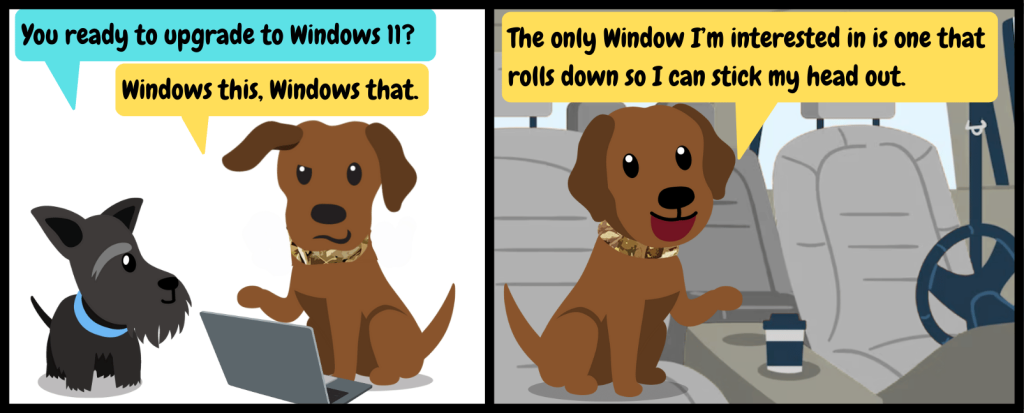
Windows 10 is out the door on October 14th—but you might want to start prepping now. Microsoft won’t be providing security updates to Windows 10 anymore after that point.
What are security updates?
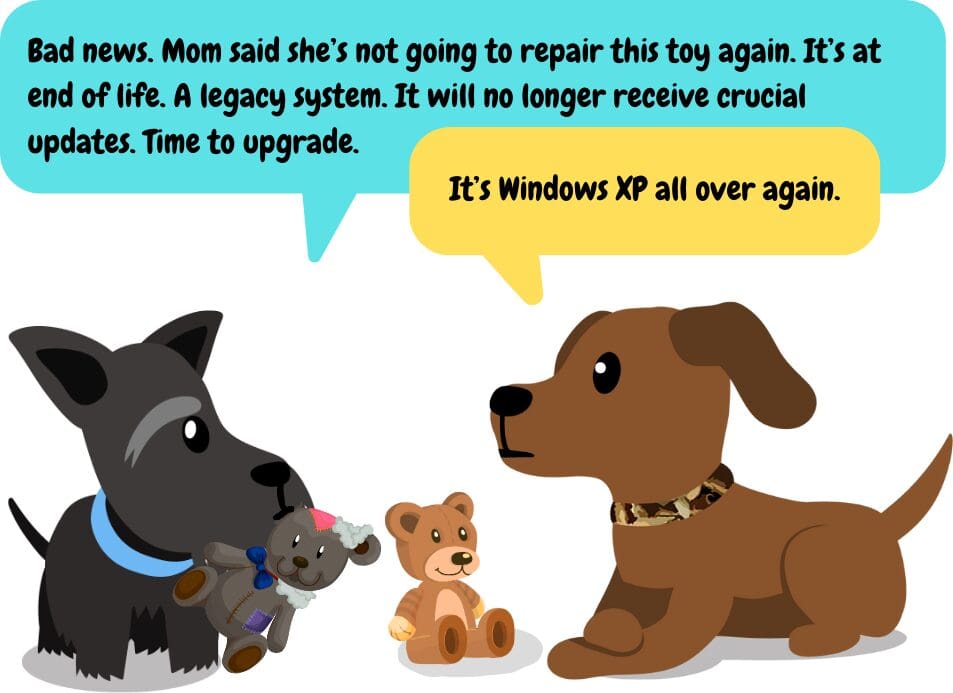
Security updates are pushed out by Microsoft to your operating system to fix vulnerabilities and keep everything running smoothly. Outdated OS’s are a siren call to hackers, as they can exploit vulnerabilities unchecked.
The good news:
Windows 11 has been out for over two years, so new-OS bugs have been patched and fixed. Windows 11’s navigation is very similar to Windows 10, and most PCs purchased in the last five years can install and run Windows 11, so there’s no cause for alarm. It’s just time to start planning. We’re here to help you along the way.
If you’re a Facet managed services client, we will be in touch about installing Windows 11 and upgrading any PCs that don’t meet the minimum hardware requirements for the new operating system.
How to check if your PC can run Windows 11 (do this on any home PCs before 10/14):
Go to Settings -> Windows Update. This page will indicate whether your PC meets the minimum requirements. The upgrade to Windows 11 is free at this time.
Can I continue to run Windows 10 after October 14?
You can purchase Microsoft’s Extended Security Updates (ESU) to continue receiving Windows 10 updates, but you will have to pay for an additional ESU license for each PC. If you don’t get ESU, your PC will continue to work, but it will be vulnerable to attack and could have performance issues.
AI Deepfake Candidates: (LinkedIn post) A recruiter’s experience with a “deepfake” job candidate. I recommend the “Pragmatic Engineer” article in the comments as well for a more in-depth story.
Peoria businesses need more than just basic IT support—they need a technology partner who understands the local business environment while delivering enterprise-grade solutions. Facet Technologies has been providing premier IT services in Peoria, IL for over 30 years, establishing itself as the go-to IT company for businesses seeking reliable, comprehensive technology support.
Why Peoria Businesses Need Local IT Support
When technical issues arise, having a local IT company in Peoria means the difference between hours of downtime and a quick resolution. Facet Technologies’ in-house helpdesk located right here in Peoria, IL provides immediate support with the personal touch that remote providers simply cannot match.
“We don’t believe in outsourced helpdesks, complicated work order systems, or other inconveniences for our clients,” explains Facet’s team. “Our helpdesk techs are highly trained experts who know your network.”
The Facet Advantage: Local Presence, Enterprise Capabilities
What sets Facet apart from other IT companies in Peoria is their unique combination of local presence and enterprise-level capabilities:
1. In-House Peoria Helpdesk Team
Unlike many IT service providers who outsource their support functions, Facet’s helpdesk is staffed by local Peoria IT professionals who understand the specific challenges faced by businesses in Central Illinois. This local expertise translates to faster resolution times and more personalized service.
2. Proprietary Monitoring Technology
Facet’s locally-developed Provoptix monitoring system provides “eyes on the ground” to maximize uptime for Peoria businesses. Clients gain access to the same real-time monitoring dashboard that Facet’s technicians use, creating unprecedented transparency.
3. Physical Repair Capabilities in Peoria
With a fully-staffed repair bench in their Peoria location, Facet offers hardware services that many competitors simply can’t match. From custom PC builds to complex hardware repairs, having this resource locally in Peoria means faster turnaround times and less downtime.
Comprehensive IT Services for Peoria Businesses
Facet Technologies offers a complete suite of IT services designed specifically for the needs of Peoria businesses:
Managed IT Services in Peoria
24/7/365 support for Peoria businesses
Live answer 8AM-5PM Monday-Friday
On-call technician availability around the clock
Network upgrades and refreshes
Cloud servers and virtual desktop solutions
Work-from-home security solutions
Cybersecurity Services for Peoria Companies
AI autonomous endpoint protection
Managed firewall with next-gen security appliances
Employee training and phishing simulations
24/7 Security Operations Center (SOC)
Dark web monitoring and credential protection
Office 365 backups
Multi-factor authentication implementation
Zero-trust security framework implementation
IT Compliance Consulting for Peoria Industries
Facet’s compliance experts help Peoria businesses meet industry standards including:
PCI compliance
HIPAA compliance
FEDRAMP compliance
CMMC compliance
The Facet Process: A Proven Approach for Peoria Businesses
What truly distinguishes Facet from other IT companies in Peoria is their systematic approach to client partnerships:
Qualify Partnership
Enter into MSA
Perform Assessment (Environment Discovery and Customer Concerns)
Create Security, Remediation, and Support Strategy
Present Strategy Options
Obtain Statement of Work Approval
Complete Onboarding Process
Post-Onboarding Review
Provide Ongoing Support
Quarterly Review and Strategic Planning
This methodical process ensures that every Peoria business receives customized IT solutions that align with their specific needs and goals.
Why Peoria Businesses Trust Facet Technologies
Facet Technologies has built its reputation in Peoria on four core values:
Honesty and Integrity
Confident Problem Solving
Commitment to Customer Service
Growth through Adaptation and Innovation
These values are reflected in their approach to every client relationship:
“We secure customer data as if it were our own”
“We build long-term partnerships on respect and transparency”
“We are experienced, knowledgeable and happy to help”
Experience True Tech Peace of Mind in Peoria
For businesses seeking reliable IT services in Peoria, IL, Facet Technologies offers the perfect combination of local support and advanced capabilities. Their commitment to customer service, extensive expertise, and comprehensive service offerings make them the premier choice for Peoria IT support.
To learn more about how Facet can support your Peoria business with local IT services, call (309) 689-3900, email info@facettech.com, or visit facettech.com.
Facet Technologies, Inc. – Providing quality IT services and cybersecurity solutions to Peoria businesses for over 30 years.
While lucky shamrocks and leprechauns make for charming tales over a pint, they make dangerous cybersecurity strategies.
Protect your data with more than wishful thinking.
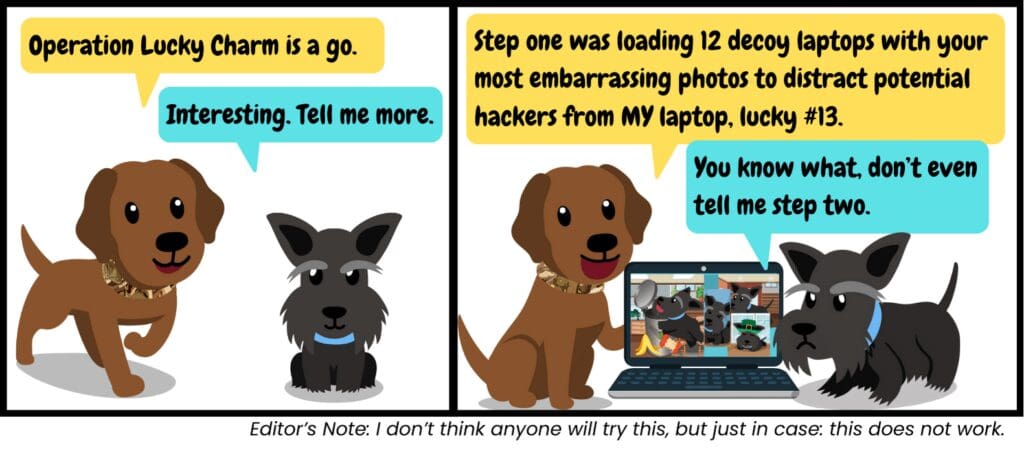
Many businesses operate with the “luck of the Irish” approach to cybersecurity: “Sure, but we haven’t been breached yet, must be our lucky shamrock,” or, “We’re too small for hackers to notice us, it’d be like finding a four-leaf clover in a field.”
The truth? Digital tricksters don’t care about lucky charms. They care about vulnerabilities, and they’re searching for them 24/7 with automated tools.
The “Paid Once, Marked Forever” Curse
In Irish folklore, leprechauns were known for mischievous trickery. Today’s cybercriminals have their own version of mischief, and it’s far more costly.
When you get ransomwared and proceed to pay a ransom, you might think you’ve avoided catastrophe. Unfortunately, what you’ve done is painted a giant sign on your door that says: “PAYS RANSOMS–COME BACK ANYTIME!” On top of that, you may not get all your data back.
Here’s why you’ll likely become a repeat target:
You’re on the Map: Ransomware groups maintain detailed databases of organizations that have paid and sometimes sell that to other groups on the dark web. If you don’t fix the underlying vulnerability, it’s a big rainbow leading to your data.
“Golden Shamrock” Effect: To cybercriminals, your organization now represents guaranteed income. Each time you pay, attackers increase their demands, knowing you lack proper defenses and will likely pay again. Repeat attacks will often occur under a year after the first.
This St. Patrick’s Day, replace wishful thinking with strategic planning:
Defense in Depth: Layer multiple security controls so if one fails, others catch the breach.
Backup, Test, Repeat: Implement backups and regularly test restoration (we do this for our managed services customers).
Train Your Human Firewall: Your employees are either your strongest defense or your greatest vulnerability–there’s no in-between. We have employee training available to help you—just ask for information, or forward Cyber Treats to your team weekly!
Incident Response Planning: Know exactly what you’ll do if you face a security incident.
Remember: In cybersecurity, as in life, we create our own luck through preparation, vigilance, and smart investments in protection.
May your networks stay secure and your data protected! Cheers to that!
Try Your Luck: Enter the Cyber Treats Gift Card Giveaway! We’re giving a lucky winner a $50 Visa Gift Card. Click here to enter.
Cybercriminals are scanning for targets across every industry and every size of business. Let’s explore who they’re targeting and, more importantly, how to keep your organization off their radar.
Industries Commonly Targeted by Cybercriminals:
Government and Public Services: Hackers want access to classified information or aim to slow down or cut off government services. Healthcare: Cybercriminals steal patient data or extort healthcare providers for large ransoms. Finance: Financial businesses have access to high-value data. Agriculture: Criminal groups looking to disrupt the food supply target the ag industry. Additionally, industries’ busy seasons create a sense of urgency.
Cyber fact: the number one category for attacks is actually small-to-medium size businesses of any kind, making up 43% of all events, according to a recent report by the SBA. Only 14% of small businesses are adequately secured.
More important than industry: these three common things contribute majorly to cyberattack risk.
Unsupported Legacy Hardware and Software: Updates are key to keeping your business secure. Legacy systems have vulnerabilities that can be exploited by cybercriminals.
Security Un-Awareness: Between 88 and 95% (depending on your source) of cyber attacks are caused by human error. The solution? Training your team to spot phishing attempts and creating a culture of good security practices. Security awareness training has been proven to reduce your risk.
Compromised Credentials: Using the same password/email combo for multiple websites means if one site is hacked, others likely will be, too. Use unique passwords for each website and enable multi-factor authentication where possible.
Need some tech advice?
The Facet team is here to help with custom IT solutions. Call us or schedule a discovery call to see what your options are for managed services and cybersecurity. Schedule a call by clicking here.
What was it Ben Franklin said? Maybe that the only two certain things in life are phishing scams and taxes? Something like that…
According to IRS data, tax scams spike in January and February and intensify through April. Last year, scammers targeted numerous business owners by misrepresenting the Employee Retention Credit (ERC)–a credit for which many victims didn’t qualify–charging hefty fees for assistance with applications.
Continue reading for three common tax scams businesses are facing today:
? Phishing and Smishing Threats Scammers posing as the IRS will send emails or texts threatening legal action. They often target tax professionals and businesses.
Prevent it: The IRS never initiates contact via email. Report suspicious tax e-mails to phishing@irs.gov (and to Facet through your “Report Phishing” button or by emailing dispatch@facettech.com), and always verify messages directly with the IRS through official channels.
?Online Account “Help” Calls Scammers offer help setting up an IRS online account. Their goal? Getting personal and tax information they can use for identity theft.
Prevent it: Only create your online account directly through IRS.gov and avoid any unsolicited offers for third-party help. If someone reaches out offering to assist, it’s likely a scam.
? Fuel Tax Credit Emails and Calls Common email and call scams push Fuel Tax Credit claims, which are only available for farming or off-highway use. They will fabricate documents or receipts for fuel to make false claims, often charging hefty fees in the process. While the scammers profit, you are left with the risk of facing IRS scrutiny.
Prevent it: Make sure you’re eligible for tax credits to avoid fines or criminal charges–it’s often best to consult with a qualified tax professional to ensure legitimacy.
The Facet team is here to help with custom IT solutions. Call us or schedule a discovery call to see what your options are for managed services and cybersecurity. Schedule a call by clicking here.
Cold Weather? Check. Snow? Check. New Year’s Tech Tips? Check.
Staying busy this January? Here are some quick tech tips to help you stay safe and work more efficiently. Maybe consider tacking these onto your resolutions?
✅ Restart PCs and phones regularly. If your device seems faster after a restart, that’s likely because it IS faster. Shutting down a device forces apps and background processes to reset, getting rid of some resource-hungry noise and helping you work more efficiently.
✅ Organize your files and folders. Establishing hierarchies and clear organization helps you save time and LOTS of frustration (your coworkers might appreciate it, too)! While you’re at it, make sure that you’re saving your documents in the right spot, i.e. your company’s cloud storage, not local storage (or anywhere not backed up).
✅ Review your privacy settings on social media. Given the rise in whaling email scams (more on this in the link below) using information from personal social media accounts to target victims, it’s prudent to be picky about who you add as a friend or what you share online. Sharing personal information can make you a prime target for scammers.
Need some tech advice? Our team is here to help with custom IT solutions. Call us or schedule a discovery call to see what your options are for managed services and cybersecurity. Schedule a call by clicking here.
We don’t have one… but we can get pretty close by examining the top cybersecurity concerns of business and IT leaders as we enter the new year.
Why gen-AI tops the list of technology concerns:
The rise of generative AI has resulted in powerful, flexible tools that can make your workplace more efficient—but it comes with some risks.
Free large language models (LLMs) like ChatGPT, Copilot, Claude, and others are only free because your prompts (and any documents you upload) are used to continue training the model. General questions, public marketing/sales materials, and everyday requests don’t really pose a security risk. However, if your team uses an LLM to summarize, say, financial reports, you could be in a more dangerous territory.
Back in 2023, a Samsung employee accidentally leaked internal source code, confidential meeting recordings and sensitive hardware specifications when asking ChatGPT to help debug a program. The incident led to a temporary company-wide ban on generative AI tools, and new AI usage policies.
One solution: source an AI model with built-in data privacy.
An option for businesses looking for AI capabilities is Microsoft 365 Copilot (not to be confused with the free version of Copilot anyone can access). With 365 Copilot, you can manage the use of chatbots for work purposes and protect your data.
With your own Microsoft 365 Copilot instance:
Prompts entered in Microsoft 365 Copilot are not used to train LLMs.
Users may only reference documents to which they have full permissions
Get flexibility to create custom chatbots that scan your knowledge base, including documents, emails, Teams chats, and more
You have all the capabilities of generative AI, but with reduced risk.
Copilot for Business can be added on to most existing 365 plans.
Want some advice on business cybersecurity for the new year? Our team is here to help with solutions to keep your business’ data safe. Call us or schedule a discovery call to see what your options are for managed services and cybersecurity. Schedule a call by clicking here.