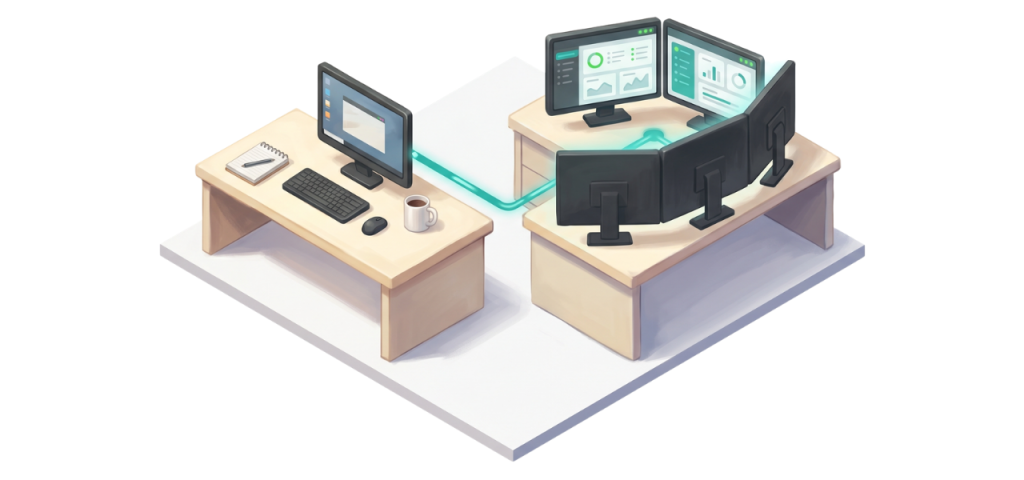
A managed IT partnership is a long-term relationship where an external team takes responsibility for the technology side of your business, working alongside leadership rather than waiting to be called. The right partnership looks less like buying a service and more like adding a department. The signals that tell you you’re ready usually show up in your business before you start looking for the language to describe them.
At a glance:
A managed IT partnership—often delivered by a Managed Service Provider (MSP)—combines day-to-day support with strategic planning, vendor management, and risk reduction across a multi-year horizon.
Industry research from BETSOL found that organizations working with a strategic IT partner report 40% improvements in IT efficiency and 25% reductions in technology-related risk.
The transition from reactive IT support to a partnership model typically happens when a business hits a complexity threshold—whether that’s 5 employees handling sensitive data, a 15-person team with strict compliance obligations, or simply a growing company that can no longer afford downtime.
A partnership is not the same as a vendor relationship. The provider is invested in your direction, not just your problems.
The signals that tell you you’re ready are usually visible in how your team works around technology problems rather than solving them.
This piece walks through what a managed IT partnership actually looks like when it’s working, the signals that suggest your business is ready for one, and the honest comparison between a partnership model and the more transactional support models that come before it. It’s a framework, not a sales pitch. The goal is to give you the language to recognize what you’re already experiencing.
What Does an IT Partnership Actually Look Like Day to Day?
A real IT partnership operates on two tracks at once. The first track is the day-to-day support: helpdesk, monitoring, security tools, and the things that make technology work when your team needs it. The second track is the strategic conversation: where your business is going, what technology decisions need to happen in the next 12 to 36 months, and how the operational side connects to leadership goals.
What this means in practice is that the relationship is not just transactional. You have one accountable team that knows your network, your vendors, your business model, and the people who use the technology. The same team that resolves a help desk ticket on Monday is the team that meets with you quarterly to walk through the technology roadmap. Documentation lives with the provider, not in one person’s head. Vendor contracts get reviewed, negotiated, and managed as part of the relationship. Security and compliance are ongoing functions, not one-time projects.
The result is a relationship where you stop thinking about IT as a problem to manage and start thinking about it as an area of the business where someone has it covered. That shift is what most business owners are actually looking for when they start evaluating providers, even if the conversation starts with cost.
The “Break-Fix” Freelancer vs. The Managed IT Partnership
This is the distinction most buyers do not have language for yet. The model that comes before a partnership is usually called “break-fix”—something breaks, you call a freelancer or vendor, they fix it, and they bill you for the time. Here is how the break-fix model compares to an MSP partnership.
Dimension
Break-Fix / Freelancer IT
Managed IT Partnership (MSP)
Engagement model
Transactional, called when something breaks
Ongoing, integrated into how the business operates
Strategic planning
Not included, you handle it yourself
Quarterly business reviews, 12 to 36 month technology roadmap
Vendor management
You manage vendors directly
Provider manages technology vendors on your behalf
Documentation
Lives in the technician’s head
Lives with the provider, accessible to you
Risk & compliance
Reactive, addressed when audits or incidents force it
Proactive, built into ongoing service
Communication cadence
Only when there’s a problem
Regular, structured, two-way
Pricing model
Hourly or per-incident
Flat monthly fee with predictable budgeting
Time horizon
This week’s issue
A strategic view of the next years of your business
A break-fix relationship is fine for businesses that genuinely just need someone to call when something breaks. A partnership is what businesses need when technology has become integrated enough into operations that “wait until it breaks” is too expensive a strategy.
What Are the Signals That You’re Ready for a Partnership?
The signals show up in patterns of behavior, not in single events. If two or more of the following describe your business, the partnership conversation is worth having.
You are making technology decisions under pressure. Hardware fails and you scramble to replace it. A software vendor calls and you make a decision without much research. A compliance requirement surfaces and you address it reactively. The decisions get made, but they get made without context.
Your team is working around problems instead of solving them. Recurring printer issues. Recurring login problems. Recurring network slowness. The workarounds become the way work happens, and the underlying issue never gets fixed because nobody has time to dig into it.
Nobody owns the technology strategy. When you think about where IT should be a year from now, the answer is “we’ll see.” Hardware refreshes are reactive. Cloud strategy is whatever happens when a server fails. Cybersecurity is whatever the cyber insurance application forced you to put in place.
A single person carries too much. This might be your accidental IT person, the office manager or controller who became the IT person by default. The business has a single point of failure that nobody planned to create.
The freelancer’s availability is your bottleneck. When your “IT guy” goes on vacation, gets sick, or takes on another full-time job, your business is left exposed. The break-fix model relies on a single individual’s schedule, whereas a partnership relies on a fully staffed team that guarantees coverage.
Compliance or insurance requirements are getting harder to meet. HIPAA, PCI, CMMC, and cyber insurance applications are all becoming more demanding. If you are addressing these by checking boxes rather than by maintaining a posture, the gap between what is required and what you have in place is growing.
You have outgrown the support model that worked when you were smaller. The freelancer who handled IT when you were 8 employees cannot handle IT for 35 employees the same way. The break-fix shop that fixed things when something broke does not have the depth your business now requires. The model that worked then is not the same model that works now.
Leadership spends time on IT that should not be leadership time. If you, as the owner or executive, are the person making vendor calls, evaluating quotes, or troubleshooting things that should be solved at a different level, the support model has outgrown its appropriate scope.
None of these signals are catastrophic on their own. They become problems when they are persistent. They become urgent when they start to compound.
What Does a Partnership Actually Cost?
The financial reality of a partnership is straightforward, and it should not be the headline of the decision. Managed IT services in the Central Illinois market typically run $100 to $200 per workstation per month, depending on what is included in the base rate. The flat monthly fee replaces the variable cost of hourly support, the gaps in proactive monitoring, the unbudgeted projects, and the cost exposure of incidents that proactive support would have prevented.
For most businesses moving from a reactive support model into a partnership, the line-item cost goes up. The total cost of running the business goes down, because incidents become rarer, decisions get made with proper context, and the time leadership spends on technology returns to the business. Industry research from ITIC puts the average small or mid-sized business loss at $25,000 or more per hour during an IT outage. A partnership that prevents two preventable incidents in a year typically more than offsets the difference between reactive and proactive support models.
The conversation that matters is not “what does the monthly fee cost?” It is “what is the total cost of running my business under each model, including the things that cost money when nobody is paying attention?” That question rarely produces a clear answer that favors reactive support for any business past the very smallest sizes.
When Is a Partnership Not the Right Answer?
Honest framing requires naming the cases where a partnership is not what a business needs.
Very small businesses (under 5 employees) with simple technology, no compliance obligations, and no remote workers can often operate on a freelancer or break/fix model for years. The cost of a partnership is more than the situation requires, and the time horizon of strategic planning matters less when the business is not navigating growth or change. That said, even very small businesses still need basic cybersecurity (firewall, MFA, endpoint protection, backups), so “no partnership” does not mean “no security.”
Businesses that are still figuring out what they want technology to do also may not be ready. A partnership works best when there are business goals to align technology against. If the business is in a transitional period where direction is unclear, a partnership may be premature, and a more transactional relationship may serve until the direction settles.
Businesses looking for the lowest possible monthly cost will not find a fit in a partnership model. Partnerships are priced on the relationship, not on individual tasks. If price is the deciding factor rather than fit, the partnership model probably is not what the business is looking for.
How Does Facet Approach the Partnership Model?
When Facet engages with a business, the first conversation is rarely about what is in the service tier. It is about the business itself. What does the next 12 to 36 months look like? What does your team experience around technology that frustrates them? What decisions are getting deferred because nobody has time to make them properly? Once we understand the business, the question of which service model fits becomes much easier to answer.
Our managed IT services are built around the partnership model: quarterly business reviews, a 12 to 36 month technology roadmap, vendor management, ongoing security and compliance posture, and a single accountable team that knows your environment. Our co-managed IT model extends the partnership to businesses that already have internal IT, providing specialized depth alongside the existing team. Our strategic IT advisory service is the partnership component for organizations whose day-to-day operations are already handled but whose strategic technology leadership is not.
For the broader framework on evaluating any IT provider, see our 7 questions to ask before signing blog. For the experience of switching to a new provider, see What to Expect When Switching to a New Managed IT Provider.
The right partnership for your business is the one where the conversation feels like a conversation, not a sale. If you recognize your business in the signals above, that is usually a sign the conversation is worth having.
Frequently Asked Questions
What is the difference between a managed IT partnership and a break-fix vendor?
A vendor relationship is transactional: you call when something breaks, you pay for the work, and you handle strategy and planning yourself. A partnership is integrated: the MSP handles day-to-day support AND meets with you regularly to plan technology direction, manage vendors, address compliance, and reduce risk over a multi-year horizon. The pricing model, the communication cadence, and the time horizon all differ.
When does a business become ready for a managed IT partnership?
The transition is driven by complexity, not headcount. A 10-person healthcare clinic dealing with HIPAA or a 12-person engineering firm with strict cyber insurance requirements often needs a partnership more urgently than a 40-person landscaping company. The best signals are situational: when technology decisions are being made under pressure, when problems are being worked around rather than solved, when a single person carries too much of the IT load, or when leadership is spending time on IT instead of running the business.
Is a partnership the same as having a vCIO?
A vCIO (virtual chief information officer) is one component of a partnership. The vCIO provides strategic technology leadership, planning, and budgeting. In a full partnership, the vCIO function is integrated with day-to-day support, security, and operational services. Some businesses contract with a vCIO separately from their support provider, but the model works best when both functions are integrated.
Will a partnership work alongside our existing IT staff?
Yes. The co-managed IT model is designed specifically for businesses with internal IT staff. The partnership provides specialized expertise (security, compliance, after-hours support, strategic planning) that complements what the internal team is doing rather than replacing them. The result is usually that the internal person can refocus on the business-specific work that only they can do.
What is the smallest business that benefits from a partnership?
The defining factor isn’t your headcount; it’s your reliance on technology. We frequently partner with businesses in the 5 to 15 employee range. If an hour of downtime costs you significant money or reputation, or if you handle sensitive data, the math works. The size of the business matters less than the complexity of what your technology has to support.
How long does a partnership relationship typically last?
Industry-standard managed services agreements run one to three years, with three years being the most common. Strong partnerships typically continue well past the initial term because the provider has become integrated into how the business operates. Switching providers is possible but sometimes disruptive, which is why the initial fit matters.
What is the most important factor in choosing a partnership?
Fit. Cost matters, capability matters, and so do specific industry experience and references. But the deciding factor is usually whether the provider seems genuinely interested in the business or just in the contract. A partnership only works when both sides are invested in the relationship.
Ready to Talk About What This Could Look Like for Your Business?
If you recognize your business in the signals above, the right conversation starts with what you are experiencing, not with what we offer. We are happy to walk through your situation and help you figure out whether a partnership model fits, even if the answer is that you should stay where you are for now.
For broader background, see our 7 questions to ask before signing and our What to Expect When Switching guide.
Facet Technologies has provided IT services to Central Illinois businesses for over 30 years. Based in Peoria, we serve healthcare, manufacturing, agriculture, professional services, and government organizations across the region.
We’re walking through how to build your first agent in our next AI Fluent Leaders webinar: Your AI Assistant: Making Your First Agent on June 3 at 10am.
Fake IT calls, sketchy flash drives, AND social engineering?
The FBI issued a warning this Tuesday about the Silent Ransom Group (SRG).
Their scam is posing as your IT department or provider, calling or emailing an employee, and talking them into a “routine maintenance” remote session, during which they steal your data.
The twist? If the remote approach doesn’t work, they show up at the office. Someone walks up to the front desk, wearing a lanyard, and plugs a USB drive into the target computer. They then copy your data out and leave.
The thing about this hack is that it’s very hard to catch it in the act. The threat actors have been granted access to your PC, use normal file transfer programs, and work quickly to identify key documents to move. Most cybersecurity measures won’t flag that. They’re persistent, too: the FBI reports they will call clients and vendors of the businesses they attack to increase pressure, and they’ll post client information on their website.
While this group’s favorite targets appear to be large law firms sitting on valuable client data, they’ve also hit healthcare, insurance, and finance.
Avoid Scams Like This One:
If you are a Facet client, you can always call us at (309) 689-3900 to verify that one of our techs is reaching out or visiting your office.
Similarly, if you work in a larger organization with an internal IT staff, verify unexpected visits from new people with a phone call. A few seconds can save you from disaster, and IT professionals won’t be offended by an extra security measure.
The bet these guys are making is that your team is too polite to ask questions. Prove them wrong and stay a little skeptical.
Need guidance on cybersecurity measures or reliable IT support? Reach out at (309) 689-3900 to book time with us to go over your strategy.
Before you sign with a managed IT provider, ask seven questions: how the helpdesk is staffed, what’s actually included in the monthly fee, how contracts and renewals work, how the provider plans for projects and budget, how they handle compliance, what response times they commit to in writing, and how their contract terms and renewal process work. The right answers tell you whether you’re buying a partner or buying a problem.
At a glance: Managed IT services in the Peoria area typically run $100 to $200 (can be higher for risk-heavy or highly regulated industries) per workstation per month, with the range often driven by what’s included rather than provider quality. A trustworthy MSP can explain exactly what’s in the monthly fee, what triggers additional billing, and what happens if you need to leave. Most disputes between businesses and their IT providers come from unclear contracts, vague SLAs, or unspecified scope, not from technical failures. Industry research consistently shows that unclear contract terms and undefined scope drive the majority of unexpected IT costs in the first year of a managed services relationship. The seven questions in this guide work as a framework for evaluating any managed IT provider, not just Facet.
A managed service provider, or MSP, is a company that takes responsibility for some or all of your IT environment on a flat monthly fee. The right provider becomes a long-term strategic partner. The wrong one becomes an expensive lesson. The difference usually comes down to what you ask before signing, not what you discover after.
This guide walks through seven strategic questions any business owner should ask. For the deeper, line-by-line evaluation, our 11 Questions guide covers tactical details like firewall replacement cycles, trip charges, email migration fees, and hardware repair policies.
What Should You Look For When Evaluating an MSP?
Use this table as a quick reference while you’re talking to providers. Either column can describe a real, professional MSP. The red flags are the ones to walk away from.
Question Topic
Reassuring Answer
Red Flag Answer
Helpdesk model
Named team you can speak with directly, in-house or domestic, with documented escalation paths
Anonymous ticketing system, offshore call center with no consistent technician, voicemail-only after-hours
What’s included
Written, itemized list of services in the monthly fee with clear exclusions
“Everything you need” without specifics, or pricing that requires multiple follow-ups to decode
Contracts
Separate written agreements for managed services, voice, and project work, with clear scope, term length, and renewal terms disclosed in writing
Vague verbal terms, undisclosed auto-renewal clauses buried in fine print, or one bundled contract with unclear pricing
Project planning
Annual IT roadmap, budgeted projects identified in advance, quarterly reviews
Reactive project quotes only when something breaks, no forward planning, no budget visibility
Compliance
Specific named frameworks they support, partnership with third-party auditors when needed
“We’re compliant” with no specifics, or claiming to provide audits themselves without independent validation
SLAs and response times
Written response and resolution targets by severity, with reporting on actual performance
“We respond quickly” without numbers, no severity tiers, no accountability for missed targets
Exit terms
Clearly disclosed term length, auto-renewal, and early termination fees with cooperation during transitions
Refusal to discuss terms, withholding of data or credentials during transition, or deliberately obstructed handoffs
1. How Is Your Helpdesk Staffed and Where Is It Located?
This question reveals more about an MSP than almost any other. Your helpdesk is the day-to-day relationship. If the people answering the phone don’t know your network, your team, or your business, every support ticket starts from zero.
A reassuring answer describes a specific team. Where they sit, how many technicians, whether they’re employees or contractors, and what happens when you call after hours. The best providers maintain documentation on each client environment so the technician who answers already knows your setup. An offshore call center reading from a generic script, or a ticketing system with no human contact, is a different product entirely. Industry research from CompTIA consistently identifies first-call resolution as a top predictor of customer satisfaction in managed services. Ask whether your prospective provider tracks this metric and what the number is.
At Facet, our helpdesk is 100% in-house in our Peoria office. Live answer during business hours, on-call technician access 24/7/365, average response time under 15 minutes. The technicians know your network because they have direct documentation on it.
2. What Is Actually Included in the Monthly Fee?
This question separates transparent providers from ones who count on confusion. The monthly fee should map to a specific list of services. Anything not on that list is an additional cost, and you should know what triggers those costs before signing.
A reassuring answer comes in writing. Specific services included: helpdesk, monitoring, patching, security software, backup, and so on. Specific services excluded: typically remediation projects, hardware purchases, major migrations, after-hours emergency work beyond what’s in the SLA. A red flag answer treats the question as if you’re being difficult for asking it. The harder a provider works to avoid itemizing what’s included, the more likely you are to see surprise charges later.
Managed IT services in the Peoria area typically cost $100 to $200 per workstation per month. The range exists because providers bundle different things into that price. Always compare what’s included, not just the headline number. The 11 Questions guide walks through 10 specific line items that buyers often overlook in MSP quotes.
3. How Do Your Contracts Actually Work?
Contract structure is where most disputes between businesses and their MSPs originate. The question is not whether the provider uses contracts. Everyone uses contracts. The question is how they’re structured and whether the terms are clear.
A reassuring answer explains the agreement structure plainly. Most professional MSPs use separate agreements for different services: a managed services agreement with its own term and renewal, a separate voice or phone services agreement if applicable, and individual statements of work for project engagements. This separation protects both parties. You know exactly what each service costs and what changes when one piece of the relationship shifts. A red flag answer involves vague verbal commitments, a single master contract that bundles everything together without itemized pricing, or unclear scope that creates room for surprise charges down the road.
The strongest providers structure their agreements around accountability rather than control. You have one accountable team and one point of contact, but the underlying agreements stay clearly separated so each service can be evaluated on its own terms. That structure is more transparent for the client and more sustainable for the provider, which is why serious MSPs use it.
4. How Do You Plan and Budget for Projects?
A managed service plan covers day-to-day operations, monitoring, and support. Projects, server replacements, network upgrades, cloud migrations, major security implementations, are almost always priced separately. The question is whether the provider plans these in advance or hits you with them as surprises.
A reassuring answer describes an annual IT roadmap. Your provider walks your environment at least once a year, identifies infrastructure that will need to be replaced or upgraded in the next 12 to 36 months, and gives you a budgetary forecast so you can plan for it. Quarterly business reviews keep that roadmap current. A red flag answer involves no forward planning at all. Projects appear when something breaks, quotes show up with no budget context, and “essential” work gets discovered six weeks into the relationship because there was no real assessment before you signed.
Facet’s strategic IT advisory services include annual roadmapping and quarterly business reviews so projects are planned and budgeted in advance. We do not promise “no projects,” because that would be dishonest. Every IT environment needs projects. The promise is that they are planned, not surprises.
5. How Do You Handle Compliance Requirements?
If you operate in healthcare, defense contracting, financial services, payment processing, or any other regulated industry, this question is essential. Compliance is rarely included in a base managed services agreement. It almost always requires additional scoping, specialized expertise, and sometimes third-party validation.
A reassuring answer names specific frameworks the provider supports: HIPAA, PCI DSS, CMMC, SOC 2, NIST, and so on. It distinguishes between compliance support (helping you meet the requirements) and compliance auditing (independent validation that you do). The best providers partner with separate auditing organizations rather than serving as both the provider and the auditor, which avoids conflicts of interest. A red flag answer claims “we’re compliant” without explaining what that means, or offers to provide both the implementation and the audit, which is not how compliance frameworks are supposed to work.
Facet provides compliance support across HIPAA, PCI, CMMC, NIST, ISO 27001, and FedRAMP. For independent validation, we work with third-party auditing partners so the organization implementing your security is not also serving as your auditor. Compliance remediation, when an audit finds gaps, is always scoped as a separate project.
6. What Response Times Do You Commit To, In Writing?
A service level agreement, or SLA, defines the response and resolution times your provider commits to. The phrase “24/7 support” means nothing without numbers behind it. Ask to see the SLA before signing, not after.
A reassuring answer describes tiered response commitments. A complete system outage should have a faster guaranteed response than a single user password reset. The SLA should include specific timeframes for acknowledgment, troubleshooting, and resolution by severity level, and the provider should be willing to share data on how often they meet those targets. A red flag answer uses vague language like “best effort” or “promptly,” gives no severity tiers, or excludes after-hours work from the response commitments entirely.
Industry benchmarks for high-priority issues call for acknowledgment within one hour and resolution within four hours, though the right targets depend on your business. Facet publishes response time commitments and reports on actual performance through quarterly business reviews. Our 24/7 support and SLA clarity blog walks through what to look for in an SLA in more detail.
7. How Do Your Contract Terms and Renewal Work?
This is the question most buyers skip, then regret later. Not because exit terms are inherently scary, but because misunderstanding them creates friction down the road. Term contracts, auto-renewal clauses, and early termination fees are standard practice across the MSP industry. The question is whether your provider explains them clearly up front.
A reassuring answer walks through the contract structure plainly. Typical term lengths in the industry run one to three years, with three years being the most common and often the best-priced option. Auto-renewal is standard at the end of term, usually for an additional year. Early termination clauses commonly require 30 to 90 days notice and a fee that reflects the provider’s investment in the relationship. A red flag answer is not the existence of these terms. The red flag is a provider who refuses to discuss them, hides them in fine print, withholds data or credentials during a transition, or makes the transition deliberately difficult to punish departing clients.
The right framing for this question is not “how easy is it to leave?” The right framing is “are the terms clear, fair, and disclosed?” A provider who answers contract questions plainly, explains the renewal process up front, and commits to cooperation during a future transition is showing you how the relationship will work. That’s the signal worth looking for, regardless of which provider you choose.
How Should You Use These Questions?
Bring this list to your conversations with prospective IT providers. Ask the same questions of each one. Compare answers side by side rather than letting the polished presentation of any single provider become the standard.
The right MSP for your business is the one that gives you clear, specific, defensible answers to all seven questions, not the one with the lowest monthly price. Cost matters, but unclear scope, vague contracts, and undefined SLAs cost more than any line item on a quote. Businesses that document their MSP requirements before signing tend to encounter fewer surprise costs and operational issues in the first year compared to those who choose based on price alone.
If you want the deeper tactical breakdown, our 11 Questions guide covers ten more specific line items including firewall replacement, hardware repair, email migration, on-site visit charges, and how to interpret a managed services quote line by line.
Frequently Asked Questions
What is a managed service provider (MSP)?
A managed service provider, or MSP, is a company that takes responsibility for some or all of your IT environment on a flat monthly fee. Services typically include helpdesk support, network monitoring, cybersecurity, backup management, and strategic planning. The MSP becomes your outsourced or co-managed IT department depending on whether you have internal staff.
What is the most important question to ask before hiring an MSP?
“What is actually included in the monthly fee?” Most disputes between businesses and their IT providers come from unclear scope. A provider who answers this question with a specific written list of inclusions and exclusions is showing you how the relationship will work day-to-day. A provider who deflects the question is showing you something else.
How much should managed IT services cost in Central Illinois?
Managed IT services in the Peoria area typically run $100 to $200 per workstation per month. The range depends on what’s included. Providers that bundle cybersecurity, monitoring, and patching into the base price tend to cost more upfront but produce fewer surprise bills. Providers with lower headline prices often charge separately for security and project work, which can make them more expensive overall.
What are the biggest red flags when evaluating an MSP?
Vague verbal commitments instead of written agreements, unwillingness to itemize what’s included in the monthly fee, no SLA with specific response times, no plan for projects or annual budgeting, and refusal to discuss contract terms openly. Any single one of these is a warning. Two or more is a reason to walk away.
How long should an MSP contract be?
One- to three-year terms are standard in the industry. Shorter terms give buyers more flexibility but may come with higher monthly rates. Longer terms can include better pricing but require more rigorous evaluation up front. What matters more than the length is the clarity of renewal terms, the exit process, and whether the provider performs as promised throughout the term.
Should I use one MSP for everything or multiple specialized providers?
For most small and mid-sized businesses in the 20 to 250 employee range, one accountable MSP with broad coverage works better than multiple specialized providers. Coordination between vendors creates gaps. The exception is when a specific framework, like CMMC for defense contracting, requires capabilities your general MSP does not have. In those cases, a partnership between your MSP and a specialized firm is often the right answer.
Ready to Talk About What an MSP Partnership Should Look Like?
We do not expect this guide to convince you to choose Facet. We expect it to help you choose the right partner, whether that’s us or someone else. If you want a conversation about your IT environment, your current setup, and what a good partnership would look like, we’re here.
For the deeper tactical breakdown, download the 11 Questions guide covering the line items most buyers overlook in MSP quotes.
Facet Technologies has provided IT services to Central Illinois businesses for over 30 years. Based in Peoria, we serve healthcare, manufacturing, agriculture, professional services, and government organizations across the region.
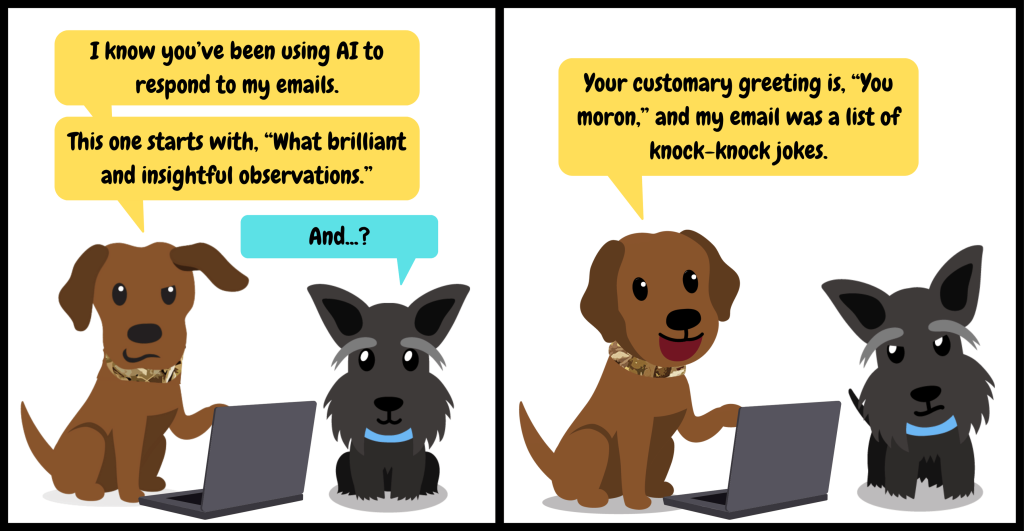
A Stanford study published this spring tested 11 leading AI tools: Copilot, ChatGPT, Gemini, and others. They were so prone to flattering and agreeing with users that even one conversation was enough to distort the user’s judgment.
Perhaps unsurprisingly, most people in the study preferred the flattering version and trusted it more.
Copilot and other LLMs are built to be helpful. Sometimes, that turns into sycophantic responses that don’t provide real value to your business.
Here are two prompts that tell Copilot to put down the pom-poms and help you think critically.
1. Construct an Argument
“I’m about to make this decision: [decision]. Here’s my reasoning: [reasoning]. Make the strongest possible case that I’m wrong. Be specific. Don’t soften the response.”
Most leaders are surrounded by people who agree with them: employees who don’t want to rock the boat, advisors protecting the relationship. With this prompt, Copilot doesn’t care if you like the answer. Use this before big hires, big purchases, or any decision you’ve already half-made in your head.
2. Pre-Mortem
“Imagine it’s six months from now and [project] has completely failed. Write the post-mortem. What went wrong, and what were the warning signs we’re missing right now?”
Asking “how could this fail?” upfront surfaces the risks your team is too polite (or too invested) to say out loud.
Why This Works
These prompts work because you gave Copilot good direction. AI is garbage in, garbage out, and a generic chatbot only does so much with a generic ask.
The real upgrade is a custom agent: an AI built around your business, your priorities, and your voice (and programmed to be more than a yes-man).
We’re walking through how to build your first one in our next AI Fluent Leaders webinar: Your AI Assistant: Making Your First Agent on June 3 at 10am.
If you’d like to get some great prompts you can use everyday, our previous webinar, “Copilot Prompts that Work” is available on-demand. Check it out here.
Need guidance on AI security, AI policies or tool options? Reach out at (309) 689-3900 to book time with us to go over your strategy.
A managed IT provider can replace, augment, or complement an in-house IT employee. Whether replacement is the right move depends on the size of your business, the workload your IT person carries, and what you actually need from technology going forward. For most growing businesses in Central Illinois, the better question is not “replace or keep” but “what model gives my team the most coverage, expertise, and resilience for the budget I have?”
At a glance: The average IT salary in the United States is $109,707 per year (ZipRecruiter, April 2026), with the Bureau of Labor Statistics reporting median wages of $105,990 for computer and IT occupations. The fully loaded cost of an employee, including benefits and payroll taxes, runs 1.25 to 1.4 times base salary, putting a typical mid-level IT hire at $137,000 to $154,000 per year. 65% of organizations report a shortage of skilled cybersecurity and compliance staff (Linux Foundation 2025), with qualified hires hard to find. Co-managed IT, where an MSP works alongside an existing IT person, has emerged as the preferred model for organizations that already have internal staff but need broader coverage. Replacing an in-house IT person is usually the wrong frame. The right question is whether your current IT model gives you the right mix of generalist coverage, specialized expertise, and resilience.
What Does a Single In-House IT Person Actually Cost?
Before comparing models, it helps to know what an in-house IT employee really costs your business. The number is almost always higher than the salary alone.
According to ZipRecruiter as of April 2026, the average annual pay for an IT professional in the United States is $109,707, with the typical pay range falling between $95,000 and $116,500. The Bureau of Labor Statistics reports a median wage of $105,990 for computer and IT occupations.
But salary is the start, not the end. The fully loaded cost of an employee, which includes payroll taxes, benefits, paid time off, training, and overhead, runs 1.25 to 1.4 times the base salary. The U.S. Bureau of Labor Statistics’ Employer Costs for Employee Compensation report puts benefits at roughly 31% of total compensation, averaging $15.03 per hour for civilian workers as of June 2025.
Run the math on a mid-level IT hire at $110,000 base salary: the fully loaded cost lands somewhere between $137,500 and $154,000 per year. That’s before equipment, software licenses, recruiting costs, and the three-to-six months of training time before they’re fully productive.
Then there’s turnover. The total cost of replacing an employee, including recruitment, productivity loss, and training, ranges from 30% to 200% of annual salary depending on the role’s specialization. With Robert Half’s 2026 Salary Guide projecting tech salaries to jump 8 to 10% this year, retention costs are climbing too.
For a Central Illinois business considering its first IT hire, the realistic budget conversation starts at $130,000 to $150,000 per year for a mid-level generalist. Senior or specialized roles, especially in cybersecurity or cloud, run higher.
What Does an In-House IT Person Actually Cover?
This is the question that gets skipped most often, and it’s where the case for or against in-house IT really gets made.
A single IT person in a 30 to 100-employee company is almost always a generalist. They handle help desk tickets, manage user accounts, troubleshoot printers and email, support the network, deal with vendors, and try to keep things running. What they typically don’t do, because there isn’t time, is dedicated cybersecurity monitoring, compliance documentation, strategic technology planning, after-hours emergency response, deep cloud architecture work, or 24/7 threat detection.
Modern IT is not one discipline anymore. It’s cybersecurity, cloud management, endpoint protection, compliance, identity management, networking, backup architecture, and strategic planning. Expecting one person to master every domain while also responding to daily user requests is unrealistic.
The Linux Foundation’s 2025 State of Tech Talent report found that 65% of organizations face a shortage of skilled resources in cybersecurity and compliance, with 59% reporting the same shortage in cloud computing. Even when the in-house IT lead is strong, no operating model can scale under that strain.
The result is a familiar pattern: the IT person is competent and works hard, but security monitoring is reactive instead of proactive, documentation lags, strategic projects get delayed, and the business operates in maintenance mode instead of growth mode.
What Are the Risks of Relying on a Single IT Person?
This isn’t a criticism of any individual employee. It’s a structural risk that exists in any organization where essential knowledge or responsibility sits with one person. The technical term is a single point of failure.
When one person owns all the institutional IT knowledge, the network architecture, the vendor contracts, the administrative credentials, the backup systems, the compliance documentation, the entire organization is exposed if that person is unavailable. The Mercer Marsh Benefits 2023 study found that most respondents expected to lose a key person within three years, with a majority predicting a high operational impact. With tech unemployment at a historic low of 2.8% in 2025, qualified IT professionals have negotiating power and often leave for higher-paying roles.
Burnout is the other risk. Harvard Business Review reports that 77% of professionals have experienced burnout at their current job, and IT roles see this even more acutely. A solo IT person responsible for everything from password resets to ransomware response is operating at sustained high stress.
Cybersecurity is where the risk gets most expensive. The IBM 2025 Cost of a Data Breach Report puts the average data breach cost at $4.88 million globally, and healthcare breaches at $9.8 million. Strong security practices benefit from layered review: access rights audited regularly, backup restoration tested, incident response plans rehearsed. In a single-person model, there is rarely a second set of eyes.
When Does Replacement Make Sense, and When Does Co-Managed?
Most of the time, the better conversation is augmentation, not replacement. Co-managed IT, where a managed services provider works alongside your existing IT staff, has emerged as one of the fastest-growing models in IT services. For most businesses with an existing IT person, this is the better answer than replacement.
Here’s the core economic argument: hiring a second IT employee costs roughly $130,000 to $150,000 fully loaded per year. That money buys you one additional generalist who will be subject to the same single-point-of-failure and burnout risks as your first one. Alternatively, that same budget covers a co-managed IT engagement that gives your existing IT person backup coverage, after-hours support, specialized cybersecurity expertise, compliance documentation help, vendor management assistance, and strategic technology planning. The second option produces more capability per dollar in almost every scenario.
That said, full replacement is sometimes the right move:
The IT person is leaving and you can’t justify replacing them. For businesses with 20 to 75 employees and moderate technology complexity, the fully loaded cost of a replacement hire often exceeds what a managed IT provider would charge for the same scope.
Your IT needs have outgrown what one person can deliver. When compliance, cybersecurity, cloud architecture, and strategic planning all need attention at the same time, a generalist can’t keep up. A managed IT provider gives you access to multiple specialists for less than the cost of hiring even one of them.
The business is in stabilization mode. If your current IT setup is in chronic firefighting mode, transitioning to a managed model can reset the environment with documented processes, tested backups, and proactive monitoring.
Compliance requirements demand more than one person can sustain. Regulated industries like healthcare, defense contracting, and financial services require documented controls, regular audits, and specialized expertise that almost no solo IT employee can maintain alongside daily support work.
Co-managed IT, on the other hand, fits when:
You have a strong internal IT lead who is overworked. Adding an MSP layer takes the routine help desk burden off your internal person so they can focus on strategic projects, vendor relationships, and the business-specific work only they can do.
You need specialized expertise your internal person doesn’t have. Cybersecurity, cloud architecture, compliance frameworks, and disaster recovery planning are areas where most internal IT generalists are stretched thin.
You want resilience without doubling headcount. A co-managed engagement means your business is no longer dependent on one person being available.
You’re considering adding a second IT hire. Before you spend $130,000 plus on a second employee, consider that a co-managed engagement at a fraction of that cost typically delivers more total capability across more domains.
How Should You Decide Which Model Fits Your Business?
The decision depends on three factors: the size of your operation, the complexity of your technology environment, and what you actually need from IT going forward.
Under 25 employees: A managed IT provider almost always makes more sense than hiring. The cost-to-coverage math doesn’t work for an in-house generalist at this size.
25 to 75 employees with no internal IT: Managed IT is typically the right model. You get full coverage, security, compliance support, and strategic planning for less than the cost of hiring one mid-level employee.
25 to 75 employees with one internal IT person: This is the classic co-managed scenario. Keep your internal person for the institutional knowledge they bring. Add a managed services layer for everything they can’t realistically cover alone.
75 to 250 employees with one or two internal IT staff: Co-managed almost always wins. Your internal team handles strategy, vendor relationships, and business-specific work. The MSP handles after-hours support, cybersecurity monitoring, compliance documentation, and specialized projects.
250+ employees with a multi-person IT team: A managed services partner becomes a specialist resource for what your team doesn’t cover internally, often security, compliance, or specialized infrastructure projects.
The conversation should never start with “should we replace this person.” It should start with “what does our business actually need from IT in the next two years, and what’s the best mix of internal and external resources to deliver it.” For a deeper cost comparison between models, our managed IT vs in-house guide walks through the math in detail.
How Does Facet Technologies Approach This Decision?
Facet Technologies has worked with Central Illinois businesses across every variation of this conversation for over 30 years. We support organizations with no IT staff, organizations with one overworked generalist, and organizations transitioning between models.
Our managed IT services cover businesses that need full IT support without internal staff. Our co-managed IT model is designed to work alongside existing internal IT teams, providing the depth and specialization that generalists rarely have time for. Our strategic IT advisory services bring vCIO-level planning to organizations that have operations covered but lack technology leadership.
What we don’t do is push businesses toward replacement when augmentation is the better answer. If you have a strong internal IT person, that person is an asset. The question is how to give them the support they need so they’re not a single point of failure or constantly in firefighting mode.
Our in-house helpdesk in Peoria answers calls live during business hours, with on-call technician access 24/7/365 and average response time under 15 minutes. Our cybersecurity services, compliance partnership approach, and backup architecture are designed to integrate with internal IT teams or operate independently, depending on what the client needs.
Frequently Asked Questions
Should I replace my in-house IT person with a managed services provider?
Usually not. For most businesses with an existing IT employee, co-managed IT, where the MSP works alongside your internal person, delivers more capability than replacement and preserves the institutional knowledge your IT person brings. Replacement makes sense when the employee is leaving anyway, when needs have outgrown what one person can cover, or when the cost of replacing them outweighs the value.
What does an in-house IT person actually cost?
The average IT salary in the United States is $109,707 according to ZipRecruiter (April 2026). Once you add benefits, payroll taxes, and overhead, the fully loaded cost typically runs 1.25 to 1.4 times the base salary, or roughly $137,000 to $154,000 per year for a mid-level hire. Recruiting costs, training time, and turnover risk add to that total.
Is co-managed IT cheaper than hiring a second IT employee?
Almost always. A second IT employee costs $130,000 to $150,000 fully loaded per year. A co-managed engagement at a fraction of that cost typically delivers more capability across more specialties: cybersecurity, compliance, after-hours support, and strategic planning. Co-managed scales without requiring you to manage hiring, training, retention, and turnover.
What is co-managed IT?
Co-managed IT is a service model where an external managed services provider works alongside your existing internal IT staff. The MSP handles areas that are hard for a generalist to cover alone, like 24/7 security monitoring, compliance documentation, after-hours support, and specialized projects, while your internal person continues to handle business-specific work and institutional knowledge.
What are the risks of having only one IT person?
The biggest risk is the single point of failure. When all the technical knowledge, credentials, vendor relationships, and documentation sit with one person, their absence creates immediate business risk. Add burnout (77% of professionals have experienced it, per Harvard Business Review) and the high probability of turnover in a 2.8% unemployment tech market, and the risk becomes operational, not theoretical.
How does Facet handle the transition from in-house to managed IT?
Our process starts with assessment, not replacement. We document your current environment, identify gaps and risks, and build a transition plan that respects the work your existing IT person has done. Whether the destination is fully managed, co-managed, or a hybrid model, the goal is continuity of service for your team and stability for your business.
How do I get started? Call us at (309) 689-3900, email info@facettech.com, or schedule a conversation online. The first conversation is straightforward: we’ll talk about your current setup, your team, and what you’re trying to accomplish.
Manufacturing IT is its own discipline. The combination of production networks, operational technology, supply chain connectivity, and intellectual property protection creates an environment that general-purpose IT providers are not built to support. For manufacturers across Central Illinois, choosing the wrong IT partner means risking production downtime, compliance failures, and exposure to a threat environment that has only gotten worse.
Manufacturing has been the most targeted industry for cyberattacks four years running, according to IBM’s X-Force Threat Intelligence Index. Ransomware attacks targeting manufacturers rose 56% in 2025 compared to the previous year, with the sector absorbing one in four of all documented ransomware incidents globally. Central Illinois manufacturers face the same threats as manufacturers everywhere, but with the added reality that most operations in this region have 50 to 500 employees, tighter IT budgets, and fewer dedicated security resources than Fortune 500 plants.
This blog explains what makes manufacturing IT different, where the risks are highest, and what to look for in a technology partner who can protect both your production floor and your front office.
At a glance: Manufacturing has been the #1 most targeted industry for cyberattacks for four consecutive years (IBM X-Force 2025). Ransomware attacks on manufacturers rose 56% in 2025, with 62% of victims paying the ransom (Check Point Manufacturing Threat Landscape 2026). 96% of operational technology (OT) incidents in 2025 were traced back to IT system compromises (TXOne Networks), which means protecting your office network protects your production floor. 22% of organizations with OT systems reported a cybersecurity incident in the past year, with 40% of those incidents causing production disruption (SANS Institute 2025). Facet Technologies has served manufacturers across Central Illinois for over 30 years, with specific experience in production network security, CMMC compliance, and IT/OT environments. One Central Illinois manufacturer reduced support tickets by 70% within six months of partnering with Facet, after we identified and resolved recurring infrastructure issues that had been disrupting operations.
Why Is Manufacturing IT Different From Standard Business IT?
In most businesses, when the network goes down, people can’t check email for a few hours. In a manufacturing facility, when the network goes down, the production line stops. Orders don’t ship. Raw materials sit idle. Depending on the process, a network outage can damage equipment, spoil product, or create safety hazards.
That’s the core difference. Manufacturing IT exists to keep production running, and every technology decision has to be evaluated through that lens.
Operational technology (OT) is the category of systems that directly controls or monitors physical processes: programmable logic controllers (PLCs), SCADA systems, human-machine interfaces (HMIs), and industrial control systems. These systems were originally designed to operate in isolation, but modern manufacturing increasingly connects OT to IT networks for data collection, reporting, and supply chain integration. That connectivity creates the security gap that attackers are targeting.
Your IT partner needs to understand this environment. They need to know which systems can be patched on a Tuesday afternoon and which ones require a maintenance window during a scheduled shutdown. They need to know that rebooting a server connected to a PLC could halt a production line. They need to understand the difference between a help desk ticket from accounting and an alert from a sensor on the manufacturing floor.
What Are the Biggest Cybersecurity Risks for Manufacturers Right Now?
Three overlapping risk categories are hitting manufacturers harder than any other industry.
Ransomware is the most expensive threat. According to cybersecurity insurer Resilience, ransomware accounted for 90% of all financial losses in the manufacturing sector between March 2021 and February 2026. Manufacturers are targeted specifically because attackers know that production downtime is so costly that companies are more likely to pay. The data confirms it: 62% of manufacturers who experienced ransomware in 2025 paid the ransom.
IT/OT convergence is expanding the attack surface. The connection between office IT systems and production OT systems is where most breaches start. TXOne Networks reported that 96% of OT incidents in 2025 were traced back to IT system compromises. That means an attacker who gets into your email server or a workstation in the front office can, in many environments, reach the systems that run your production floor.
Supply chain attacks are accelerating. Supply chain compromises nearly doubled in 2025, rising from 154 incidents to 297 in the manufacturing sector. Attackers target smaller vendors, managed service providers, or software platforms to gain indirect access to their manufacturing clients. Your security posture is only as strong as the weakest link in your supply chain.
For Central Illinois manufacturers, these risks are compounded by the reality that many facilities still run legacy systems, older PLCs, and aging network infrastructure that cannot be easily replaced without impacting production schedules.
What Should a Manufacturing IT Provider Be Able to Do?
Not every IT company understands manufacturing. Here’s what separates a provider who can support a manufacturing environment from one who is guessing.
Understand the IT/OT boundary. Your provider should be able to explain how your office network connects to your production network, where the segmentation points are (or should be), and what happens if a threat crosses from one side to the other. If your IT partner has never discussed network segmentation with you, that’s a gap.
Protect without disrupting production. Security patches, firmware updates, and system changes in a manufacturing environment have to be scheduled around production. A provider who pushes updates during operating hours without understanding the consequences is a liability, not a partner.
Support compliance requirements. If your company bids on Department of Defense contracts, CMMC compliance is now required. If you handle payment card data, PCI DSS applies. If you work with food production, FDA and FSMA requirements may affect how you manage and protect data. Your IT partner should know which frameworks apply to your business and help you maintain compliance, not discover requirements after an audit fails.
Plan and budget proactively. Manufacturing IT is not just about keeping things running today. It’s about knowing when your firewall is due for replacement, when your servers are approaching end of life, when your backup infrastructure needs to be tested, and what the budget looks like for the next 12 months. Your provider should lead that conversation through quarterly business reviews, not wait for something to fail.
Maintain tested backups with real recovery times. The SANS Institute’s 2025 survey found that only 22% of OT incidents were remediated within 48 hours. For a manufacturer, that kind of delay can mean days of lost production. Your backup and disaster recovery strategy should include hybrid approaches that combine on-site and cloud backup for instant recovery when it matters most. Facet’s backup architecture is designed so that when a server or system fails, we can spin up a working copy immediately rather than waiting hours or days for a traditional restore.
How Does Facet Technologies Support Manufacturers?
Facet Technologies has served manufacturers across Central Illinois for over 30 years. Our team has specific experience with production environments, IT/OT networks, and the compliance requirements that affect manufacturers in this region, including CMMC, PCI DSS, and cyber insurance readiness.
We know that manufacturing doesn’t stop at 5 PM. Our in-house helpdesk in Peoria answers calls live during business hours, and an on-call technician is available 24/7/365. Our average response time is under 15 minutes, because when a system connected to your production line has a problem, every minute counts.
Our approach starts with understanding your production environment before recommending anything. We assess your network, your OT exposure, your compliance requirements, and the way your team works on the floor and in the front office. From there, we build a security and support strategy specific to your operation, not a generic IT plan borrowed from an accounting firm.
We’ve helped Central Illinois manufacturers stabilize aging infrastructure, pass compliance audits, defend against ransomware, and plan technology investments that align with business growth. One manufacturer saw a 70% reduction in support tickets within the first six months of working with us, driven by identifying and resolving recurring issues that had been costing them time and money for years. You can see another example of this work in our manufacturer IT stabilization case study.
Frequently Asked Questions
Does Facet Technologies specialize in manufacturing IT?
Manufacturing is one of our strongest verticals. We serve manufacturers across Central Illinois, including facilities with OT environments, multi-site operations, and compliance requirements for CMMC, PCI DSS, and cyber insurance.
Can Facet support OT environments and production networks?
Yes. We understand the difference between IT systems and OT systems, and we design security and support strategies that account for both. Network segmentation, controlled maintenance windows, and layered monitoring are part of how we protect production environments without disrupting operations.
What compliance frameworks does Facet help manufacturers with?
We support CMMC compliance for defense contractors, PCI DSS for companies handling payment card data, and cyber insurance readiness for manufacturers of all sizes. We also work with third-party auditing partners for independent compliance validation.
How does Facet handle security updates and patches in a manufacturing environment?
We schedule maintenance around your production calendar. Updates that affect production-connected systems are planned during scheduled downtime or maintenance windows, never pushed during operating hours without coordination. For office-side systems, we patch on a regular cycle with minimal disruption to your team.
What size manufacturers does Facet work with?
We serve manufacturers with 10 to 500 employees, from single-facility operations to multi-site companies with OT environments. The manufacturers that get the most value from our model typically have 40 to 250 employees with production networks, compliance needs, and one to five locations.
What does manufacturing IT support cost?
Our managed services and cybersecurity are priced per workstation on a flat monthly rate. The rate depends on the cybersecurity products, cloud services, and compliance protections your business needs. We assess your environment before we quote so you get accurate pricing, not a generic estimate.
How do I get started?
Call us at (309) 689-3900, email info@facettech.com, or schedule a conversation online. We’ll start with a straightforward conversation about your manufacturing operation, your current IT setup, and what you’re looking for in a partner.
Healthcare IT is not the same as general business IT. Medical practices, clinics, dental offices, behavioral health groups, and specialty care facilities in Central Illinois face a specific set of demands that most IT providers are not equipped to handle. Between HIPAA compliance, electronic health records, medical device connectivity, and the reality that a network outage can mean patients don’t get care, healthcare organizations need an IT partner who understands how clinical workflows depend on technology, not just how to reset a password.
At a glance: Healthcare data breaches cost an average of $9.8 million per incident in the United States, the highest of any industry for 14 consecutive years. The proposed HIPAA Security Rule update, expected to be finalized by mid-2026, would make encryption, multi-factor authentication, and annual penetration testing mandatory rather than optional. Medical practices in Central Illinois with 20 to 250 employees are the most common targets for ransomware because they hold high-value patient data and typically have smaller security budgets than hospital systems. A managed IT provider with healthcare experience should be able to support HIPAA compliance, protect EHR systems, and respond to issues without disrupting patient care. Facet Technologies has served healthcare organizations across Central Illinois for over 30 years, with specific experience in HIPAA compliance, secure cloud infrastructure, and medical office IT support.
Why Is Healthcare IT Different From Regular Business IT?
The short answer: the stakes are higher, the rules are stricter, and the tolerance for disruption is close to zero.
When a retail company’s email goes down for an hour, it’s an inconvenience. When a medical practice loses access to its EHR system for an hour, patients may not receive the right medications, lab results may not reach providers in time, and the practice may fall behind on appointments for the rest of the day. In some cases, delayed access to medical records creates genuine patient safety risks.
Electronic health records, or EHR systems, are the backbone of modern medical practice operations. An EHR system is the digital record of a patient’s medical history, diagnoses, medications, treatment plans, and lab results, accessed by providers and staff throughout the day. These systems require consistent network performance, reliable backups, and security protections that go well beyond what a standard office network needs.
On top of that, healthcare organizations are subject to the Health Insurance Portability and Accountability Act, known as HIPAA. HIPAA is a federal law that sets standards for protecting sensitive patient health information, called electronic protected health information (ePHI). Noncompliance can result in fines ranging from $100 per violation to over $2 million per category per year, depending on the level of negligence, according to the U.S. Department of Health and Human Services.
Your IT partner needs to understand all of this, not just the technology, but how it connects to patient care, compliance, and the daily rhythm of a clinical environment.
What Makes Healthcare a Top Target for Cyber Attacks?
Healthcare organizations are targeted more frequently and more aggressively than businesses in almost any other industry. There are three reasons.
First, medical records are worth more on the black market than credit card numbers. A stolen credit card can be canceled and reissued. A medical record contains a person’s Social Security number, insurance information, medication history, and personal demographics, none of which can be changed. That makes each record more useful to criminals and more damaging to the patient.
Second, healthcare organizations often run on older systems. Legacy medical devices, outdated EHR platforms, and aging network infrastructure create gaps that attackers know how to find. Many practices have equipment that cannot be easily updated or replaced because it’s tied to a specific clinical function.
Third, the consequences of an outage are so severe that healthcare organizations have historically been more likely to pay ransoms to restore access to patient data. Attackers know this.
The numbers reflect it. According to the 2025 IBM Cost of a Data Breach Report, the average cost of a healthcare data breach in the United States reached $9.8 million, the highest of any industry for the fourteenth consecutive year. Healthcare breaches also take longer to identify and contain, averaging 279 days compared to 241 days across all industries. That means an attacker who gets into a healthcare network has, on average, more than nine months before being detected.
For medical practices in Central Illinois, the risk is not theoretical. Practices with 20 to 250 employees are particularly exposed because they hold the same high-value patient data as larger hospital systems but typically have smaller IT budgets and fewer dedicated security resources.
What Is Changing With HIPAA in 2026?
The biggest update to the HIPAA Security Rule since 2013 is expected to be finalized by mid-2026. Healthcare organizations across Central Illinois need to understand what’s coming, because the compliance bar is about to get much higher.
The proposed rule, published by the HHS Office for Civil Rights in January 2025, eliminates the long-standing distinction between “required” and “addressable” safeguards. Under the current rule, certain security measures like encryption and multi-factor authentication are technically optional if an organization documents why they chose not to implement them. The updated rule would make those protections mandatory, with limited exceptions.
Here’s what the proposed changes include:
Mandatory encryption of all ePHI at rest and in transit
Multi-factor authentication required for all system access, not just remote connections
Annual penetration testing and biannual vulnerability scans
72-hour incident response and restoration requirements for core systems
Written verification from business associates confirming they’ve implemented required safeguards (a signed business associate agreement alone would no longer be sufficient)
Comprehensive asset inventories tracking all systems, devices, and software with access to ePHI
Network segmentation to limit lateral movement during a breach
Once finalized, organizations will have approximately 180 days to comply. That means practices that are still treating security controls as optional or checkbox exercises will need to make real changes before the end of 2026 or early 2027.
The takeaway for Central Illinois healthcare organizations: if your IT provider hasn’t started talking to you about these changes, that’s a red flag.
What Should a Healthcare IT Provider Actually Do for Your Practice?
Not every managed IT provider is equipped to serve healthcare. Here’s what to look for:
HIPAA compliance support. Your IT partner should understand HIPAA requirements, help you implement the technical safeguards, and assist with documentation for risk assessments and audits. This means more than just saying “we’re HIPAA compliant.” It means actively managing the controls that keep your practice compliant: encryption, access management, audit logging, backup testing, and employee training.
EHR system support. Your provider should have experience supporting the EHR platforms used in your practice. They need to understand how EHR performance depends on network speed, server health, and proper configuration, and they need to be able to troubleshoot issues without disrupting clinical workflows.
Security that matches the threat level. Healthcare organizations need endpoint detection and response on every device, managed firewall protection, email security with phishing filtering, dark web monitoring for compromised credentials, and 24/7 security monitoring. A basic antivirus subscription is not sufficient for a healthcare environment.
Backup and disaster recovery built for healthcare. Your backup strategy needs to account for the fact that losing access to patient data, even temporarily, creates patient safety and compliance risks. That means tested backups with verified recovery times, not just a backup that runs every night and has never been tested.
A team that respects clinical workflows. IT work in a medical practice has to be scheduled around patient care. Your provider should understand that rebooting a server at 10 AM on a Tuesday is not acceptable when patients are in exam rooms. Maintenance windows, update schedules, and project work all need to account for the clinical calendar.
How Does Facet Technologies Support Healthcare Organizations?
Facet Technologies has served healthcare organizations across Central Illinois for over 30 years. Our team has specific experience with medical practices, dental offices, behavioral health groups, and specialty care facilities ranging from single-provider offices to multi-location practice groups.
Our approach to healthcare IT starts with understanding that your technology exists to support patient care, and everything we do is designed around that priority.
We provide HIPAA compliance support that includes technical safeguard implementation, risk assessment assistance, and ongoing compliance monitoring. We work with third-party auditing partners when your practice needs independent validation, because we believe the organization providing your IT should not also serve as your auditor.
Our cybersecurity protections include endpoint detection and response, managed firewall with hardware replacement on a three-year cycle, email filtering, dark web monitoring, multi-factor authentication, and phishing simulation training for your staff. For practices that need 24/7 security monitoring, our managed detection and response service provides a security operations center with threats resolved in minutes, not hours.
Every client gets an in-house helpdesk team in Peoria that answers calls live during business hours and provides on-call technician access 24/7/365. Our average response time is under 15 minutes. When your front desk can’t pull up a patient chart, that speed matters.
We also provide strategic IT advisory for healthcare organizations that need help planning for growth, managing compliance across multiple locations, or preparing for the upcoming HIPAA Security Rule changes.
Frequently Asked Questions
Does Facet Technologies specialize in healthcare IT?
Healthcare is one of our strongest verticals. We serve medical practices, dental offices, behavioral health groups, and specialty care facilities across Central Illinois. Our team has specific experience with HIPAA compliance, EHR system support, and the security requirements unique to healthcare environments.
Can Facet help with HIPAA compliance?
Yes. We implement the technical safeguards required by HIPAA, assist with risk assessments, and provide ongoing monitoring to help your practice maintain compliance. For practices that need independent compliance validation, we work with third-party auditing partners to ensure the organization providing your IT is not also serving as your auditor.
What EHR systems does Facet support?
We support a range of EHR platforms used by Central Illinois healthcare organizations. Because EHR performance depends on network infrastructure, server health, and proper configuration, our team focuses on keeping the environment your EHR runs on fast, stable, and secure.
How does Facet protect patient data from ransomware?
Our security stack includes endpoint detection and response, managed firewall protection, email security, dark web monitoring, multi-factor authentication, and employee phishing simulations. For practices that need around-the-clock monitoring, our managed detection and response service provides a security operations center with rapid threat containment.
What happens if our EHR system goes down?
Our helpdesk responds in under 15 minutes on average. For after-hours emergencies, an on-call technician is available 24/7/365. We also maintain tested backup and disaster recovery systems designed to restore access to patient data as quickly as possible.
Is Facet preparing clients for the 2026 HIPAA Security Rule changes?
Yes. We are already working with healthcare clients to assess their current security posture against the proposed requirements, including mandatory encryption, multi-factor authentication, annual penetration testing, and 72-hour incident response timelines. Practices that start preparing now will be in a much stronger position when the rule is finalized.
What size healthcare organizations does Facet work with?
We serve healthcare organizations with 10 to 500 employees, from single-provider practices to multi-location groups. The practices that get the most value from our model typically have 20 to 250 employees with HIPAA compliance requirements and one to five locations.
How do I get started?
Call us at (309) 689-3900, email info@facettech.com, or schedule a conversation online. We’ll start with a straightforward conversation about your practice, your compliance needs, and what you’re looking for in an IT partner.
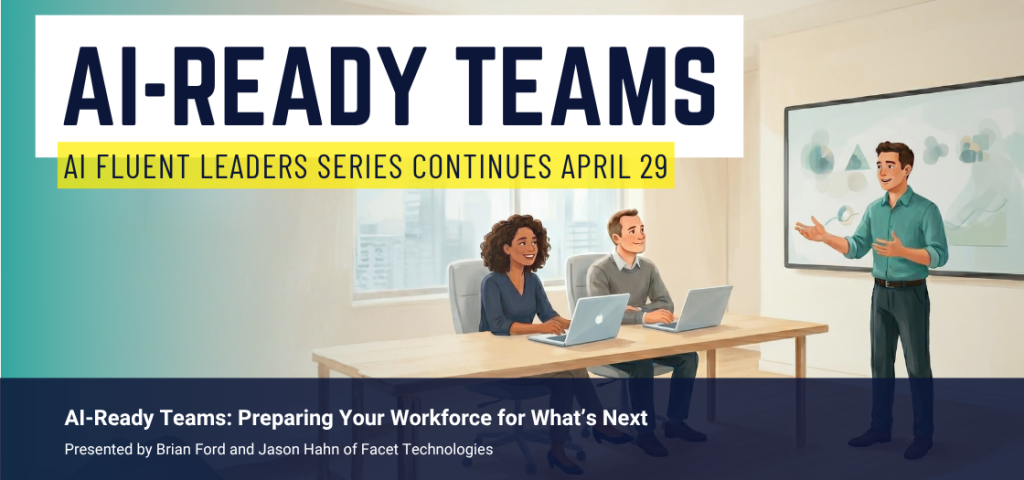
Our next AI Fluent Leaders webinar is coming up on Wednesday, April 29. We’re diving into the big culture and team questions around AI, and sharing how our team uses AI to reduce their busywork and grow stronger. Register here!
Who’s Got the Keys?
Think about everyone who can log into your business systems right now… getting nervous yet?
Most companies have some version of this happening:
A web designer from a few years ago who still has admin on the site
A bookkeeper who left in 2023, but’s still in QuickBooks
Last summer’s intern, still an admin on the company Facebook page
An HVAC vendor with a portal login that touches your network
An ex-employee whose personal phone is still getting the MFA codes from websites
People move on, projects end, and sometimes the access stays. The problem is that attackers aren’t generally “hacking” small businesses anymore. They buy leaked passwords from old data breaches and try them. When one works, they’re in, and it looks like a normal login.
Here’s a small thing you can do this week: open up QuickBooks, your CRM, or your website admin portal, and pull up the user list. Remove anyone who doesn’t need access.
A few minutes, four times a year, stops this problem in its tracks (it’s also a great reason to have an offboarding checklist, which prevents some of these!).
Need guidance with removing access to software, or have another tech question? Call us at (309) 689-3900 to request a consultation.
AI Fluent Leaders: Session 4
AI-Ready Teams: Preparing Your Workforce for What’s Next
The next session of AI Fluent Leaders coming up on Wednesday, April 29 is about the people side of AI. How do you build a team that’s comfortable using these tools? How do you make AI part of how work gets done, not a side experiment a few folks are running on their own?
Join Brian and Jason for a session on how Facet has built an AI-forward culture, the tools we use day-to-day, and what we’ve learned about getting the whole team on board.
Much to be said about credential theft driving cyber incidents.
Stolen passwords surpass phishing: Ransomware groups are now prioritizing credential theft over active hacking as their way in. SecurityWeek.
BEC still costing millions: The FBI’s 2025 IC3 report logged over $3 billion in business email compromise losses last year, and compromised accounts (not just spoofed ones) are a growing piece of that.
Why Are Agriculture Businesses a Growing Target for Cyberattacks?
Agriculture is now one of the fastest-growing targets for cybercriminals. Ransomware attacks on food and agriculture companies more than doubled in early 2025, with 84 incidents reported in the first quarter alone, according to the Food and Ag-ISAC. For Central Illinois ag businesses, from grain operations and food processors to equipment dealers and seed companies, the threat is no longer hypothetical. Here is what is driving these attacks and what you can do to protect your operation.
At a glance: Ransomware attacks on food and agriculture businesses doubled in the first quarter of 2025 compared to the same period in 2024. CISA classifies food and agriculture as one of the 16 sectors of U.S. critical infrastructure. The Food and Ag-ISAC recorded 265 ransomware incidents targeting the sector in 2025, up from 212 in 2024. Most attacks enter through phishing emails, unpatched software, and unsecured remote access, all of which are preventable. A single ransomware event can shut down processing lines, delay shipments, and cost hundreds of thousands of dollars in lost production.
Why Is Agriculture Suddenly a Target for Cyberattacks?
Agriculture was not always on the radar for cybercriminals. But the sector has gone through a rapid technology shift over the past decade. Automated irrigation, GPS-guided equipment, IoT sensors, cloud-based farm management platforms, ERP systems in processing plants, and connected supply chain tools have all expanded the number of entry points attackers can use.
At the same time, many ag operations invest less in cybersecurity than comparably sized businesses in other industries. That gap between technology adoption and security readiness is exactly what ransomware groups look for. The FBI has identified four major threat categories facing U.S. agriculture: ransomware attacks, foreign malware, data and intellectual property theft, and bioterrorism.
A ransomware group is a criminal organization that deploys malicious software to lock a company’s files and systems, then demands payment to restore access. These groups increasingly target industries where every hour of lost production creates pressure to pay quickly.
How Bad Is the Problem Right Now?
The numbers are stark. According to a 2025 Check Point Research report, agriculture experienced a 101% year-over-year increase in cyberattacks globally, the largest jump of any industry. In the United States, attacks on the sector rose 38%.
The Food and Ag-ISAC’s 2025 ransomware report tracked 265 attacks on food and agriculture companies over the year. That is up from 212 in 2024 and 167 in 2023. In total, ransomware now accounts for 53% of all known cyber threats facing the industry.
These are not just attacks on massive corporations. Iowa State University’s Center for Cybersecurity Innovation has noted that small and mid-size agricultural operations are being hit regularly. As one researcher put it, a $5,000 theft from a family farm does not make national news, but it still devastates the business.
What Makes Ag Operations Especially Vulnerable?
Several factors make agricultural businesses more exposed than the average office-based company.
Legacy equipment and mixed technology. Many ag businesses run a combination of modern cloud platforms alongside older systems that were never designed with security in mind. A processing plant might have PLC-controlled equipment from the early 2000s sharing a network with a brand-new ERP system. That mix creates gaps.
Flat networks with no segmentation. In a flat network, everything from the front office computers to the plant floor controls to the security cameras sits on the same network. If an attacker gets into one system, they can move laterally to everything else. Network segmentation is the practice of dividing a network into separate zones so that a breach in one area cannot spread to another.
Remote vendor access. Equipment vendors, software providers, and service technicians often have remote access to systems inside your operation. Without proper controls, those connections become open doors.
Seasonal urgency. During planting, harvest, and peak processing seasons, ag businesses cannot afford to be offline. Attackers know this. They time their demands to moments when the pressure to pay and get back to work is highest.
Limited IT staffing. Many ag companies in Central Illinois do not have a dedicated IT team. The person managing technology might also be managing operations, which means security monitoring, patching, and backup testing often fall behind.
What Does a Cyberattack Actually Look Like for an Ag Business?
It does not always start with a dramatic ransom note. Many attacks begin with a phishing email that looks like a routine invoice, a shipping notification, or a message from a vendor. An employee clicks a link, enters credentials on a fake login page, and the attacker is inside the network.
From there, the attacker may sit quietly for days or weeks, mapping the network and identifying the most damaging systems to lock down. When the ransomware deploys, it can encrypt everything from accounting files and customer records to the software that runs processing lines and inventory management.
JBS Foods, the world’s largest meat processor, was forced to shut down all U.S. beef plants after a ransomware attack in 2021. The company paid $11 million to restore operations. Americold Logistics, one of the largest cold storage companies in the country, was hit twice, once in 2020 and again in 2023, with attacks that disrupted phone systems, email, inventory management, and order fulfillment.
These are large companies with dedicated security teams. For a 50-person food processor or a regional grain operation, the impact of a similar attack would be proportionally devastating.
What Can Central Illinois Ag Businesses Do Right Now?
You do not need a massive budget or a full-time security staff to make meaningful improvements. Start with the items that close the most common attack pathways.
Turn on multi-factor authentication (MFA) everywhere. MFA is a login method that requires a second verification step, like a code sent to your phone, in addition to your password. It stops the vast majority of credential-based attacks. Every email account, remote access tool, and cloud application your business uses should have MFA turned on.
Test your backups. Having backups is not enough. You need to verify that you can actually restore from them and know how long that process takes. If your recovery time is measured in weeks instead of hours, that is a gap you need to close now. Facet Technologies offers backup and instant recovery services that are built around getting businesses back online fast.
Segment your network. Separate your office systems from your plant floor, your guest Wi-Fi from your production network, and your vendor access from your internal systems. This limits how far an attacker can move if they get in.
Review who has remote access. Make a list of every vendor, technician, and employee who can connect to your systems remotely. Remove access for anyone who no longer needs it. Require MFA for everyone who does.
Patch your systems. Ransomware groups routinely target known software vulnerabilities that already have available fixes. Keeping operating systems, firewalls, and applications up to date closes those doors.
How Does Facet Technologies Help Agriculture Businesses?
Facet Technologies has provided IT and cybersecurity services to Central Illinois businesses for over 35 years, including clients in agriculture, food processing, and manufacturing. We understand the specific challenges ag operations face: mixed legacy environments, multi-site connectivity, seasonal production demands, and the need for technology that works reliably without a full-time IT department on staff.
Our approach starts with a cybersecurity risk assessment that maps your current exposure, from network architecture and backup readiness to vendor access and endpoint protection. From there, we build a plan based on what actually matters for your operation, not a one-size-fits-all checklist.
Facet’s managed detection and response (MDR) service provides 24/7 monitoring through an external security operations center, with threats addressed in minutes. Combined with endpoint detection and response, email security, dark web monitoring, and employee training, we build layered protection that covers the ways attackers actually get in.
We also work with ag businesses that already have internal IT staff through our co-managed IT program, adding security architecture, cloud migration support, and strategic planning without replacing the people who already know your operation.
Is the Government Doing Anything About Agriculture Cybersecurity?
Yes, and the federal response is accelerating. CISA classifies food and agriculture as one of 16 critical infrastructure sectors and has published a sector-specific cybersecurity checklist with free resources.
The Farm and Food Cybersecurity Act, reintroduced in Congress, would direct USDA to invest in cybersecurity research and crisis simulation exercises specific to agriculture. Additional legislation would establish regional cybersecurity research centers at universities with dedicated funding for ag-focused security training and workforce development.
The American Farm Bureau Federation has also partnered with the Food and Ag-ISAC to strengthen cyber awareness across the sector. These are positive steps, but they are primarily research and awareness programs. The actual work of securing your business still falls on you and the partners you choose to work with.
Frequently Asked Questions
Why are cybercriminals targeting agriculture businesses?
Agriculture has adopted technology rapidly, from connected equipment to cloud-based management platforms, but cybersecurity investment has not kept pace. Attackers target industries where the gap between technology use and security readiness is wide, and where the pressure to restore operations quickly increases the chance of a ransom payment.
What is the most common type of cyberattack on farms and food processors?
Ransomware is the most common threat, accounting for 53% of all known cyber incidents in the food and agriculture sector according to the Food and Ag-ISAC. Phishing emails are the most frequent entry point, followed by exploitation of unpatched software vulnerabilities.
Are small ag businesses really at risk, or just large corporations?
Small and mid-size operations are targeted regularly. Ransomware groups often use automated scanning to find vulnerable systems regardless of company size. A 50-person food processor or family-owned grain operation with weak security is just as likely to be hit as a national brand.
What is the first thing an ag business should do to improve cybersecurity?
Turn on multi-factor authentication across all email accounts, remote access tools, and cloud applications. This single step blocks the majority of credential-based attacks and costs nothing to implement on most platforms.
How much does a cyberattack cost an agriculture business?
Costs vary widely depending on the size of the operation and the severity of the attack. For mid-size businesses, a ransomware event can cost anywhere from tens of thousands to over a million dollars when you factor in lost production time, recovery expenses, legal costs, and reputational damage.
Does Facet Technologies work with agriculture companies in Central Illinois?
Yes. Facet Technologies has served ag businesses, food processors, and manufacturers across Central Illinois for over 35 years. Our team provides managed IT, cybersecurity, backup and recovery, and strategic IT planning designed for businesses with 10 to 500 employees. Learn more at facettech.com/it-for-ag.
What is the Food and Ag-ISAC?
The Food and Agriculture Information Sharing and Analysis Center, or Food and Ag-ISAC, is a nonprofit organization that collects and shares cybersecurity threat intelligence specific to the food and agriculture sector. It partners with federal agencies, universities, and private companies to help the industry stay ahead of emerging threats.
How often should an ag business review its cybersecurity?
At minimum, once per year with a full risk assessment, and again any time you add new technology, change vendors, or experience a security event. Facet Technologies includes quarterly strategic planning reviews as part of its managed services agreements to keep security current with your operation.
If you are running an ag business in Central Illinois and want to understand where your operation stands, we are happy to walk through it with you. No pressure, just a clear picture of your current risk and the practical steps to address it. Call us at (309) 689-3900 or reach out at facettech.com/contact-us.
Our next AI Fluent Leaders webinar is coming up next Wednesday, March 25. We’re going live with Copilot: real prompts, real demos, real tricks you can use the same day. More details at the bottom of this newsletter. Register here!
We first wrote about ClickFix in August. Since then, ClickFix has become responsible for 47% of initial access incidents in 2025 according to Microsoft, and a large ransomware group called LeakNet adopted it just this week. This newsletter includes updated details on the growing threat.
What’s a ClickFix Attack?
Ransomware doesn’t necessarily arrive in your inbox disguised as a fake invoice or urgent payment request.
This threat lurks on legitimate websites that have been secretly compromised, in emails with fake “Captcha” pages, or through online ads that look like the real thing. It keeps evolving, with a new variant discovered this month that actually bypassed endpoint detection programs.
How a ClickFix Scheme Strikes
The Setup: Criminals hack legitimate websites or create “lookalike” sites and plant invisible code.
The Hook: You visit a trusted site. A popup appears: usually a fake Cloudflare CAPTCHA, a “browser critical error,” or a “security update required” message. Behind the scenes, malicious code is silently copied to your clipboard.
The Trap: The fake message instructs you to press Windows key + R, press Ctrl + V, and press Enter. These three keystrokes execute hidden malicious code, instantly infecting your system. Because you ran the command, many security tools don’t flag it as suspicious.
Real-World Examples of ClickFix Pop-Up Messages
”Verify You Are Human” CAPTCHA checks on compromised websites
“Browser Critical Error” messages on familiar websites
“Update Required Immediately” popups with manual instructions
“Fix Network Connection” prompts asking you to copy/paste commands
“Security Alert” windows requesting keyboard shortcuts instead of normal downloads
Six Guidelines to Prevent ClickFix Attacks
Never follow keyboard instructions from popups. No legitimate website will ever ask you to open the Windows Run dialog
Close suspicious windows immediately
Update browsers through official channels only
When in doubt, restart your browser
Report suspicious sites to your IT provider
Put preventative measures in place including MFA, firewalls, and email filtering according to CISA’s guidelines (our team can manage this process for you)
ClickFix has grown from an emerging threat to one of the most effective attack methods in use today because it turns the user into the delivery mechanism. Your best protection is skepticism. No real security update, CAPTCHA, or error fix requires you to open the Run dialog and paste a command.
Need guidance with training employees or exploring advanced security options? Call us at (309) 689-3900 to request a consultation.
AI Fluent Leaders: Session 3
Practical AI You Already Own: Microsoft Copilot in the Real World
If you’ve been using ChatGPT, Gemini, or any other AI tool at work, you already know AI is useful. Now imagine that same kind of help, except it can read your emails, recap your meetings, and pull from your actual company files. That’s what Microsoft Copilot does, and your organization might already have access to it (don’t worry, we’ll show you how to make the switch seamless).
We’re going live to show you the prompts and tricks that make Copilot worth using every day: “type this, get this” demos you can try the minute you get back to your desk. You’ll walk away with a free cheat sheet of ready-to-use prompts.