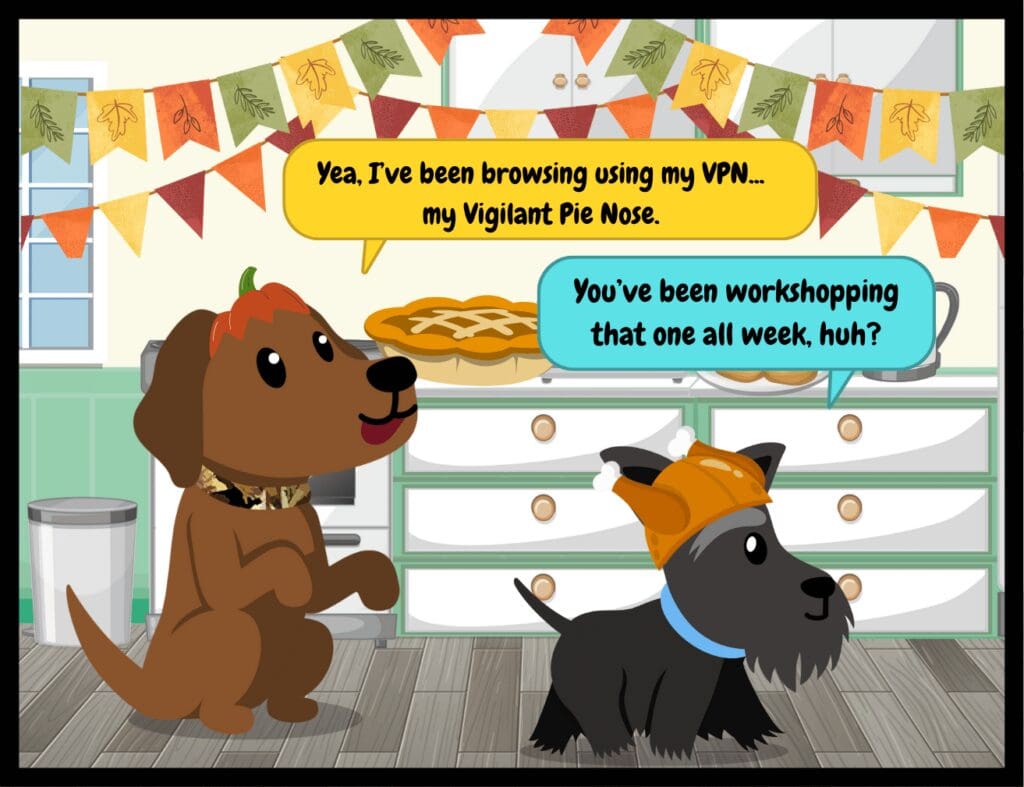
“Thanks so much to (insert VPN provider here) for sponsoring this video.” Sound familiar?
VPNs bill themselves as a safeguard against getting your identity stolen on the internet, but many popular VPN providers promise total security, then sell or even steal your data.
What’s a VPN?
Personal VPN products connect your device to another network, “bypassing” your ISP (internet service provider) and encrypting your traffic. With a VPN, potential attackers on the same network (say, on public WiFi at a hotel or coffee shop) can’t steal passwords, credit cards, or other data. There’s also off-label usage: some people use VPNs to hide illegal activities, or bypass content blocks in their country.
Here’s The Issue With Personal VPNs:
Many VPN apps either ask for or are implicitly given permission to log or sell your data, and that can go to anyone at their discretion. Businesses targeting ads toward you, online services, even, ironically, your ISP. If it’s free, they’re almost certainly staying in business by selling your data (hardly any worthwhile security product is free). Bad actors may also set up “free VPN” services just to steal data.
There are tradeoffs when searching for a personal VPN provider, so do thorough research if you choose to use one. If you would like more guidance, just reply to this email and we can send some resources to you.
Now, About Your Business Data…
If you’re using a personal VPN solution for work, or no VPN, it’s time to explore alternatives. Ideally, your work-from-home setup should connect employees to your company network and firewall, where corporate traffic is filtered and protected by your security stack.
This safer option removes third party VPNs altogether, and protects your employees, even on public or mobile networks (remember, you never know who has their home WiFi wide open for the rest of the neighborhood).
Interested in having Facet configure a VPN or cybersecurity plan for your business? Schedule a call with Trey by clicking here.
⭐ Special thanks to Facet team members Zach Jacobson, Karol Burton and Tyler Greenleaf for their technical advice on today’s newsletter topic!
? Cyber Treats will be off next week for Thanksgiving so the dogs can beg for turkey and root for the Packers. We will return on December 5. As always, we are grateful for our clients and community. Thanks for being part of the Facet Family.
Think of traditional security like a castle with strong outer walls, moats, sentries, maybe a dragon – you get the idea. In this castle, once someone’s inside, they can move around freely.
But what if the castle’s not made of stone and sectioned neatly off on its own (I think we’ve taken the metaphor far enough here)? Your employees likely work from home occasionally. They access data on personal devices, maybe even on public networks.
As the perimeter of your castle expands, zero trust architecture offers a way to secure “anytime, anywhere” access to data, documents and more.
Why Look Into Zero Trust?
Protects against insider threats and compromised accounts (because many threats come through “disguised” as internal staff)
Limits damage from breaches – granular control over sensitive resources means attackers can’t freely move through your network
Supports remote work by securing access from anywhere
Allows your organization to meet tough compliance standards and can lower cyber liability insurance premiums
Start Today With These Quick Tips
If you don’t have the resources to implement a “full” zero trust security architecture, you can start by implementing a few key elements of the philosophy into your existing cybersecurity plan.
Zero Trust philosophies can be applied everywhere, at work and in your personal digital life.
Use multi-factor authentication everywhere, not just for “important” accounts
Treat your home and work networks as untrusted – secure each device individually
Regularly verify app permissions on your devices (and be picky about which apps you download)
Never save passwords in browsers or reuse them across accounts (I cannot stress this enough–once hackers have one email/password combination, they will try it on many sites across the web)
Let’s Talk Zero Trust for Your Business: Meeting Compliance Standards and More
Many industries are faced with new compliance standards. Facet, as your managed services partner, can work with you to implement a cybersecurity plan informed by zero trust principles to meet or exceed these standards so you can grow your business.
Designed properly, zero trust architecture doesn’t have to slow down your employees or affect performance. In fact, it can help you become more profitable as you can prove to potential clients that you take their data seriously.
Want to learn more?
Fill out the form below and mention zero trust in the message box. Our team will reach out with more information on securing your organization from threats inside and out.
According to the FTC, shopping scams were the second-most reported in the US in 2023–and they’re at their worst during the holidays. According to TransUnion’s 2022 Global Digital Fraud Trends report, there was a 127% increase in daily fraud attempts between November 24 and 28 compared to January 1 through November 23.
Volume of orders isn’t the only factor here. According to Norton’s 2022 Cyber Safety Insights Report, nearly one in three adults (32%) worldwide admitted to taking more risks with online shopping closer to the holidays, so if you find yourself clicking “add to cart” a bit quicker than usual, you’re not alone.
Below, we detail three common scams and how to avoid them for safer shopping this year.
The “Undeliverable Package” Text (or Email)
A text comes through alerting you that a package is not deliverable to your house or business. It’s the holidays. You’ve ordered at least 15 gifts in a coffee-fueled shopping push this weekend, so it seems plausible. You click the link. You get malware on your phone.
Avoid this by tracking orders directly through a retailer’s website or app. Avoid clicking links in suspicious messages (especially if they don’t mention a company name), and be cautious of unsolicited delivery messages.
The Gift Card “Deal”
You come across an amazing deal for gift cards at a steep discount. You purchase the cards as gifts. Once you’ve purchased the cards, the scammer uses the card, leaving you out fifty big ones with a worthless card. Alternatively, scammers will request payment for items via gift cards so they can continue these schemes.
Avoid this by purchasing gift cards directly from reputable retailers. Never use gift cards as a form of payment to unknown individuals.
The “Extreme Couponer”
You find an amazing coupon link promising steep discounts via e-mail, social media, or SEO-optimized pages on a Google search. What’s the scam? These coupon links can lead to phony websites made to mimic a legit retailer, or even sites that encourage you to download adware or malware.
Avoid this by looking for coupons with the retailer’s official site and/or app, or sign up for their email list. Also, install a good ad blocker.
Consider Mobile Device Management
Does your team use mobile devices for work? Perhaps the ones on which they also do their Cyber Monday shopping? If so, your business’s documents are right there with anything and everything on their phone—if their phone gets hacked, your company data can be left vulnerable.
The solution? Education and mobile device management. With an MDM solution, you get seamless security for iOS, Android, iPadOS and frontline worker devices. This native endpoint security detects SMS/email phishing, app management, identity management and more.
MDM along with good cyber awareness training can help build a strong security posture. Facet offers an MDM as part of our Advanced Security Suite of products that can be added on to any managed service agreement.
CONGRATULATIONS to the winner of the October Popcorn Giveaway, Jenni of JM Industrial Supply! Watch for our next drawing in November–you could be our next winner!
Ready to put that cybersecurity knowledge to the test?
We’ve put together a Halloween-themed cybersecurity trivia quiz for you! Test your own knowledge or share with your team for some spooky fun!
Healthcare data remains a valuable commodity on the black market–with health records regularly fetching more than 10 times the amount of credit card information.
For organizations in the healthcare space, the message is clear: it pays to keep your systems secure as hacking groups see health systems as lucrative targets.
Some cybersecurity vulnerabilities are surprisingly simple—and visible. These tips go beyond the virtual. Let’s go irl!
A goofy desktop background is the best-case scenario here…
Before you step away from your desk, take two seconds to lock your computer (Windows key + L on PC, Control + Command + Q on Mac), especially if you’re working in a public place. Why? In those few minutes you’re gone, anyone could:
– Send emails as you
– Access sensitive company files
– View confidential client information
– Install harmful software
Make it a habit to “lock it up” every time you leave your PC.
When the server room is also your waiting room…
Did you know that penetration tests often include a physical access component? Pen testers will mimic the tactics real hackers use to attempt to access servers and other equipment, posing as your IT provider, internet provider, or just walking right in your office.
To prevent physical access to your data, some security measures to consider include:
– A clear visitor policy (who can enter, when, and why?)
– Sign-in procedures for guests
– Employee ID badges or key cards
– After-hours access protocols
– Regular audits of who has keys or access codes
Note: if someone who says they’re a technician from Facet shows up unexpectedly, you can always give us a call to make sure they’re legit.
Quick Action: Walk your office today. Are visitors wandering freely? Are computers left unlocked? Who has office keys?
Start with these basics, and you’ve already closed two major vulnerability gaps.
Just Something Fun (and Maybe Frustrating?)
Challenge your friends or family to neal.fun’s Password Game.
?TRADE OFFER!? We receive: your feedback about the future of Cyber Treats. You receive: a chance to win a popcorn tin from Popcorn Heaven!
We’re doing another Cyber Treats popcorn giveaway for October! We appreciate our subscribers and want to make sure Cyber Treats is sharing information relevant to YOU!
Want extra entries? Each person you refer to Cyber Treats earns you one additional entry to the popcorn drawing. Forward them this email and have them fill out the Popcorn Drawing form to enter and subscribe to the newsletter.
Contest ends 10/31/2024. See site for terms and conditions.
Want some advice on business cybersecurity? Our team is here to help with solutions to keep your business’ data safe. Call us at (309) 689-3900 or schedule a discovery call with Trey to see what your options are for managed services and cybersecurity.
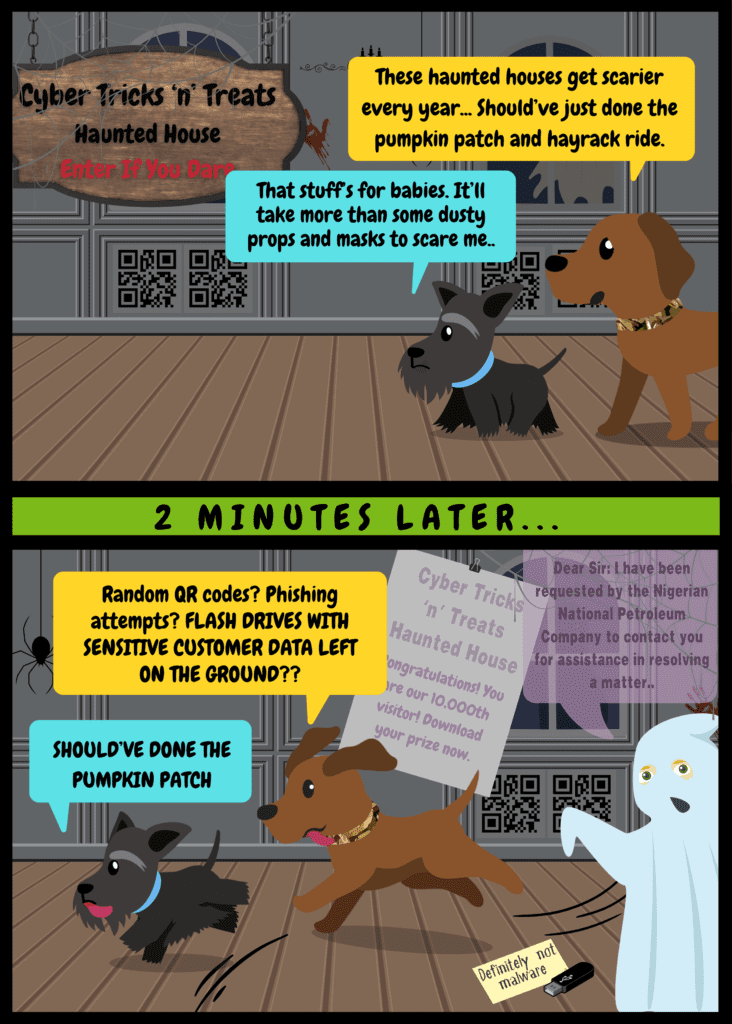
QR codes are convenient, but cybercriminals use them for scams, too—usually to get you to download malware or reveal sensitive information. Protect yourself from QR phishing scams with these quick tips:
Inspect the source: Only scan codes from trusted entities.
Check the URL: If you use your phone’s camera to scan QR codes, the link should pop up in the middle of your screen. Before clicking, ensure the link looks legitimate.
Use the right app: If your camera app doesn’t allow you to preview links, install a QR scanner app like Binary Eye.
Be wary of unsolicited codes: Don’t scan random QR codes in public or emails. There have been cases of scammers putting outrageous posters up on the street to try and steal information through QR code scans.
Keep devices updated: This helps defend against newly discovered vulnerabilities.
Remember: When in doubt, don’t scan, especially if you can’t verify the source of the QR code.
Did You Know? Targeted Ads, Data Privacy and Your Teen
When children turn 13, they age out of the Children’s Online Privacy Protection Act (COPPA). This means that companies can assign your teen an advertising ID that tracks them across the web using their phone, Google account, and more, and sell their information to data brokers. Scary? Yes!
The EFF (Electronic Frontier Foundation) has a guide on how to remove these IDs from your kids’ devices here. It’s worthwhile to check, even on devices for kids under 13, and on school-issued devices, to decrease their security risks on the web.
Want some advice on business cybersecurity? Our team is here to help with solutions to keep your business’ data safe. Call us at (309) 689-3900 or schedule a discovery call with Trey to see what your options are for managed services and cybersecurity.
Welcome to our new subscribers who we met at this week’s ILA conference!
What exactly is the dark web?
The internet is comprised of layers. The surface web, or what we most likely think of when we imagine “the internet,” is only the tip of the iceberg. Beyond that, lies what is called the “deep web,” and beyond that, the “dark web.”
Surface Web:
Publicly accessible websites indexed by search engines
Examples: news sites, social media, online shops
Deep Web:
Content not indexed by standard search engines
Requires specific access or credentials
Much larger than the surface web
Examples: academic databases, medical records, private social media content
Dark Web:
A small portion of the deep web that requires a special browser like Tor to access
Even if you don’t access the dark web, you can feel its affects. Most modern identity theft happens through dark web marketplaces, and it’s likely that you have passwords and logins in “combolists” for sale by hackers.
What’s there to do about it?
It’s nearly impossible to avoid EVERY website data breach, but take steps to mitigate the damage.
Check periodically for dark web password breaches. We offer free dark web reports with information about compromised accounts—just reach out here and we will send you a custom report.
Use different passwords for each website. List buyers will run credentials through most common websites to check for repeat passwords—and exploit what they find there.
In the News: Internet Archive Hacked
Yesterday, the Internet Archive/The Wayback Machine, which stores screen captures of sites through the years, was hacked. Side note: normally, I read about hacks in the news. This time, I found out when I tried to find an old restaurant review referenced in an episode of Kitchen Nightmares. The hacker posted a JavaScript message to visitors reading, “Have you ever felt like the Internet Archive runs on sticks and is constantly on the verge of suffering a catastrophic security breach? It just happened. See 31 million of you on HIBP!” (Have I Been Pwned is free data breach notification service).
The stolen passwords are encrypted, but can be referenced against previous uses of the same password. If you’re reusing passwords, time to switch it up. At this time, the hackers still have control of the site.
New research from Gartner estimates that 45% of organizations will experience a supply chain attack before the end of 2025. For business owners invested in cybersecurity, this can feel a bit like a kick to the gut: “My cybersecurity defenses are in order, so why aren’t these software companies doing the same?”
The truth is that some software companies are taking the steps necessary to secure their products, but with the constant increase in supply chain-targeted attacks, they’ve got big targets on their backs (of course, regardless of size, all businesses remain profitable targets for ransomware and other attacks). The recent highly-publicized Crowdstrike and Solarwinds attacks are only a couple of examples.
The Solution? Start Asking the Hard Questions.
Well, maybe not hard questions, but important ones. As a business leader, your best strategy is talking to your software vendors. Ask questions about what they do with your data, how they store it, and how they secure it. They should be prepared to discuss their security strategies—and if they’re not, that’s a red flag.
If you’re a Facet customer, we offer vendor liaison services as part of your managed services agreement. If you’re looking to add a new software to your stack, consult with us. Not only can we help with deployment, but we can also identify possible security vulnerabilities the software might bring to your network.
Are you looking for a managed services solution that fits your needs? We’re here to talk. Contact us now.
In the News: Background Check Data Exposed (Again)
Another background check company has experienced a breach, this one due to an exposed database (no passwords here), revealing the data of about 1 in 3 Americans on September 23. This follows right on the heels of a National Public Records data breach in August.
If you aren’t already, it’s a good time to look into identity theft protection (even free options will monitor your credit).
It’s also a good time to make sure your customers’ data is locked down–talk to us for options to secure any customer information to make sure it’s protected against cyber attack or ransomware.
Congratulations to Our Giveaway Winner!
Congratulations to Mike of Earlybird Feed and Fertilizer for winning the Cyber Treats Popcorn Giveaway. Stay tuned for our next giveaway starting soon!
Thanks for reading Cyber Treats! I welcome your feedback–submit the contact form below to get in touch or let me know what you’d like to see.
There are a LOT of AI tools out there, but sometimes an AI tool really is worth all the hype. We’re sharing three tools our team loves and uses regularly, and some quick AI tips and tricks.
Synthesia.io for AI-Generated Videos
We’ve used Synthesia for a few videos on our ticket system, FacetTRAK (you can see them at FacetTRAK.com). Their avatars are surprisingly lifelike (especially their most recent additions) and the voices don’t sound like robots—no Siri/Bixby here. I found the editing to be quick and easy. If you, like us, prefer staying off-camera, this is a great way to make video content.
Scribe
Scribe is our development team’s go-to tutorial maker. It records your screen while you perform any task and turns it into step-by-step documentation. You can then edit the document if needed. Fast, simple, incredibly helpful and time-saving.
Claude: a Brainstorming/Outlining Pal
I’ve yet to find an AI tool that can really replace an actual human “voice,” but the one that comes closest for me is Claude, a large language model (LLM) with a free tier and a more advanced paid tier. Here are some things I think it excels at:
1. Outlines: I use Claude to outline blog posts and articles. It can turn a brainstorming document into an outline instantly, so you can start writing faster.
2. Working Off Other Documents: Claude lets you upload whole documents to use as a reference or to proofread—this is great for converting, say, a blog post into a Facebook post, or checking for typos. Just don’t upload anything confidential–I stick to things that will be posted publicly.
3. Sounding Like a Real Person: Claude is good at understanding niche subjects and avoids predictable AI tropes. If you’ve been unimpressed with the robotic tone of ChatGPT, I’d recommend trying Claude. It’s often said to sound more “human” out of the box.
Quick Tips:
Fake Your Excel Power User Status: ChatGPT and other LLMs tend to be pretty good at providing Excel/Google Sheets formulas. Use plain English to explain what you’d like to do, and save that time you would have spent down a Google rabbit hole.
Social Media Posts, Faster: Canva, the free social media/creative tool, has some new AI features that blew me away, including image editing abilities and background removal that used to require manual work and lots of patience, and AI-powered image generation.
Regulations from the government and insurance companies are making business continuity a hot topic. If you find you’re suddenly in need of a Business Continuity Plan (BCP), working with a managed service provider might be the right choice.
For smart business owners, a robust BCP is not just a safety net—it’s a necessity, and with the increasing prevalence of cyber threats, integrating cybersecurity into your BCP is essential. Here’s how to get started.
Intro to BCPs
A Business Continuity Plan outlines procedures and instructions an organization must follow in the face of disaster, whether natural disaster, fire, or cyberattack. The goal is to ensure that critical business functions continue to operate or are quickly restored to minimize downtime and financial loss.
Why Cybersecurity is a Crucial Part of Any BCP
Cybersecurity threats are among the most significant risks to business continuity today. Cyberattacks can lead to data breaches, financial loss, and reputational damage. By incorporating cybersecurity measures into your BCP, you can protect your business from these threats and ensure a swift recovery if an attack occurs. Most insurance providers who require a BCP outline cybersecurity measures your company needs to take to be insured against cyberattack.
Steps to Develop a Cybersecurity-Focused BCP
Risk Assessment Begin by identifying potential cyber threats to your business. This includes malware, phishing attacks, ransomware, and insider threats. Assess the likelihood and impact of each threat to prioritize your efforts.
Business Impact Analysis (BIA) Conduct a BIA to determine the potential effects of a cyber incident on your business operations. Identify critical functions and processes, and estimate the financial and operational impact of disruptions.
Develop Response Strategies Create strategies to respond to identified risks. This includes incident response plans, data backup procedures, and communication plans. Ensure that your response strategies are comprehensive and cover all aspects of your business.
Implement Cybersecurity Measures Invest in robust cybersecurity measures to protect your business. This includes firewalls, antivirus software, encryption, and multi-factor authentication. Regularly update and patch your systems to protect against new threats.
Employee Training Your employees are your first line of defense against cyber threats. Provide regular training on cybersecurity best practices, such as recognizing phishing emails and using strong passwords. Encourage a culture of security awareness within your organization.
Regular Testing and Updates A BCP is not a one-time effort. Regularly test your plan through simulations and drills to ensure its effectiveness. Update your plan as your business grows and new threats emerge. Continuous improvement is key to maintaining a resilient business.
Choosing the Right MSP to Help You
Partnering with a managed IT service provider can significantly enhance your cybersecurity posture. If you partner with Facet, our team can help you develop, implement, and maintain your BCP, ensuring that your business is protected against the latest threats. We also provide 24/7 monitoring and support, giving you peace of mind that your business is in good hands (check out our previous post on how to pick the right helpdesk service).
A well-crafted Business Continuity Plan is essential for any business owner looking to safeguard their operations against cyber threats. By integrating cybersecurity into your BCP, you can ensure that your business remains resilient in the face of adversity. Start today by assessing your risks, developing response strategies, and partnering with experts to protect your business. Your future self will thank you.